3-10
DXC-D30 (UC)
DXC-D30P (CE)
3-3-13. Shading Adjustment
Note :
Perform this adjustment when the lens or CCD unit is replaced.
Object: White portion of pattern box
Equipment: Waveform monitor, Oscilloscope
To be extended: VA-169 board
Trigger: VD (TP73/extension board)
Adjustment Procedure
1. SERVICE menu “PAGE 2”
→ R SHAD:
G SHAD:
B SHAD:
2. Shoot the center portion of pattern box by zooming the
lens to fully TELE position.
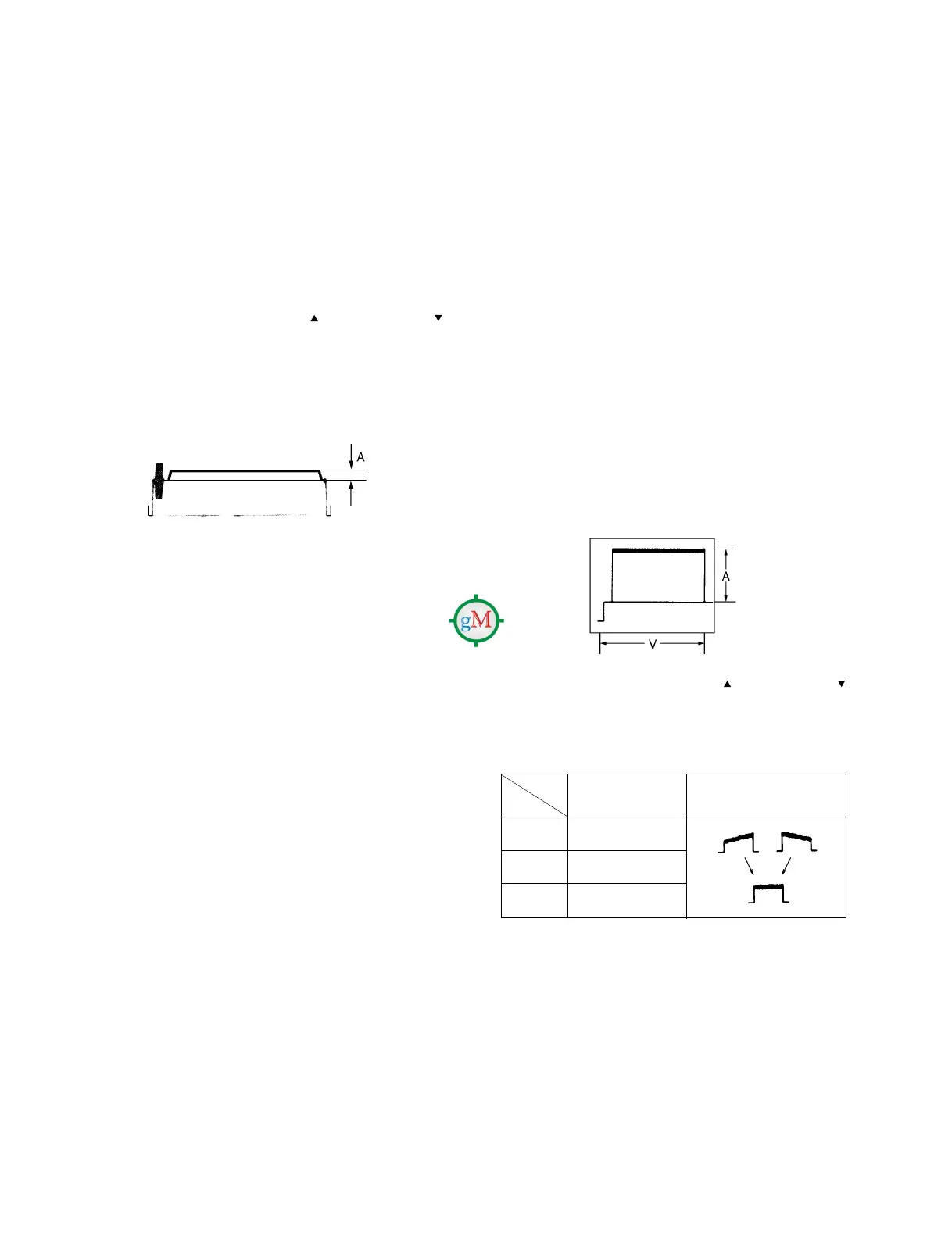
3. Adjust the lens iris so that the level “A” is 70 ± 2 IRE (for
PAL: 490 ± 14 mV) on the VIDEO OUT connector of
camera.
4. In the following mode, adjust the UP
switch or DOWN
switch so that the waveform of the oscilloscope becomes
flat.
Waveform monitor
GND: TP38/extension board
Test point Spec.
Mode (VA-169 board)
R SHAD CL101
G SHAD CL201
B SHAD CL301
3-3-12. Pedestal Adjustment
Equipment: Waveform monitor
Test point: VIDEO OUT/Camera side
Adjustment Procedure
1. SERVICE menu “PAGE 15”
→ MELK ADJ:
2. Close the lens iris.
3. Push down the “W/B” switch on the camera to “BLK” side.
4. Adjust the pedestal level by UP
switch or DOWN
switch.
Specification : A = 10 ± 1 IRE (for NTSC)
20 ± 7 mV (for PAL)



 To Next Page