DXC-D30 (UC)
DXC-D30P (CE)
2-3
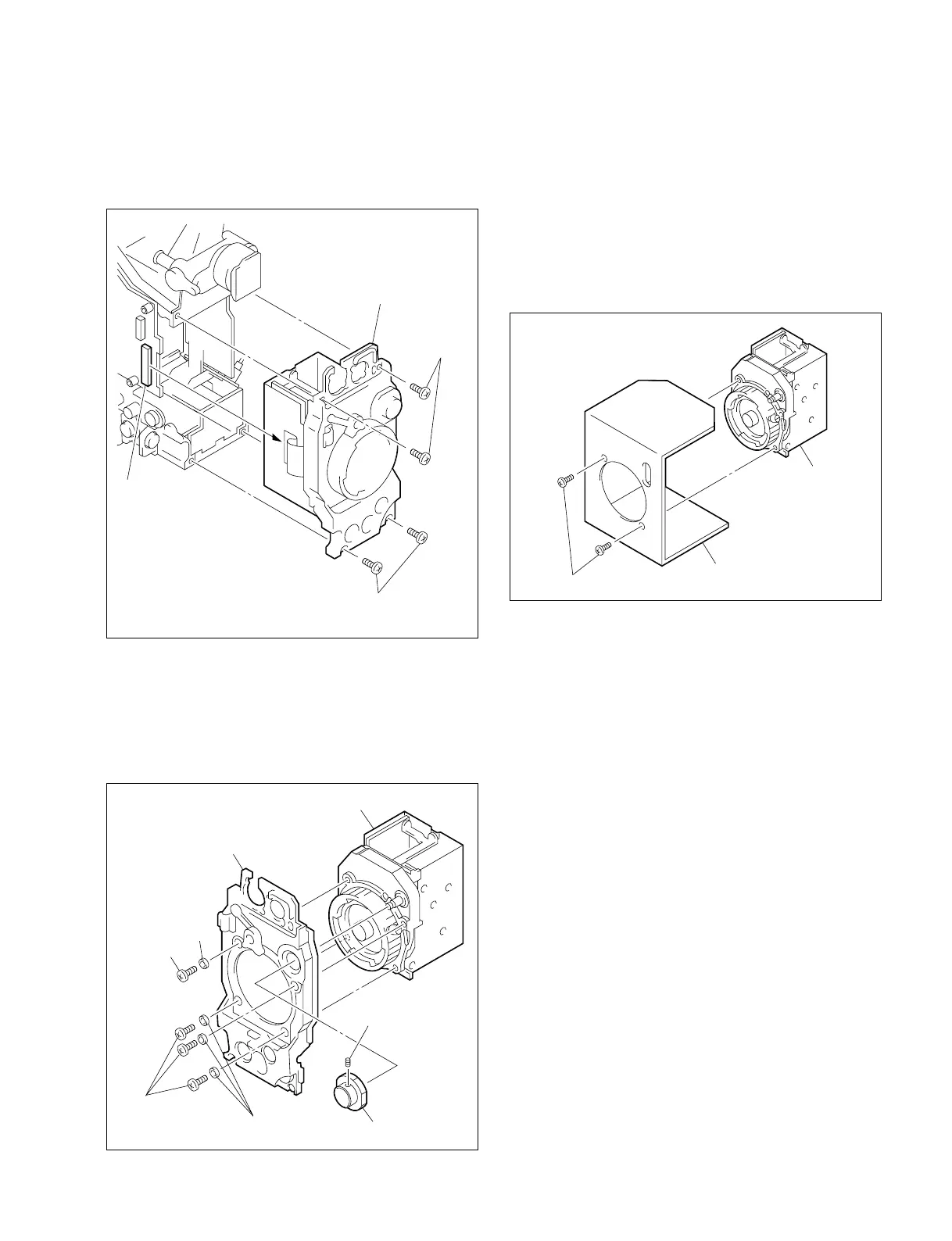
5. Remove setscrew (3 × 4) and remove the filter knob.
Remove four screws (B3 × 8) and washers. Remove the
CCD unit from the Front unit Ass’y.
Note: When handling the CCD unit, pay attention not to stress
each PA board.
4. Remove four screws (B3 × 10 : with washer). Disconnect
the two connectors, CN2 and CN14 on the MB-629 board.
Pull out the Front unit Ass’y.
6. Remove the CCD unit from transport holder for replace-
ment CCD unit supplied from the Sony Part Center.
When installing a new CCD unit, reverse the above
procedures.
After the replacement is complete, perform several ad-
justments referring to Section 3-1-4.“Note on Adjust-
ment”.
Note: When transporting the CCD unit that was removed
from the unit, reuse the transport holder.
Washer(W3)
Screws(B3 X 8)
Washers(W3)
Screw(B3 X 8)
Setscrew(3 X 4)
Front panel
Filter knob
CCD unit
CCD unit
Transport holder
Screws(P3 X 6)
Front unit Ass'y
Screws
(B3 X 10:
with washer)
Screws
(B3 X 10: with washer)
CN103



 To Next Page