3-12
DXC-D30 (UC)
DXC-D30P (CE)
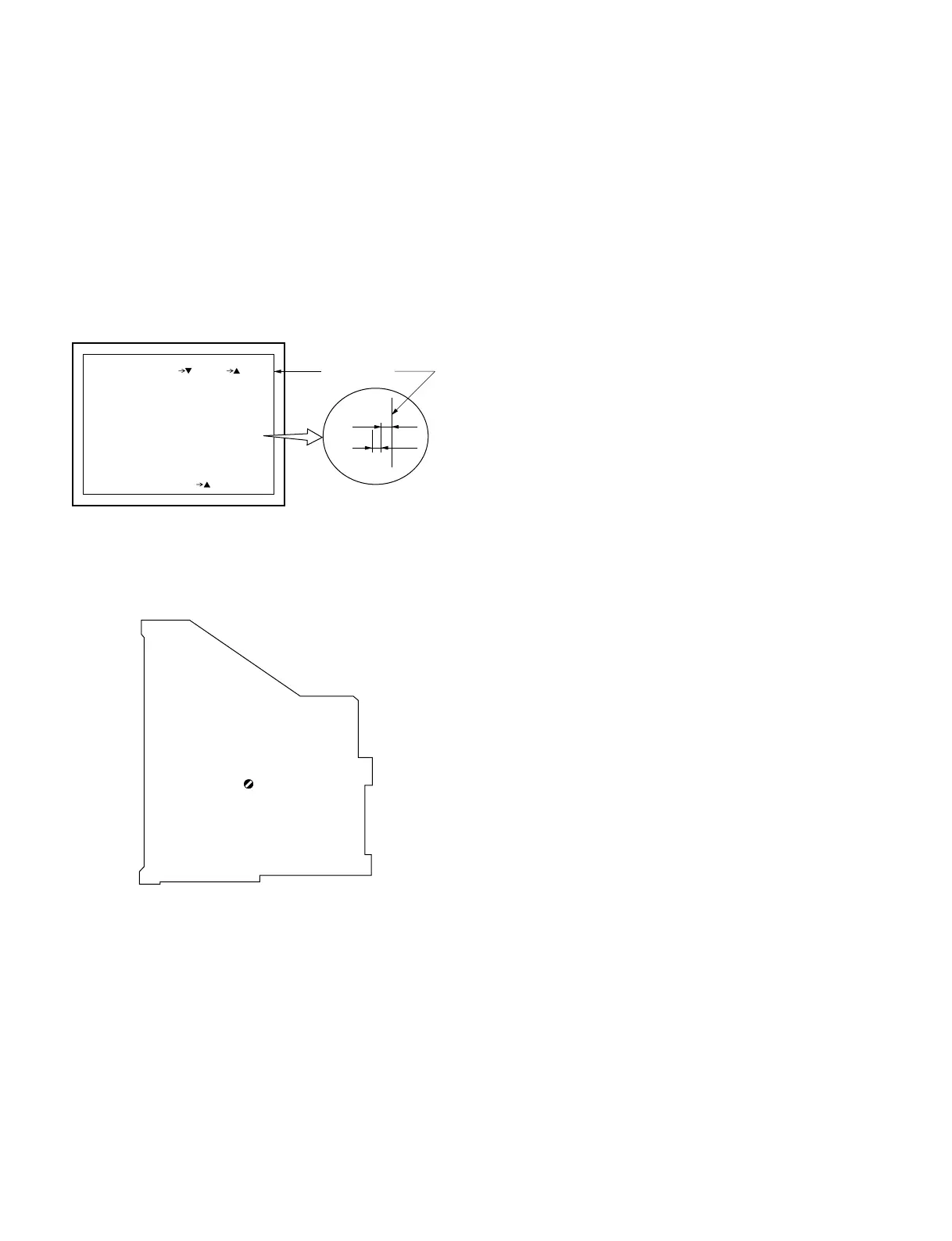
3-3-16. Character Position Adjustment
Equipment: Color monitor (or, B/W monitor)
Preparation: OUTPUT/DL/DCC+ switch/camera side
→ BARS
Test point: MONITOR OUT connector/camera side
Adjustment Procedure
1. Set the “MARKER” to “ON” on the BASIC menu.
2. Set the “MARKER” to “CENT/90%” on the “PAGE 4” of
ADVANCE menu.
"b"
"a"
XXdB
XXXX
TONE
XXdB
XXXX
PAGE 4 (NEXT PREV )
EXIT MENU (YES )
TONE
Safty zone
MARKER:CENT/90%
ZEBRA:1
ZEBRA1:70IRE
VF SDTL:±0
VF TALLYx 2
3. Adjusting point: 1CV1/MB-629 board
Specification: “a” = “b”
(The space between “a” and “b” are
nearly equal)
CV1
MB-629 BOARD -B SIDE-



 To Next Page