6
two cams
(stocker)
8
cam
(stocker)
cam (stocker)
cam (stocker)
cam (stocker)
hole
gear
(stocker 2)
gear
(stocker 2)
gear
(stocker 2)
gear (stocker 3)
2
tension spring (SW)
4
lever (SW)
1
screw
(+PTPWH 2.6
×
8)
7
screw
(+PTPWH 2.6
×
8)
3
hook
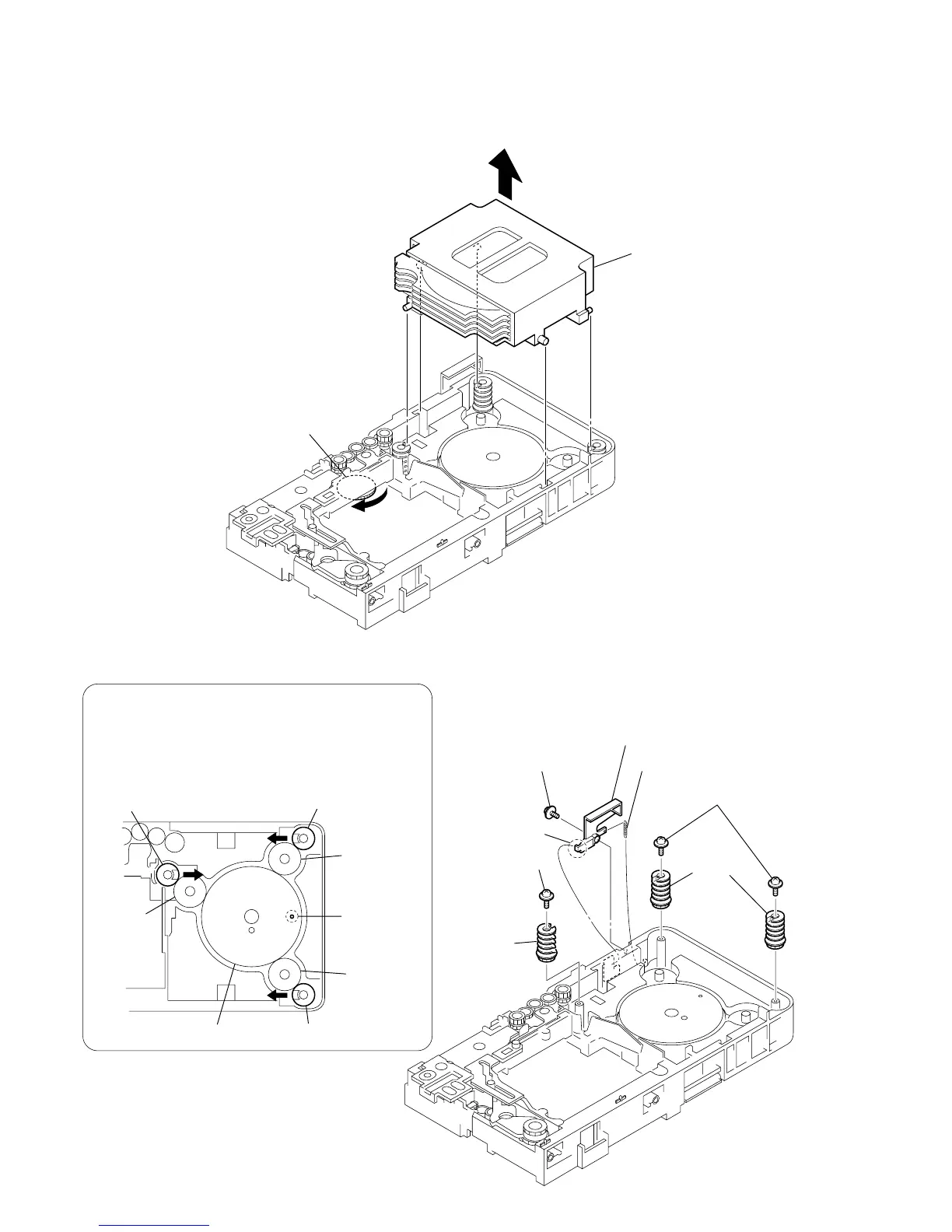
PRECAUTION DURING CAM (STOCKER) INSTALLATION
Before installing the cams (stocker), fix the gear (stocker 3) in
the manner so that the hole of the gear (stocker 3) should be
aligned with the hole of the chassis located beneath
the gear (stocker 3). Be sure to install the cams (stocker) in
such a way that the grooves of the cams (stocker) face
the direction of the arrows.



 To Next Page