22
HCD-C770/C990
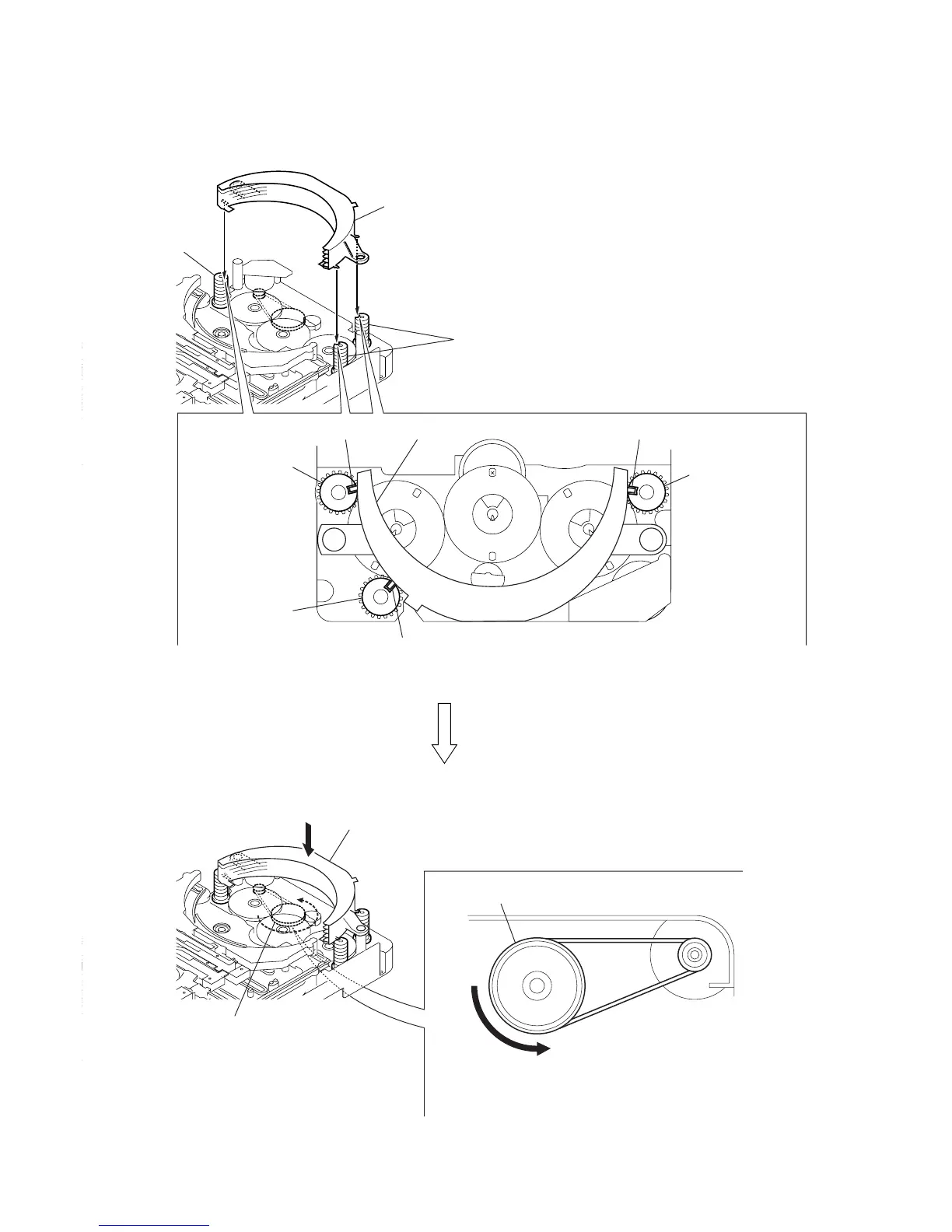
4-7. HOW TO INSTALL THE STOCKER ASSY
Ver 1.5
1
Fit three shafts of the stocker assy in respective slits
of the cams (stocker U/D).
cam (stocker U/D)
cam (stocker U/D)
cam (stocker U/D)
cam (stocker U/D)
shaft
shaft shaftstocker assy
cam (stocker U/D)
Note: For the location of slits of the cams (stocker U/D),
see 4-6. HOW TO INSTALL CAM (STOCKER U/D).
2
Making sure that three shafts of the stocker assy fit in
respective slits of the cams (stocker U/D), rotate the
pulley (stocker) in the direction of arrow
A
by hand to
store the stocker assy.
A
pulley (stocker)
pulley (stocker)
stocker assy



 To Next Page