Need help?
Do you have a question about the Sony HCD-D170 and is the answer not in the manual?
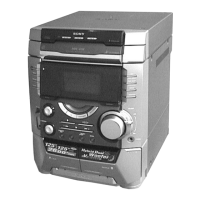
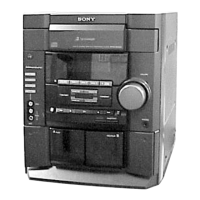
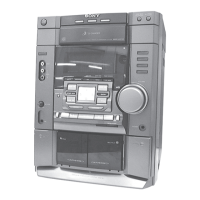
The HCD-D170/G1100 is a compact disc deck receiver, serving as the tuner, deck, CD, and amplifier section for the LBT-D170 and LBT-G1100 systems. This device is available as a US Model (HCD-D170/G1100) and a Canadian Model (HCD-D170).
The HCD-D170/G1100 integrates multiple audio components into a single unit, providing comprehensive audio playback and recording capabilities. It features a CD player, a cassette deck, an FM stereo/AM superheterodyne tuner, and an amplifier.
CD Player Section:
The CD player utilizes a compact disc and digital audio system with a semiconductor laser. It supports various playback modes including CONTINUE, SHUFFLE, and PROGRAM. Users can also REPEAT tracks or discs, and an AUTO function is available. Disc selection is facilitated by DISC 1-5 buttons and a DISC SKIP button. The OPEN button allows access to the disc tray.
Cassette Deck Section:
The cassette deck supports 4-track 2-channel stereo recording. It includes DOLBY NR for noise reduction and features standard tape operating buttons such as PLAY, FAST FORWARD, REWIND, STOP/EJECT, RECORD, and PAUSE.
Tuner Section:
The tuner section is an FM stereo, FM/AM superheterodyne tuner. It allows users to tune into radio stations using TUNING +/- buttons and save them with the TUNER MEMORY button. STEREO/MONO and TUNING MODE buttons provide control over reception. The TUNER/BAND button switches between FM and AM bands.
Amplifier Section:
The amplifier section provides audio output to speakers and headphones. It features a VOLUME control, DBFB (Dynamic Bass Feedback) for enhanced bass, and S-SURROUND for spatial audio effects. EFFECT and EQ MEMORY buttons allow for sound customization. A PHONES jack is available for private listening.
General Features:
The device includes a SYSTEM POWER switch, a SLEEP button for timed power-off, DAILY 1 and DAILY 2 buttons for daily timer settings, and TIMER SET and CLOCK SET buttons for time-related functions. A DISPLAY/DEMO button controls the display mode, and a REMOTE SENSOR allows for remote control operation.
Audio Power Specifications (LBT-D170/LBT-G1100):
CD Player Section:
Cassette Deck Section:
Tuner Section:
Inputs:
Outputs:
General:
Display Window:
The display window provides various indications including SURROUND, TIMER mode, Tuner, DOLBY NR B, AUTO/MANUAL/PRESET, REC, Band/disc/track/sound frequency range, Disc calendar/playing position, DBFB, Music calendar, VOLUME, and Radio frequency/playing time/sound frequency level.
Remote Control:
The device can be operated via a remote control, offering buttons for SLEEP, LOOP, CD (play), TUNER/BAND, +/-, CHECK, FUNCTION, MUSIC MENU, POWER, PAUSE, STOP, EDIT, DISC SKIP, CLEAR, and VOL (volume) +/-.
Rear Panel Connections:
The rear panel includes an AM terminal, FM 75Ω terminal, VIDEO (AUDIO) IN jacks, SPEAKER connectors, and a ground terminal.
Dolby Noise Reduction: The device incorporates Dolby noise reduction technology, manufactured under license from Dolby Laboratories Licensing Corporation. "DOLBY" and the double-D symbol are trademarks of Dolby Laboratories Licensing Corporation.
Safety-Related Component Warning:
Components identified by a MARK A or a dotted line with MARK A on the schematic diagrams and in the parts list are critical for safe operation. These components must be replaced only with Sony parts whose part numbers appear as shown in the manual or published supplements.
Safety Check-Out: After any service, perform safety checks for AC leakage on antenna terminals, metal trim, "metallized" knobs, screws, and all other exposed metal parts. Leakage current must not exceed 0.5 mA (500 microamperes) and can be measured using a commercial leakage tester, a battery-operated AC milliammeter, or by measuring voltage drop across a resistor with a VOM or battery-operated AC voltmeter.
Notes on Chip Component Replacement:
Flexible Circuit Board Repairing:
Notes on Handling the Optical Pick-Up Block or Base Unit:
Notes on Laser Diode Emission Check: The laser beam is focused on the disc reflective surface by the objective lens. When checking laser diode emission, observe from more than 30 cm away from the objective lens.
All Lights of FL Tube (Servicing Note):
To illuminate all FL tube lights, simultaneously press TUNER/BAND, DISPLAY/DEMO, and FILE 2 buttons. To exit this mode, press the same buttons simultaneously again.
Switching the Channel Step 9 KHz/10 KHz (Servicing Note):
To switch the AM channel step between 9 KHz and 10 KHz, simultaneously press ENTER/NEXT and POWER buttons. Exercise caution to avoid accidental changes.
Mechanical Adjustments:
Electrical Adjustments:
 General
| Brand | Sony |
|---|---|
| Model | HCD-D170 |
| Category | Stereo System |
| Language | English |


 To Next Page