13
CD SECTION
CD AGING MODE
Procedure:
1. Press the I/1 button to turn the power on.
2. Press the [FUNCTION] button to set the CD function, insert a disc to the each disc tray (CD1 to 3).
3. Press three buttons of x , [ENTER/YES] and [CD3] simultaneously (When releasing the buttons, the [ENTER/YES] button is the
last to be released).
4. The set displays “AGING SEL=00”. Between it is displayed, press the Z (CD1) button to start CD aging mode.
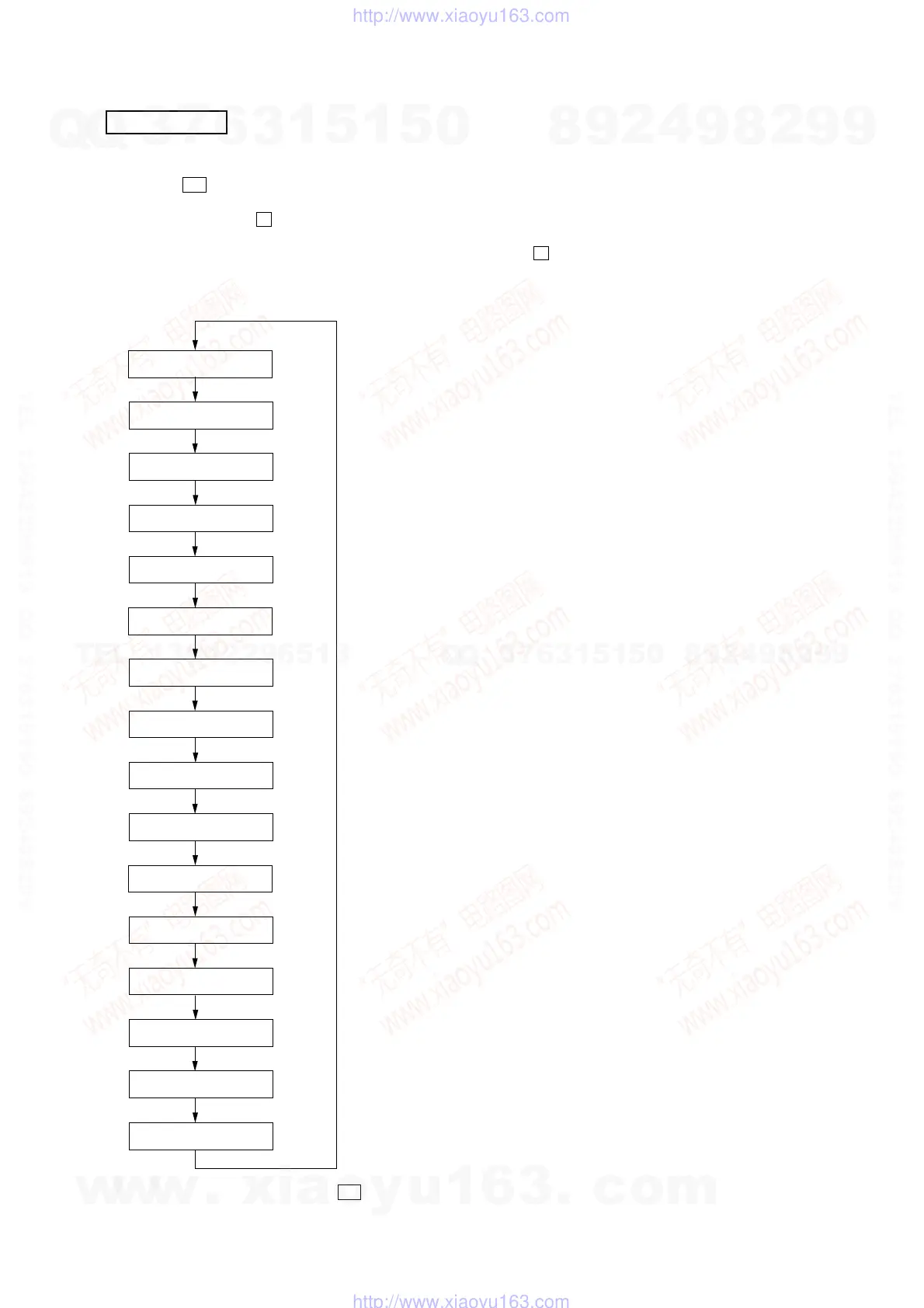
5. The sequence during the CD aging mode is following as below.
CD aging mode sequence:
6. To release from this mode, press the
I/1 button to turn the power off.
Note: Refer to “Error History Display Mode” (page 5) for display at an error occurred.
CD1 disc tray open
CD1 disc tray close
CD1 TOC read
Playback CD1 track 1
Playback CD1 last track
CD2 disc tray open
CD2 disc tray close
CD2 TOC read
Playback CD2 track 1
Playback CD2 last track
CD3 disc tray open
CD3 disc tray close
CD3 TOC read
Playback CD3 track 1
Playback CD3 last track
Display aging number
w
w
w
.
x
i
a
o
y
u
1
6
3
.
c
o
m
Q
Q
3
7
6
3
1
5
1
5
0
9
9
2
8
9
4
2
9
8
T
E
L
1
3
9
4
2
2
9
6
5
1
3
9
9
2
8
9
4
2
9
8
0
5
1
5
1
3
6
7
3
Q
Q
TEL 13942296513 QQ 376315150 892498299
TEL 13942296513 QQ 376315150 892498299
http://www.xiaoyu163.com
http://www.xiaoyu163.com


 To Next Page