15
[CD Aging Mode]
Procedure:
1. Short SL501 by soldering.
2. Turn on the main power. Set a disc on the DISC1 tray. Select
CD.
3. Press the SELECT/gG button. The aging mode starts.
4. Aging status appears on the monitor screen.
How to exit the CD aging mode:
1. Press the ?/1 and turn off the main power.
2. Remove soldering from SL501.
[Function Change Mode]
* elect either VIDEO or MD of the external FUNCTION input.
Procedure:
1. Turn on the power.
2. Press the two buttons ENTER and ?/1 at the same time.
The main power is turned on and the other function of the
previous function is selected and displayed. “MD” or
“VIDEO”.
[VIDEO CD Color-bars Mode]
On this mode, the data of the color-bars signal as a picture signal
and the 1 kHz sine wave signal as a sound signal are output by the
mechanism controller (IC502) for the video CD signal check. When
measurement of the voltage and waveform on the VIDEO board,
perform it in this mode.
For reference, the color-bars signal can be observed at J302 (VIDEO
OUT) using an oscilloscope.
Procedure:
1. Short the both ends of the land of SL503 of the VIDEO board.
2. Turn the power on. Press the CD button to select CD.
3. The color-bars appears when the CD is in stop status, and it
disappears when the CD goes in play status.
4. After measuring, remove the lead wire connected.VIDEO board
(SIDE B)
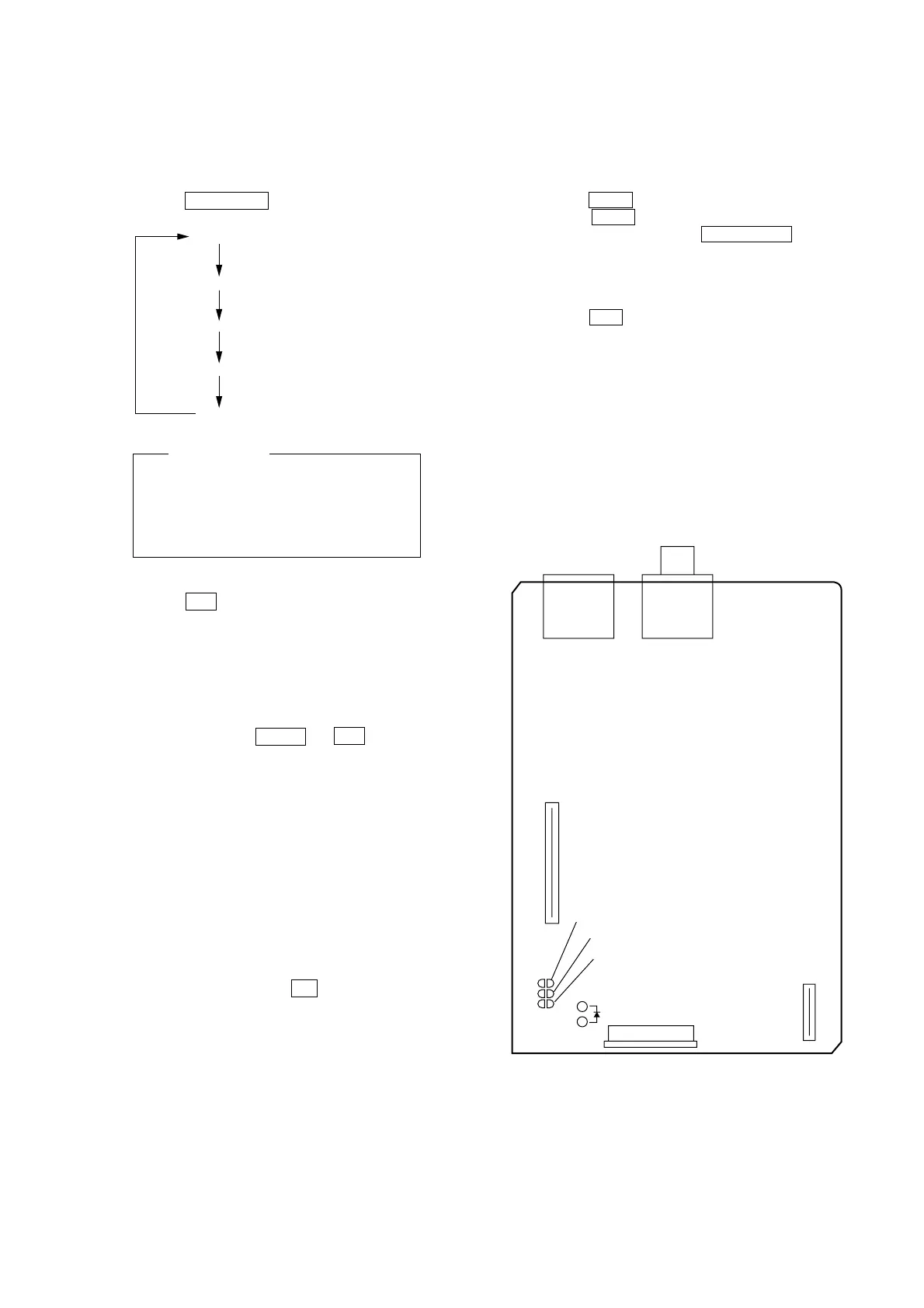
TOC reading
Last track is played bac
First track is played bac
OPEN
CLOSE
Monitor Display
1st line OPEN/CLOSE/CD PLAY display
2nd line DISC1/DISC1-15/DISC1-1/TIME display
4th line COUNT : 1 display
5th line TOTAL ERR : 00 display
6th line JITTER FF display
3rd line AGING
[CD Servo ON/OFF Mode]
Procedure:
1. Short SL502 on the VIDEO board by soldering.
2. Turn on the main power. Set a disc on the DISC1 tray. Select
CD.
3. Press the hH button to play back CD.
4. When the > + button is pressed, 100 track jump is executed.
5. Also, every pressing of the PLAY MODE button triggers
between ON and OFF of TRACKING SERVO and SLED
SERVO.
How to quit the CD servo ON/OFF mode:
1. Press the ?/1 button to turn off the main power.
2. Remove soldering from SL502.
VIDEO board (SIDE A)
J301
J302
CN501
CN503
SL503
SL502
SL501
CHECK LED
CN502


 To Next Page