1-2 (E)
HDCU3300/MM (J,E)
1-3. Connecting/Disconnecting the
Flexible Card Wire
The flexible card wires are used to connect between the
following boards. Life of flexible card wire will be signifi-
cantly shortened if it is bent. Be very careful not to bend
the flexible card wire.
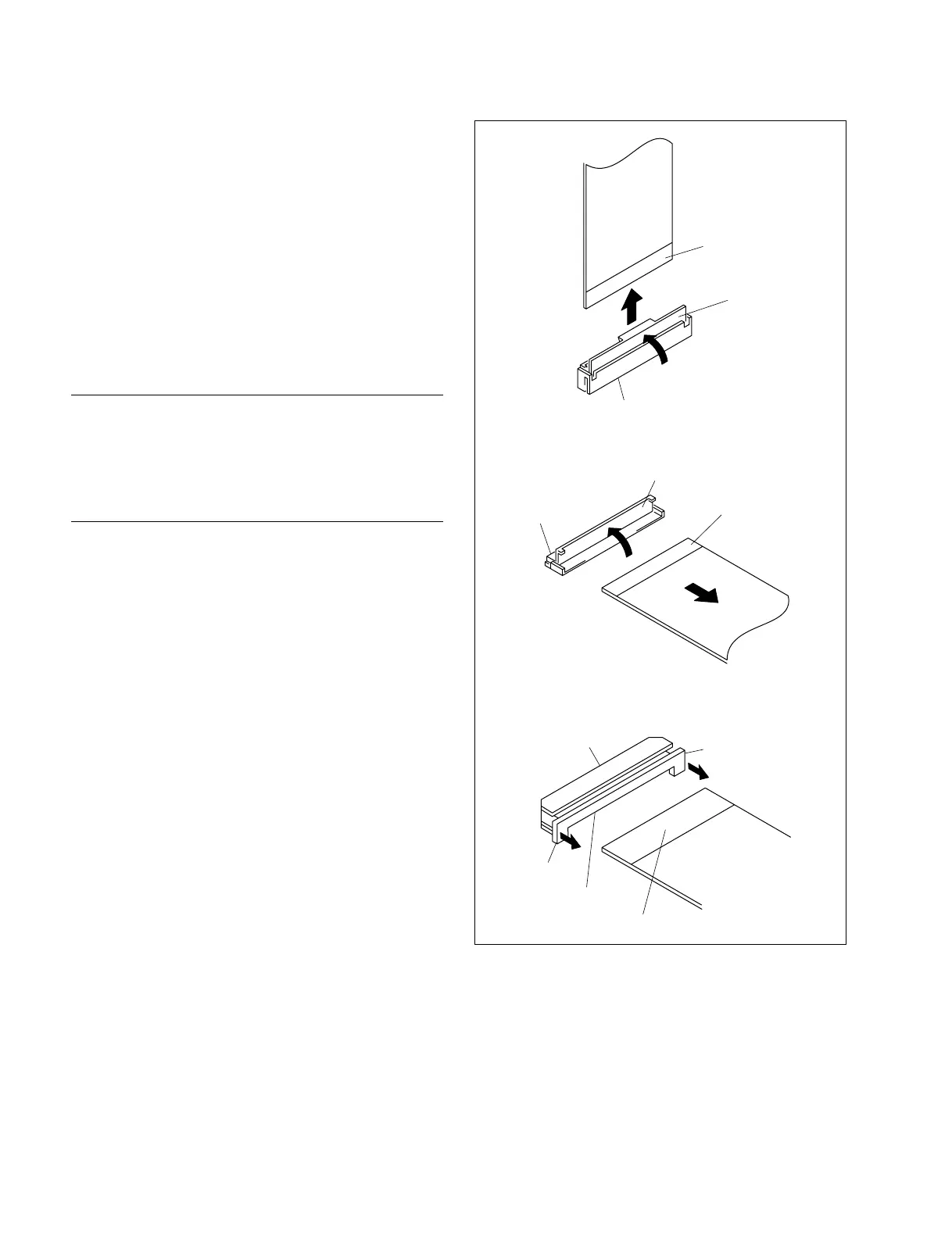
Three types of different-shaped connectors are used in
HDCU3300. (Type A to type C)
Because the direction of the flexible card wire is different
depending on the shape of the connector, be careful when
connecting the flexible card wire.
Disconnecting
1. Turn off the power.
2. Slide or raise the portion A in the direction of the
arrow to unlock and pull out the flexible card wire.
Connecting
m
. Do not insert the flexible card wire sideways.
. Confirm that there is no stain or dust on the contact
surface of the flexible card wire.
1. Slide or raise the portion A in the direction of the
arrow and securely insert the flexible card wire into
the deep end of the connector.
2. Return the portion A to its original position and lock
the connector.
n
When connecting the flexible card wire, check the connec-
tor shape, and great care should be taken for the direction
of the contact surface or isolation surface (blue).
(Refer to illustration of the type A to type C.)
Type A
Type B
Type C
A
Isolation surface (blue)
A
Recessed portion
Connector
A
Isolation surface (blue)
Isolation surface (blue)
Connector
Connector
A



 To Next Page