2-13 (E)
HDCU3300/MM (J, E)
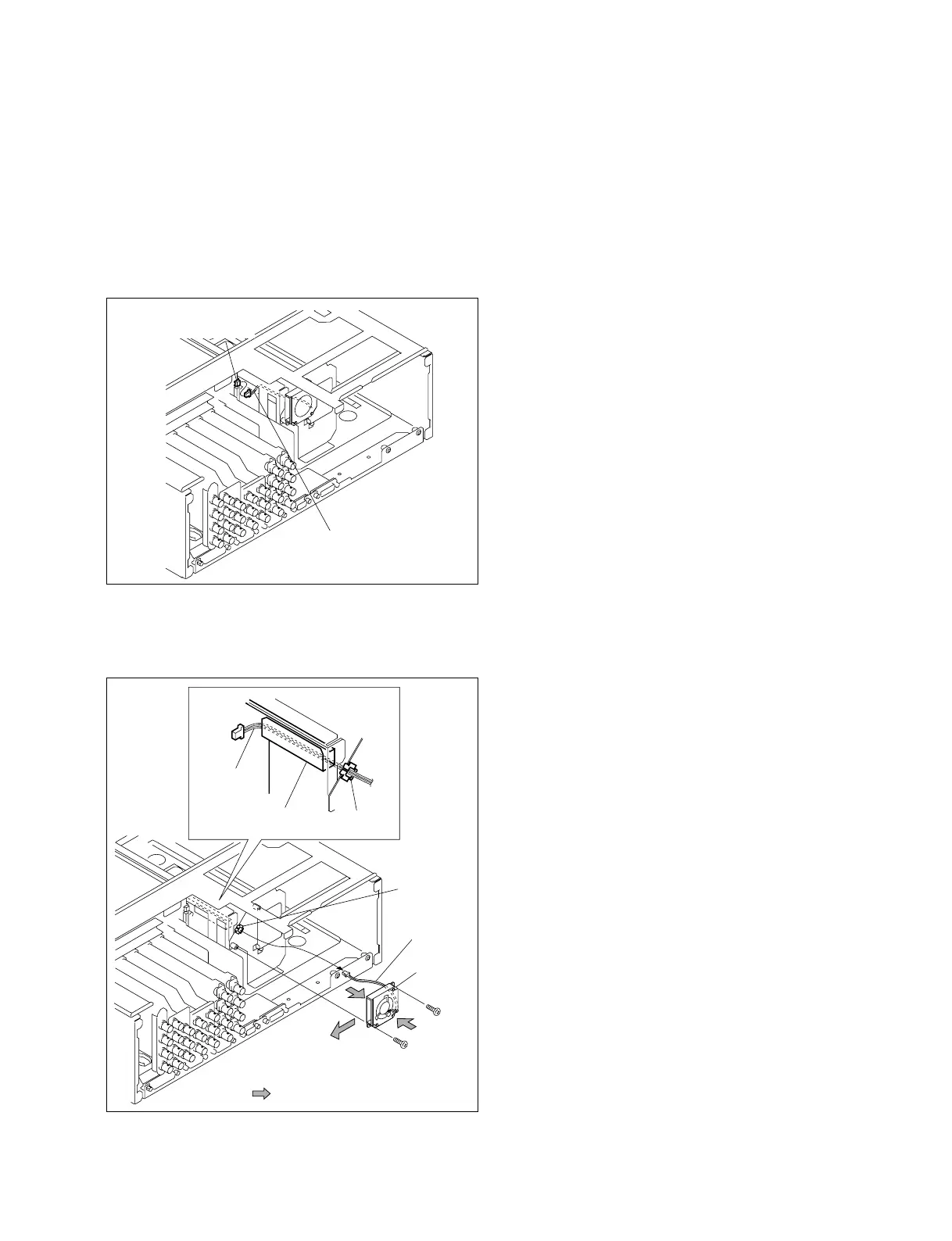
2-1-10. Replacing the DC Fan (Rear)
1. Remove the power supply unit.
(Refer to Section 2-1-1.)
2. Remove the rear panel.
(Refer to steps 1 to 8 of Section 2-1-4.)
3. Disconnect the harness from the connector CN34 on
the MB-1073 board.
4. Remove the two screws that fixes the DC fan.
5. Pull out the harness from the cable cover and notch
and remove DC fan.
6. Install the DC fan by reversing the steps of removal.
P2.6 x 6
P2.6 x 6
: Air flow
Harness
Cable cover
Notch
Notch
DC fan
Harness
Harness
CN34
(MB-1073 board)



 To Next Page