2-12 (E)
HDCU3300/MM (J, E)
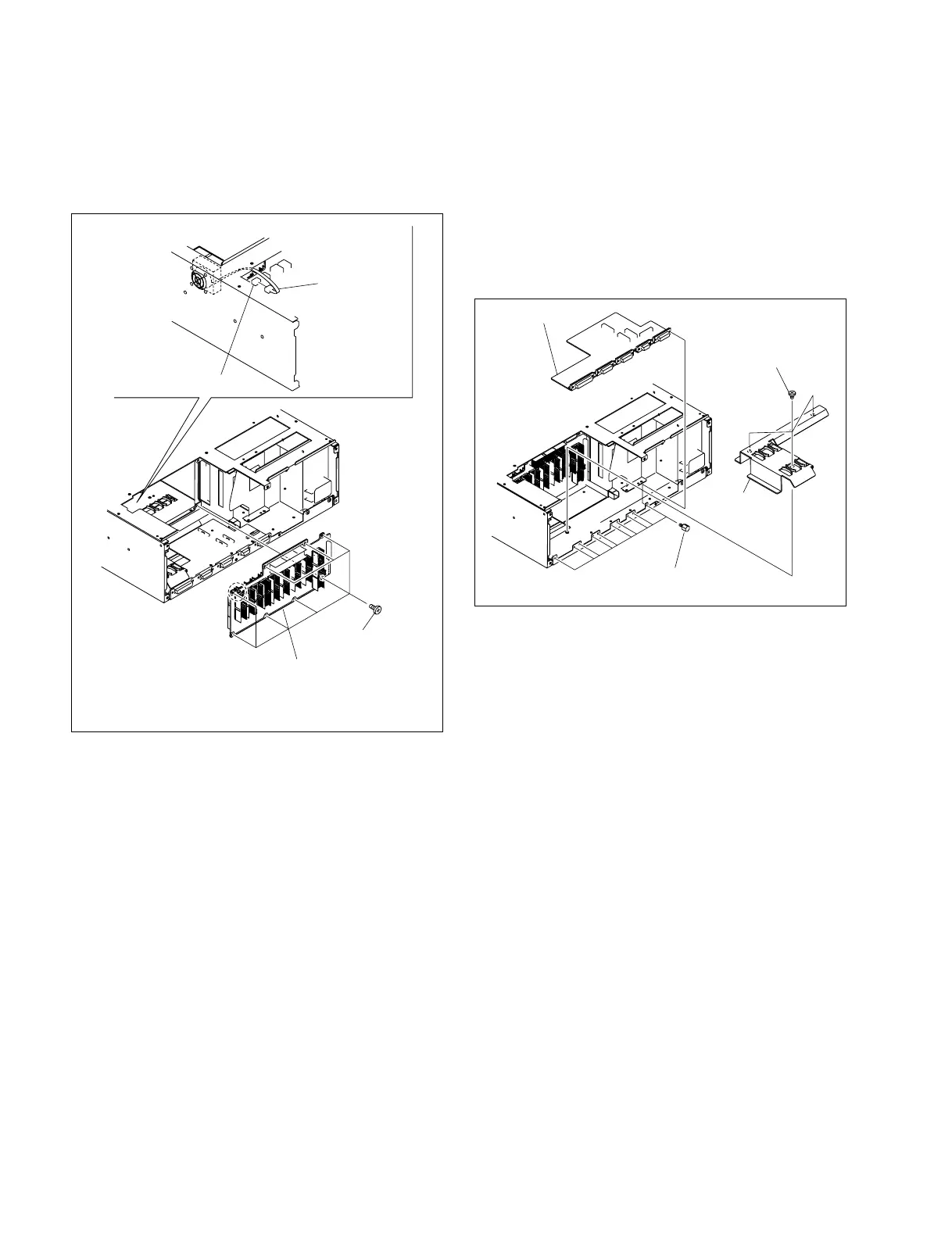
12. Disconnect the harness from the connector CN33 on
the MB-1073 board.
13. Remove the eight screws and remove the MB-1073
board.
14. Install the MB-1073 board by reversing the steps of
removal.
CNB-21G board
Screws
(B3 x 5)
Hexagonal screws
Rear board
fixing plate
CN33/
MB-1073 board
Fan harness
(DC fan: Side)
Screws
(PSW3 x 6)
MB-1073
board
2-1-9. Replacing the CNB-21G Board
1. Remove the VIF-34G board and ADO-10 board.
(Refer to steps 1 to 6 of Section 2-1-8.)
2. Remove the three screws and remove the rear board
fixing plate.
3. Remove the ten hexagonal screws and remove the
CNB-21G board.
4. Install the CNB-21G board by reversing the steps of
removal.



 To Next Page