EasyManua.ls Logo

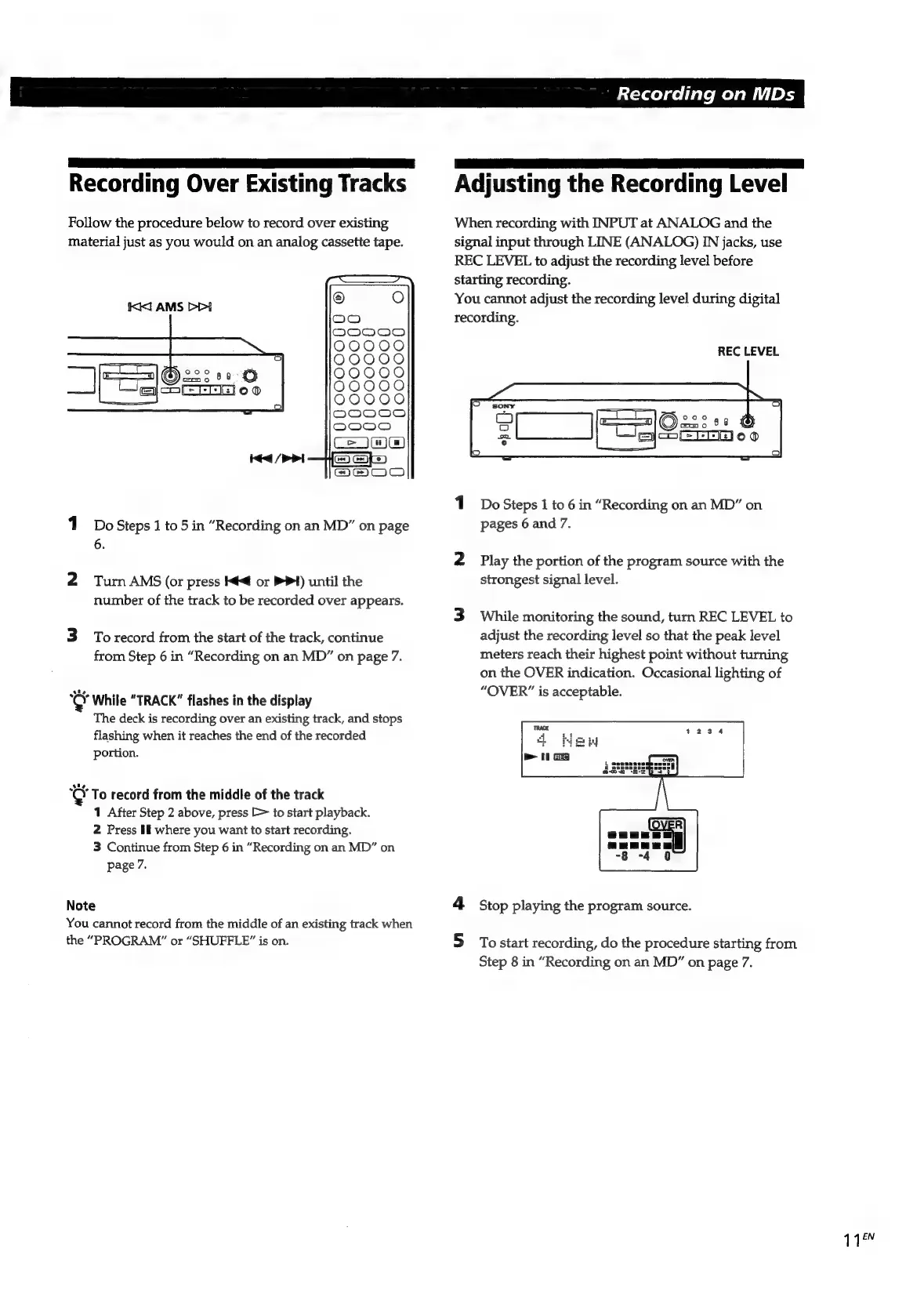
Sony MDS-E55 - Recording over Existing Tracks; Adjusting the Recording Level

Sony MDS-E55
36 pages
Print Icon
To Next Page IconTo Next Page
To Previous Page IconTo Previous Page
Loading...
Recording
on
MDs
ba
a
Pa
a
|
Recording
Over
Existing
Tracks
§
Adjusting
the
Recording
Level
Follow
the
procedure
below
to
record
over
existing
When
recording
with
INPUT
at
ANALOG
and
the
material
just
as
you
would
on
an
analog
cassette
tape.
signal
input
through
LINE
(ANALOG)
IN
jacks,
use
REC
LEVEL
to
adjust
the
recording
level
before
starting
recording.
Kil
AMS
DD
You
cannot
adjust
the
recording
level
during
digital
recording.
REC
LEVEL
———
a
ae
©:
—!
=
MELEE)
ooo
emo
$8
©®
1
Do
Steps
1
to
6
in
“Recording
on
an
MD”
on
1
DoSteps
1
to
5
in
“Recording
on
an
MD”
on
page
pages
6
and
7.
6.
2
Play
the
portion
of
the
program
source
with
the
y
thep
progr
2
Tum
AMS
(or
press
<q
or
PPI)
until
the
strongest
signal
level.
number
of
the
track
to
be
recorded
over
appears.
3
While
monitoring
the
sound,
turn
REC
LEVEL
to
3
Torecord
from
the
start
of
the
track,
continue
adjust
the
recording
level
so
that
the
peak
level
from
Step
6
in
“Recording
on
an
MD”
on
page
7.
meters
reach
their
highest
point
without
turning
on
the
OVER
indication.
Occasional
lighting
of
cer
While
“TRACK”
flashes
in
the
display
SVERCpeccep
able:
The
deck
is
recording
over
an
existing
track,
and
stops
flashing
when
it
reaches
the
end
of
the
recorded
portion.
coy
To
record
from
the
middle
of
the
track
1
After
Step
2
above,
press
E>
to
start
playback.
2
Press
If
where
you
want
to
start
recording.
3
Continue
from
Step
6
in
“Recording
on
an
MD”
on
page
7.
Note
4
Stop
playing
the
program
source.
You
cannot
record
from
the
middle
of
an
existing
track
when
the
“PROGRAM”
or
“SHUFFLE?”
is
on.
5
Tostart
recording,
do
the
procedure
starting
from
Step
8
in
“Recording
on
an
MD”
on
page
7.
118

Related product manuals