EasyManua.ls Logo

Sony MDS-E55 - Marking Track Numbers While Recording (Track Marking)

Sony MDS-E55
36 pages
Print Icon
To Next Page IconTo Next Page
To Previous Page IconTo Previous Page
Loading...
Recording
on
MDs
a
a
ee
eee
Marking
Track
Numbers
While
Recording
(Track
Marking)
You
can
mark
track
numbers
either
manually
or
automatically.
By
marking
track
numbers
at
specific
points,
you
can
quickly
locate
the
points
later
using
the
AMS
Function
or
Editing
Functions.
—jare
(=~
TT
9}
O
@
Ess
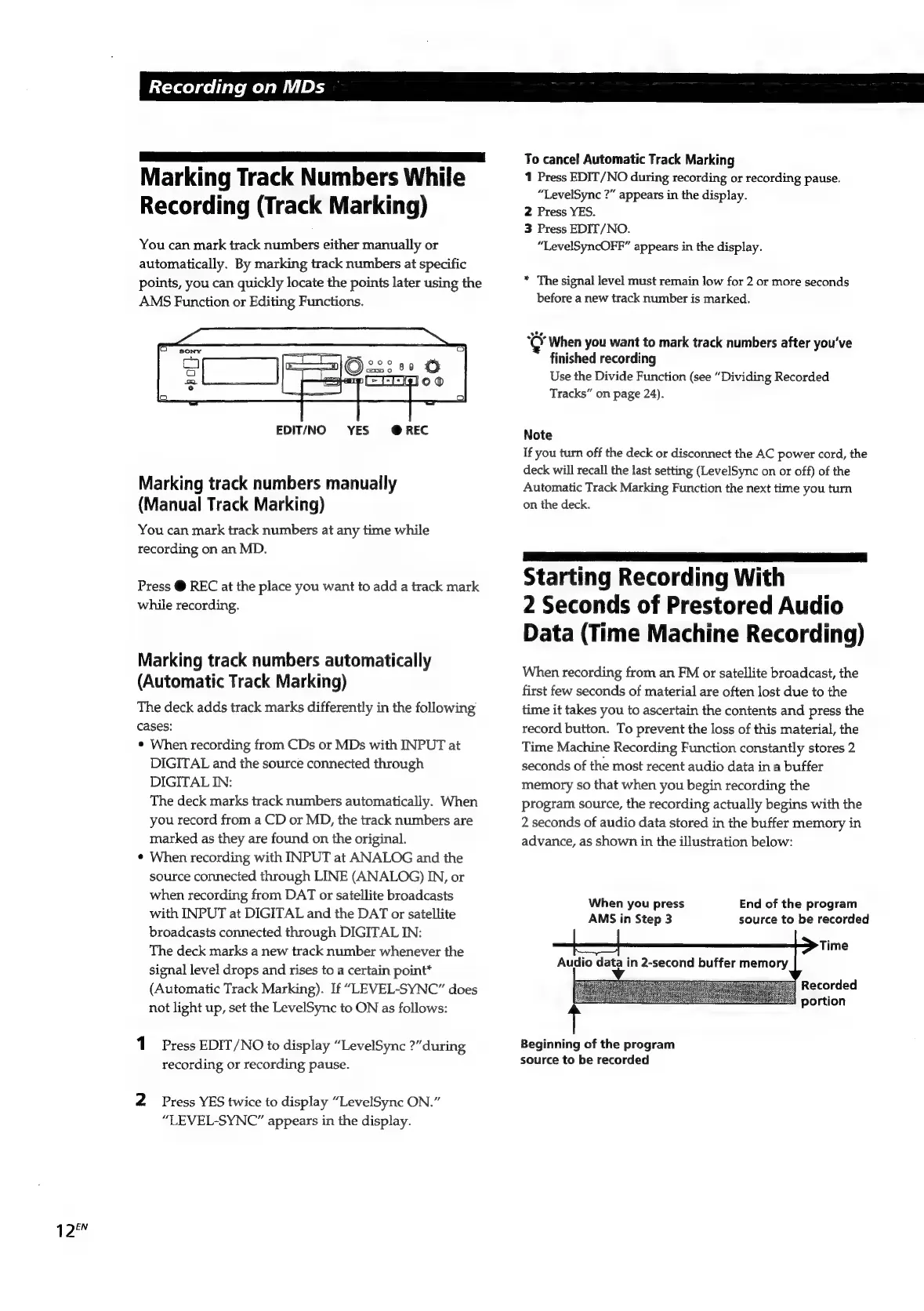
EDIT/NO
YES
@REC
Marking
track
numbers
manually
(Manual
Track
Marking)
You
can
mark
track
numbers
at
any
time
while
recording
on
an
MD.
Press
@
REC
at
the
place
you
want
to
add
a
track
mark
while
recording.
Marking
track
numbers
automatically
(Automatic
Track
Marking)
The
deck
adds
track
marks
differently
in
the
following
cases:
¢
When
recording
from
CDs
or
MDs
with
INPUT
at
DIGITAL
and
the
source
connected
through
DIGITAL
IN:
The
deck
marks
track
numbers
automatically.
When
you
record
from
a
CD
or
MD,
the
track
numbers
are
marked
as
they
are
found
on
the
original.
¢
When
recording
with
INPUT
at
ANALOG
and
the
source
connected
through
LINE
(ANALOG)
IN,
or
when
recording
from
DAT
or
satellite
broadcasts
with
INPUT
at
DIGITAL
and
the
DAT
or
satellite
broadcasts
connected
through
DIGITAL
IN:
The
deck
marks
a
new
track
number
whenever
the
signal
level
drops
and
rises
to
a
certain
point*
(Automatic
Track
Marking).
If
“LEVEL-SYNC”
does
not
light
up,
set
the
LevelSync
to
ON
as
follows:
1
Press
EDIT/NO
to
display
“LevelSync
?”
during
recording
or
recording
pause.
2
Press
YES
twice
to
display
“LevelSync
ON.”
“LEVEL-SYNC”
appears
in
the
display.
To
cancel
Automatic
Track
Marking
1
Press
EDIT/NO
during
recording
or
recording
pause.
“LevelSync
?”
appears
in
the
display.
2
Press
YES.
3
Press
EDIT/NO.
“LevelSyncOFF”
appears
in
the
display.
*
The
signal
level
must
remain
low
for
2
or
more
seconds
before
a
new
track
number
is
marked.
‘C
When
you
want
to
mark
track
numbers
after
you've
finished
recording
Use
the
Divide
Function
(see
“Dividing
Recorded
Tracks”
on
page
24).
Note
If
you
turn
off
the
deck
or
disconnect
the
AC
power
cord,
the
deck
will
recall
the
last
setting
(LevelSync
on
or
off)
of
the
Automatic
Track
Marking
Function
the
next
time
you
turn
on
the
deck.
aaa
ae
eS
ee
eee
Starting
Recording
With
2
Seconds
of
Prestored
Audio
Data
(Time
Machine
Recording)
When
recording
from
an
FM
or
satellite
broadcast,
the
first
few
seconds
of
material
are
often
lost
due
to
the
time
it
takes
you
to
ascertain
the
contents
and
press
the
record
button.
To
prevent
the
loss
of
this
material,
the
Time
Machine
Recording
Function
constantly
stores
2
seconds
of
the
most
recent
audio
data
in
a
buffer
memory
so
that
when
you
begin
recording
the
program
source,
the
recording
actually
begins
with
the
2
seconds
of
audio
data
stored
in
the
buffer
memory
in
advance,
as
shown
in
the
illustration
below:
End
of
the
program
source
to
be
recorded
When
you
press
AMS
in
Step
3
Audio
data
in
2-second
buffer
memory
Beginning
of
the
program
source
to
be
recorded

Related product manuals