EasyManua.ls Logo

Sony MDS-E55 - Useful Tips When Recording from Mds to Tape; Playing an MD Using a Timer

Sony MDS-E55
36 pages
Print Icon
To Next Page IconTo Next Page
To Previous Page IconTo Previous Page
Loading...
Useful
Tips
When
Recording
From
MDs
to
Tape
[7
The
Auto
Space
and
Auto
Pause
Functions
described
in
this
section
make
recording
from
MDs
to
tape
more
easy.
O
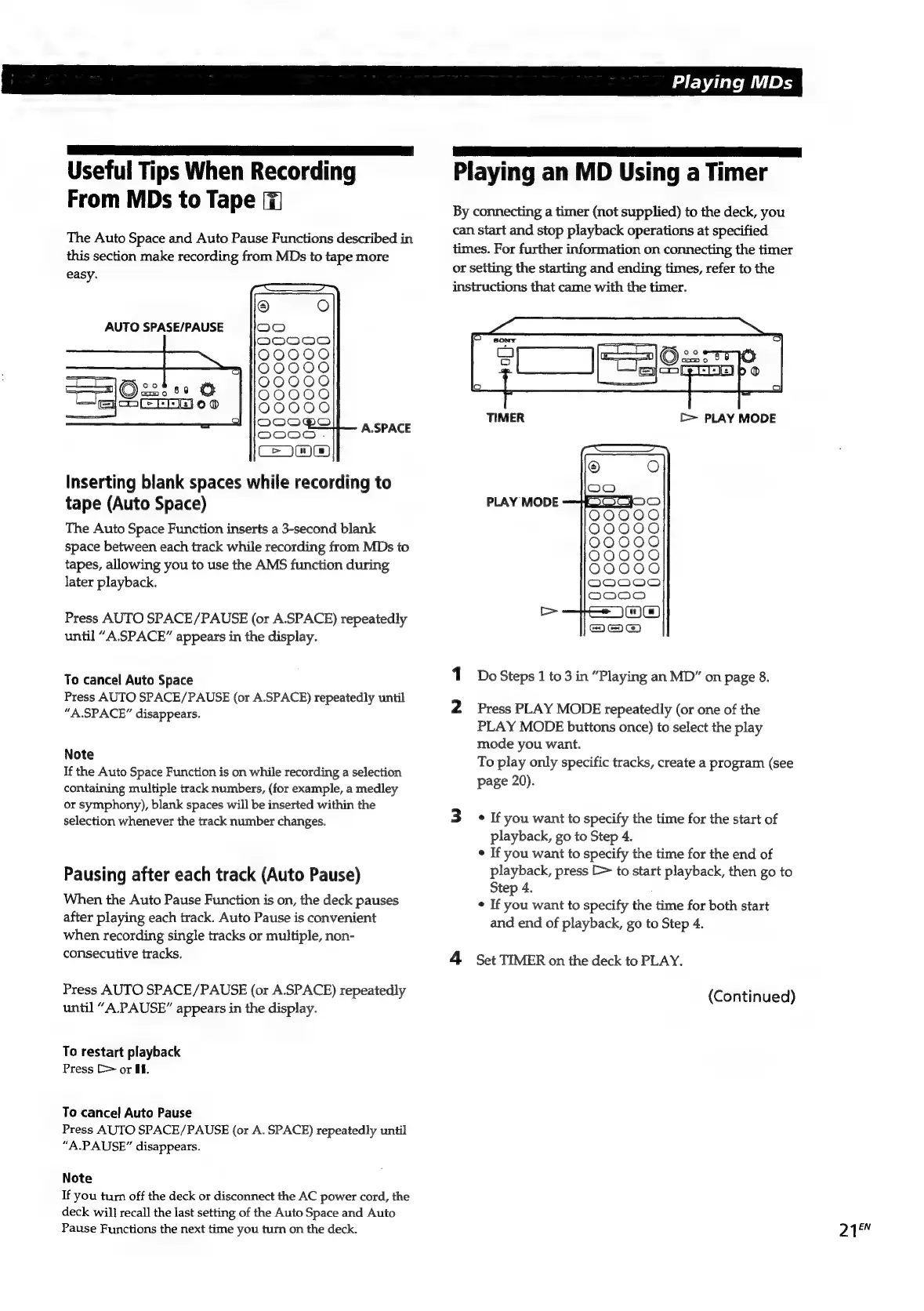
AUTO
SPASE/PAUSE
tole)
c3589
O
oELLEI
oo
©
oO
fs)
Oo
O
O
fe)
fe)
OOCO0O00
OOOOO00 OOOOCOD
OOOCOOD
A.SPACE
Inserting
blank
spaces
while
recording
to
tape
(Auto
Space)
The
Auto
Space
Function
inserts
a
3-second
blank
space
between
each
track
while
recording
from
MDs
to
tapes,
allowing
you
to
use
the
AMS
function
during
later
playback.
Press
AUTO
SPACE/PAUSE
(or
A.SPACE)
repeatedly
until
“A.SPACE”
appears
in
the
display.
To
cancel
Auto
Space
Press
AUTO
SPACE/PAUSE
(or
A.SPACE)
repeatedly
until
“A.SPACE”
disappears.
Note
If
the
Auto
Space
Function
is
on
while
recording
a
selection
containing
multiple
track
numbers,
(for
example,
a
medley
or
symphony),
blank
spaces
will
be
inserted
within
the
selection
whenever
the
track
number
changes.
Pausing
after
each
track
(Auto
Pause)
When
the
Auto
Pause
Function
is
on,
the
deck
pauses
after
playing
each
track.
Auto
Pause
is
convenient
when
recording
single
tracks
or
multiple,
non-
consecutive
tracks.
Press
AUTO
SPACE/PAUSE
(or
A.SPACE)
repeatedly
until
“A.PAUSE”
appears
in
the
display.
To
restart
playback
Press
Cor
Uf.
To
cancel
Auto
Pause
Press
AUTO
SPACE/PAUSE
(or
A.
SPACE)
repeatedly
until
“A.PAUSE”
disappears.
Note
If
you
turn
off
the
deck
or
disconnect
the
AC
power
cord,
the
deck
will
recall
the
last
setting
of
the
Auto
Space
and
Auto
Pause
Functions
the
next
time
you
turn
on
the
deck.
CR
ee
Playing
an
MD
Using
a
Timer
By
connecting
a
timer
(not
supplied)
to
the
deck,
you
can
start
and
stop
playback
operations
at
specified
times.
For
further
information
on
connecting
the
timer
or
setting
the
starting
and
ending
times,
refer
to
the
instructions
that
came
with
the
timer.
PLAY
MODE
1
Do
Steps
1
to
3
in
“Playing
an
MD”
on
page
8.
2
Press
PLAY
MODE
repeatedly
(or
one
of
the
PLAY
MODE
buttons
once)
to
select
the
play
mode
you
want.
To
play
only
specific
tracks,
create
a
program
(see
page
20).
3
«
If
you
want
to
specify
the
time
for
the
start
of
playback,
go
to
Step
4.
¢
If
you
want
to
specify
the
time
for
the
end
of
playback,
press
[>
to
start
playback,
then
go
to
Step
4.
¢
If
you
want
to
specify
the
time
for
both
start
and
end
of
playback,
go
to
Step
4.
4
Set
TIMER
on
the
deck
to
PLAY.
(Continued)
216%

Related product manuals