EasyManua.ls Logo

Sony MDS-E55 - Dividing Recorded Tracks (Divide Function)

Sony MDS-E55
36 pages
Print Icon
To Next Page IconTo Next Page
To Previous Page IconTo Previous Page
Loading...
24m
Editing
Recorded
MDs
Sa
aS
ee
Dividing
Recorded
Tracks
(Divide
Function)
With
the
Divide
Function
you
can
assign
a
track
number
at
places
that
you
want
to
randomly
access
afterwards.
Use
this
function
to
add
tracks
to
MDs
recorded
from
an
analog
source
(and
therefore
contain
no
track
numbers),
or
to
divide
an
existing
track
into
multiple
portions.
When
you
divide
a
track,
the
total
number
of
tracks
on
the
MD
increases
by
one
and
all
tracks
following
the
divided
track
are
renumbered.
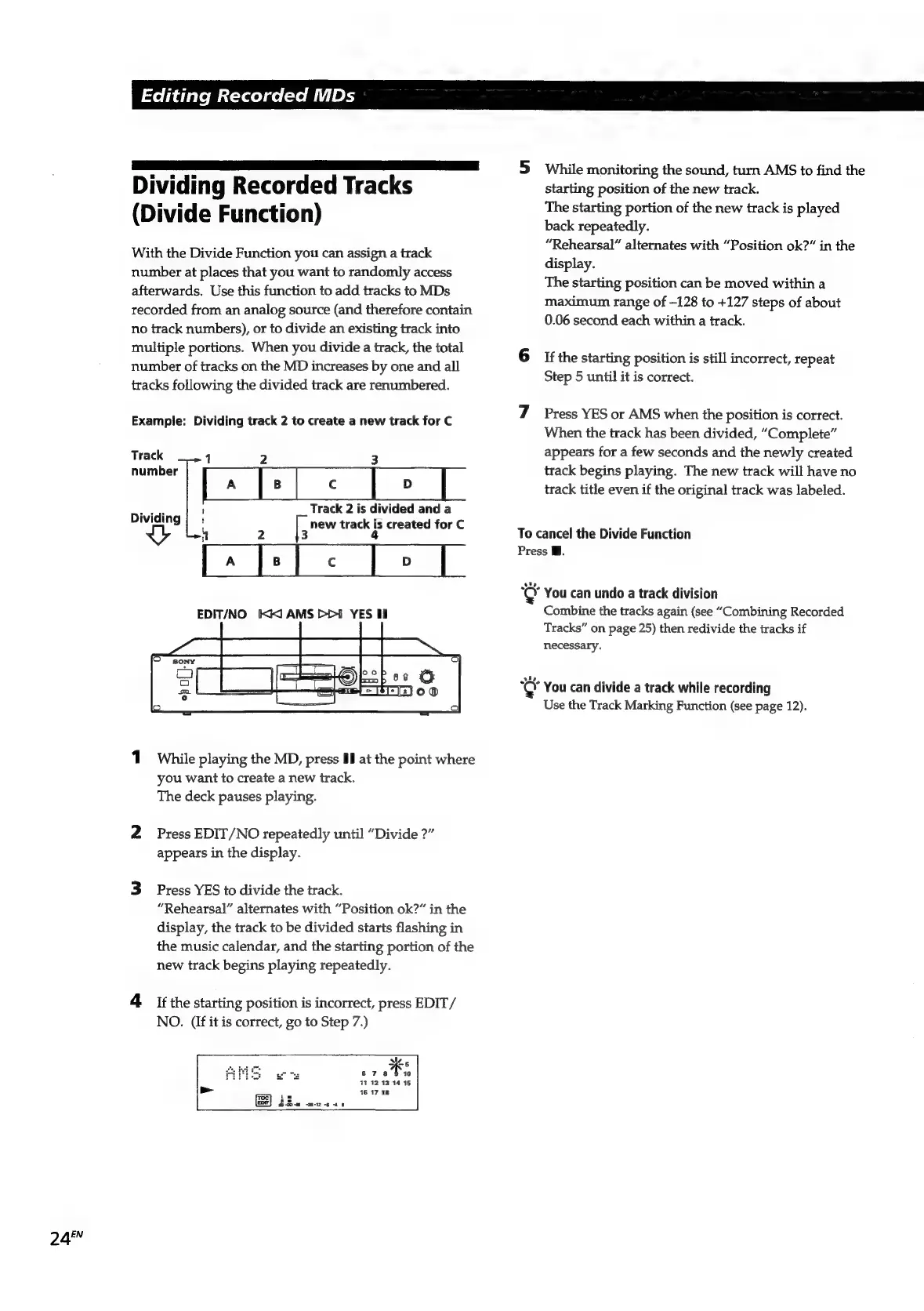
Example:
Dividing
track
2
to
create
a
new
track
for
C
Track
1
2
3
number
pa
qe}
«
| >
|
clea
\
Track
2
is
divided
and
a
Dividing
;
new
track
is
created
for
C
a
2
3
4
Ea
ce
ee
ee
EDIT/NO
KX
AMS
PDI
YES
Hi
1.
While
playing
the
MD,
press
Il
at
the
point
where
you
want
to
create
a
new
track.
The
deck
pauses
playing.
2
Press
EDIT/NO
repeatedly
until
“Divide
?”
appears
in
the
display.
3
Press
YES
to
divide
the
track.
“Rehearsal”
alternates
with
“Position
ok?”
in
the
display,
the
track
to
be
divided
starts
flashing
in
the
music
calendar,
and
the
starting
portion
of
the
new
track
begins
playing
repeatedly.
4
if
the
starting
position
is
incorrect,
press
EDIT/
NO.
(If
it
is
correct,
go
to
Step
7.)
ale
Bi
678
10
414
12:13
14
15
16
17
18
id
EDT)
Bco-m
-m-2 6
4
6
3
While
monitoring
the
sound,
turn
AMS
to
find
the
starting
position
of
the
new
track.
The
starting
portion
of
the
new
track
is
played
back
repeatedly.
“Rehearsal”
alternates
with
“Position
ok?”
in
the
display.
The
starting
position
can
be
moved
within
a
maximum
range
of
—128
to
+127
steps
of
about
0.06
second
each
within
a
track.
6
Ifthe
starting
position
is
still
incorrect,
repeat
Step
5
until
it
is
correct.
7
Press
YES
or
AMS
when
the
position
is
correct.
When
the
track
has
been
divided,
“Complete”
appears
for
a
few
seconds
and
the
newly
created
track
begins
playing.
The
new
track
will
have
no
track
title
even
if
the
original
track
was
labeled.
To
cancel
the
Divide
Function
Press
i.
“&
You
can
undo
a
track
division
Combine
the
tracks
again
(see
“Combining
Recorded
Tracks”
on
page
25)
then
redivide
the
tracks
if
necessary.
¢
You
can
divide
a
track
while
recording
Use
the
Track
Marking
Function
(see
page
12).

Related product manuals