EasyManua.ls Logo

Sony MDS-E55 - Synchro-Recording with Audio Equipment of Your Choice

Sony MDS-E55
36 pages
Print Icon
To Next Page IconTo Next Page
To Previous Page IconTo Previous Page
Loading...
.
Recording
on
MDs
KK
AMS
b>
o—1@
22209
@
2
psu,
ik
1
Do
Steps
1
to
6
in
“Recording
on
an
MD”
on
pages
6
and
7.
The
deck
changes
to
recording
pause.
2
=
Start
playing
the
program
source
you
want
to
record.
The
most
recent
2
seconds
of
audio
data
is
stored
in
the
buffer
memory.
3
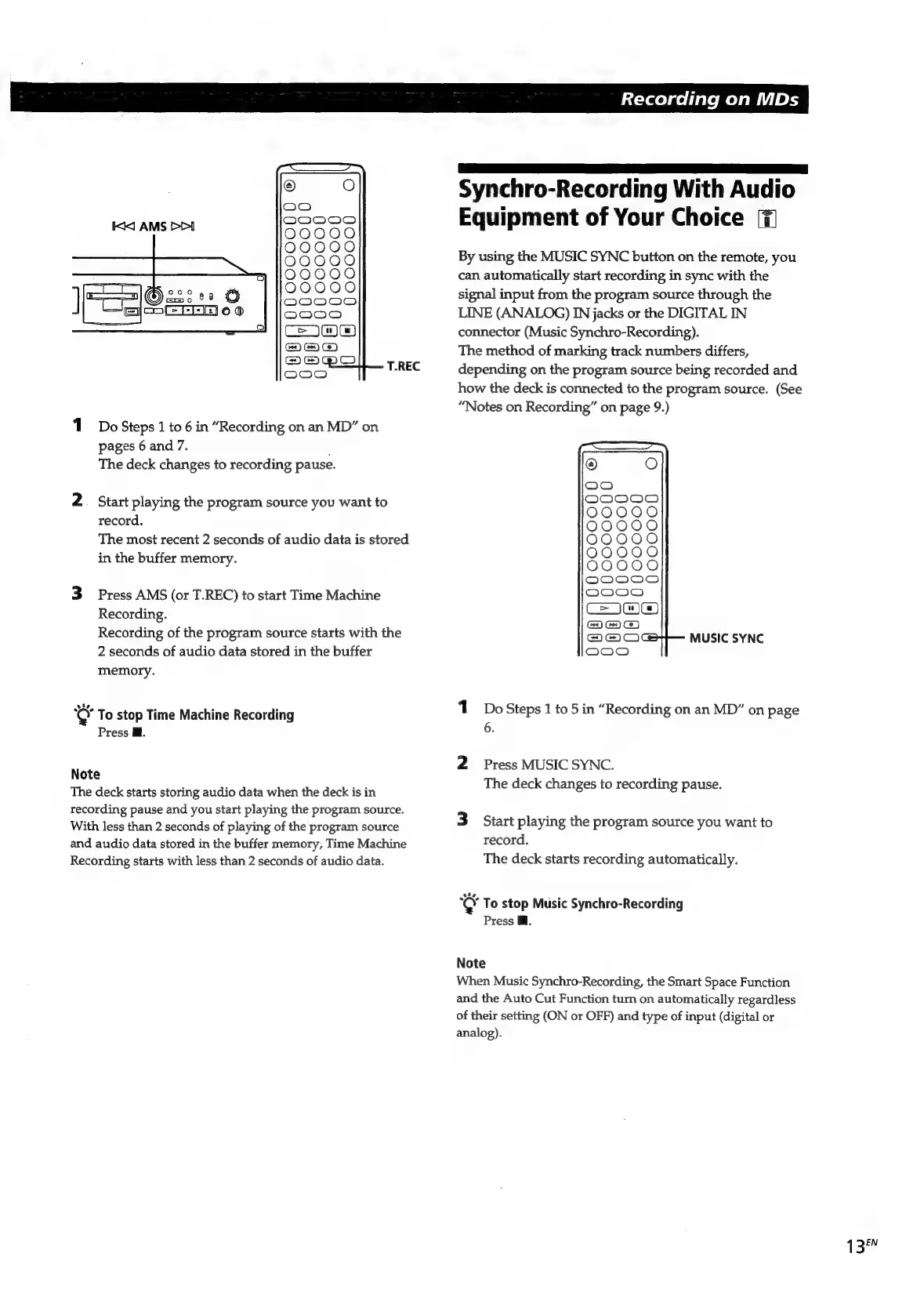
Press
AMS
(or
T.REC)
to
start
Time
Machine
Recording.
Recording
of
the
program
source
starts
with
the
2
seconds
of
audio
data
stored
in
the
buffer
memory.
sie
“Q
To
stop
Time
Machine
Recording
Press
Ml.
Note
The
deck
starts
storing
audio
data
when
the
deck
is
in
recording
pause
and
you
start
playing
the
program
source.
With
less
than
2
seconds
of
playing
of
the
program
source
and
audio
data
stored
in
the
buffer
memory,
Time
Machine
Recording
starts
with
less
than
2
seconds
of
audio
data.
LS
eee
Synchro-Recording
With
Audio
Equipment
of
Your
Choice
By
using
the
MUSIC
SYNC
button
on
the
remote,
you
can
automatically
start
recording
in
sync
with
the
signal
input
from
the
program
source
through
the
LINE
(ANALOG)
IN
jacks
or
the
DIGITAL
IN
connector
(Music
Synchro-Recording).
The
method
of
marking
track
numbers
differs,
depending
on
the
program
source
being
recorded
and
how
the
deck
is
connected
to
the
program
source.
(See
“Notes
on
Recording”
on
page
9.)
MUSIC
SYNC
1
DoSteps
1
to
5in
“Recording
on
an
MD”
on
page
6.
2
Press
MUSIC
SYNC.
The
deck
changes
to
recording
pause.
3
Start
playing
the
program
source
you
want
to
record.
The
deck
starts
recording
automatically.
cay
To
stop
Music
Synchro-Recording
Press
Ml.
Note
When
Music
Synchro-Recording,
the
Smart
Space
Function
and
the
Auto
Cut
Function
turn
on
automatically
regardless
of
their
setting
(ON
or
OFF)
and
type
of
input
(digital
or
analog).
1
3eN

Related product manuals