EasyManua.ls Logo

Sony MDS-E55 - PP RV SINGS RIV IVD Ois Cae Cadcn Cece Eager Eneodeas Ends Ago Hanacein Bead Vb Aitbctctas

Sony MDS-E55
36 pages
Print Icon
To Next Page IconTo Next Page
To Previous Page IconTo Previous Page
Loading...
BEY
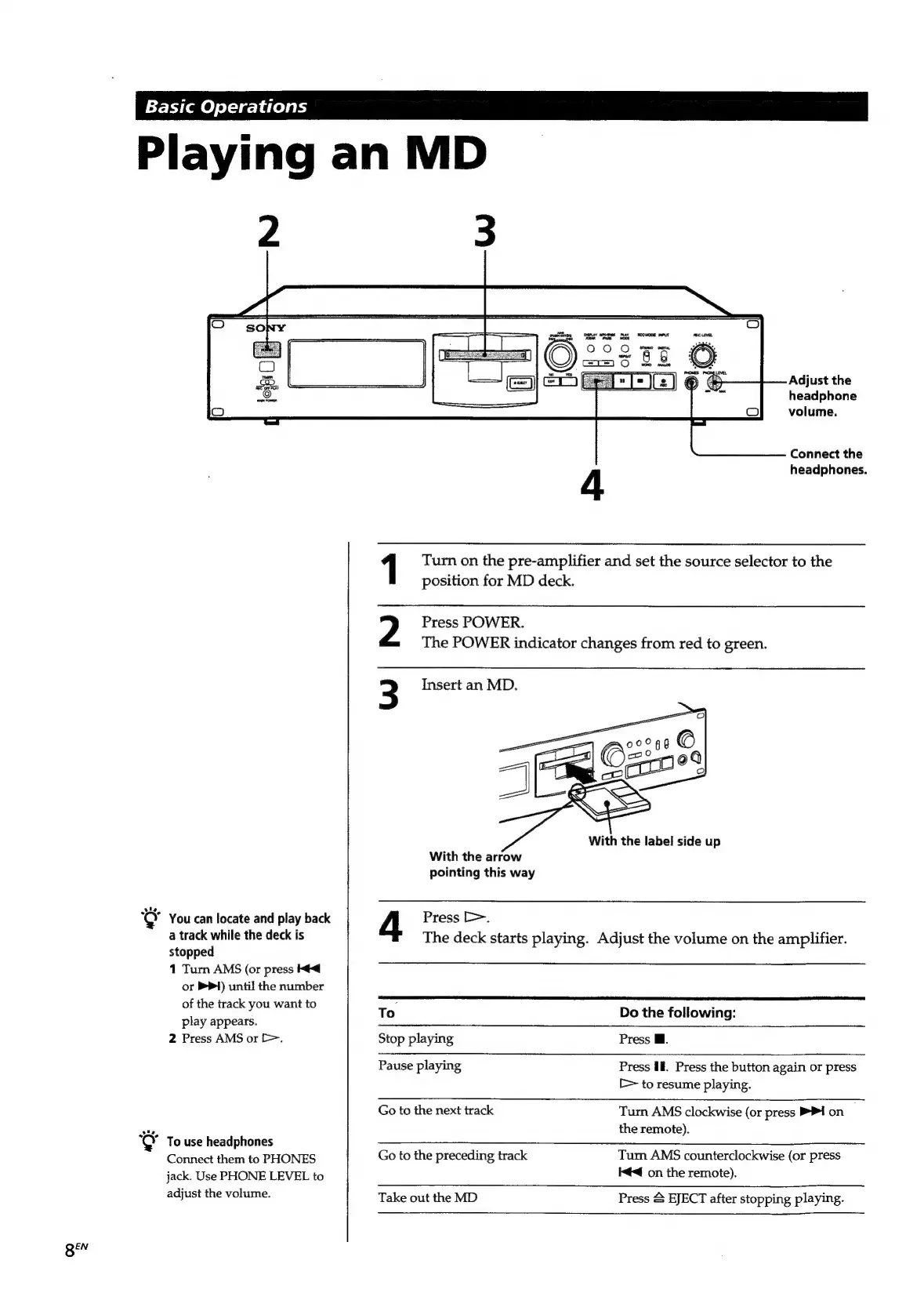
Playing
an
MD
1
Key
Adjust
the
You
can
locate
and
play
back
a
track
while
the
deck
is
stopped
1
Turn
AMS
(or
press
Ke
or
P&P)
until
the
number
of
the
track
you
want
to
play
appears.
2
Press
AMS
or
>.
To
use
headphones
Connect
them
to
PHONES
jack.
Use
PHONE
LEVEL
to
adjust
the
volume.
headphone
volume.
Connect
the
headphones.
1
Turn
on
the
pre-amplifier
and
set
the
source
selector
to
the
position
for
MD
deck.
Press
POWER.
The
POWER
indicator
changes
from
red
to
green.
With
the
label
side
up
With
the
arrow
pointing
this
way
Press
>.
The
deck
starts
playing.
Adjust
the
volume
on
the
amplifier.
To
Do
the
following:
Stop
playing
Press
Ml.
Pause
playing
Press
If.
Press
the
button
again
or
press
[>
to
resume
playing.
Go
to
the
next
track
Turn
AMS
clockwise
(or
press
>I
on
,
the
remote).
Go
to
the
preceding
track
Turn
AMS
counterclockwise
(or
press
I@<@
on
the
remote).
Take
out the
MD
Press
&
EJECT
after
stopping
playing.

Related product manuals