EasyManua.ls Logo

Sony MDS-E55 - Editing Recorded Mds; Notes:on Editing; Erasing Recordings (Erase Function)

Sony MDS-E55
36 pages
Print Icon
To Next Page IconTo Next Page
To Previous Page IconTo Previous Page
Loading...
22°N
Playing
MDs
5
Set
the
timer
as
required.
¢
When
you
have
set
the
time
for
the
start
of
playback,
the
deck
turns
off.
When
the
specified
time
arrives,
the
deck
turns
on
and
starts
playing.
e
When
you
have
set
the
time
for
the
end
of
playback,
playback
continues.
When
the
specified
time
arrives,
the
deck
stops
playing
and
turns
off.
¢
When
you
have
set
the
time
for
both
the
start
and
end
of
playback,
the
deck
turns
off.
When
the
starting
time
arrives,
the
deck
turns
on
and
starts
playing.
When
the
ending
time
arrives,
the
deck
stops
playing
and
turns
off.
6
After
you
have
finished
using
the
timer,
set
TIMER
on
the
deck
to
OFF.
Note
You
can
select
Program
Play
in
Step
2.
Note,
however,
that
programs
eventually
fade
away
when
the
standby
status
is
off,
and
therefore
if
you
set
the
time
too
far
in
the
future,
the
program
may
be
gone
when
the
specified
time
arrives.
If
this
has
occurred,
the
deck
enters
normal
play
mode
at
the
specified
time
and
the
tracks
play
in
consecutive
order.
Editing
Recorded
MDs
Notes
on
Editing
You
can
edit
the
recorded
tracks
after
recording,
using
the
following
functions:
¢
Erase
Function
allows
you
to
erase
recorded
tracks
simply
by
specifying
the
corresponding
track
number.
¢
Divide
Function
allows
you
to
divide
tracks
at
specified
points
so
that
you
can
quickly
locate
those
points
afterwards,
using
the
AMS
function.
*
Combine
Function
allows
you
to
combine
two
consecutive
tracks
into
one.
¢
Move
Function
allows
you
to
change
the
order
of
tracks
by
moving
a
specific
track
to
a
track
position
you
want.
¢
Title
Function
allows
you
to
create
titles
for
your
recorded
MDs
and
tracks.
If
“Protected”
appears
in
the
display
The
deck
could
not
edit
because
the
record-protect
slot
on
the
MD
is
open.
Edit
after
closing
the
slot.
When
“TOC”
flashes
in
the
display
Do
not
move
the
deck
or
pull
out
the
AC
power
cord.
After
editing,
“TOC”
lights
continuously
until
you
eject
the
MD
or
turn
off
the
power.
“TOC”
flashes
while
the
deck
is
updating
the
TOC.
When
the
deck
finishes
updating
the
TOC,
“TOC”
goes
off.
SSS
eae
ee
eee
aR
Erasing
Recordings
(Erase
Function)
Do
the
procedures
below
to
erase
following:
°
A
single
track
e
All
tracks
Parts
of
a
track
Note,
however,
that
once
erased,
MD
data
cannot
be
recovered.
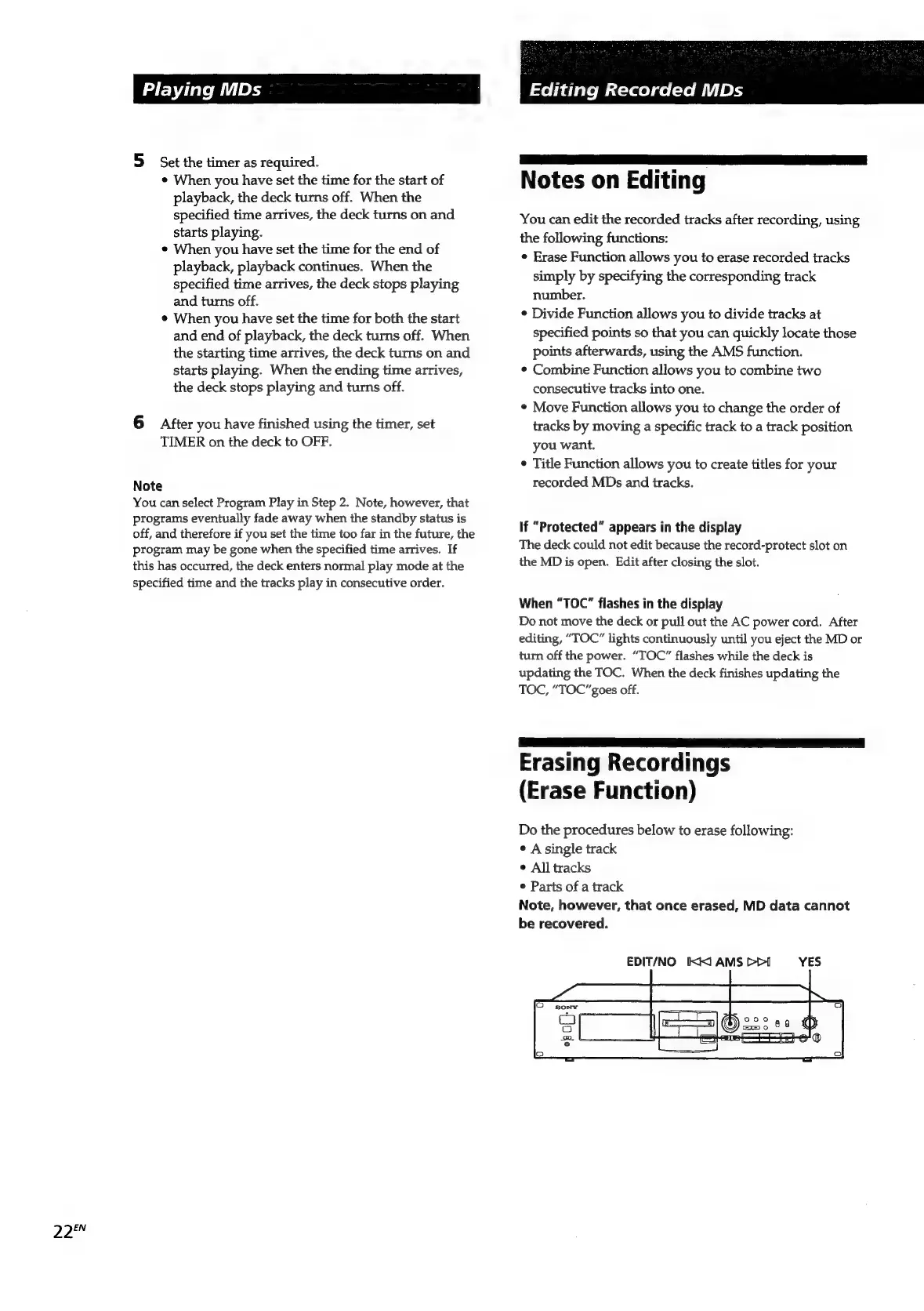
EDIT/NO
XX)
AMS
Pri
YES

Related product manuals