EasyManua.ls Logo

Sony MDS-E55 - Playing in Random Order (Shuffle Play)

Sony MDS-E55
36 pages
Print Icon
To Next Page IconTo Next Page
To Previous Page IconTo Previous Page
Loading...
Repeating
a
specific
portion
(A-B
Repeat)
You
can
play
a
specific
portion
of
a
track
repeatedly.
This
might
be
useful
when
you
want
to
memorize
lyrics.
Note
that
you
can
only
repeat
a
portion
within
the
boundaries
of
a
single
track.
1
While
playing
a
disc,
press
Ac>B
at
the
starting
point
(point
A)
of
the
portion
to
be
played
repeatedly.
“REPEAT
A-”
flashes
in
the
display.
2
Continue
playing
the
track
or
press
>
until
you
reach
the
ending
point
(point
B),
then
press
A<-+B
again.
“REPEAT
A-B”
lights
continuously.
The
deck
starts
to
play
the
specified
portion
repeatedly.
To
cancel
A-B
Repeat
Press
REPEAT
or
@.
Setting
new
starting
and
ending
points
You
can
repeat
the
portion
immediately
after
the
currently
specified
portion
by
changing
the
starting
and
ending
points.
1
Press
A+B
while
“REPEAT
A-B”
appears.
The
current
ending
point
B
becomes
the
new
starting
point
A
and
“REPEAT
A-”
flashes
in
the
display.
2
Continue
playing
the
track
or
press
PP
until
you
reach
the
new
ending
point
(point
B),
then
press
A<-B
again.
“REPEAT
A-B”
lights
continuously
and
the
deck
starts
playing
repeatedly
the
newly
specified
portion.
Note
If
you
turn
off
the
deck
or
disconnect
the
AC
power
cord,
the
deck
will
recall
the
last
setting
of
the
Repeat
Function
the
next
time
you
turn
on
the
deck.
The
A-B
Repeat
settings,
however,
are
lost.
Playing
MDs
|
ee
Playing
in
Random
Order
(Shuffle
Play)
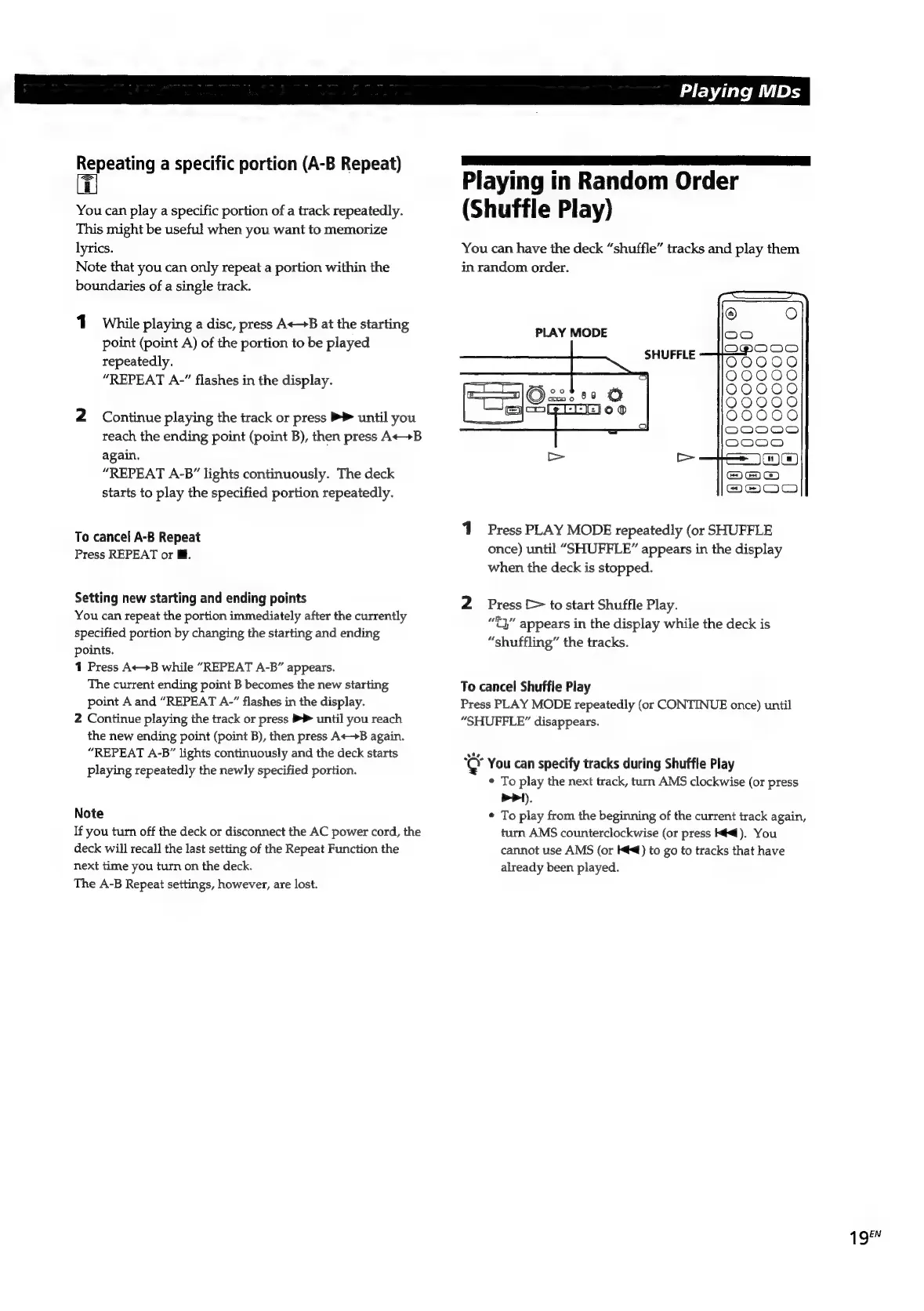
You
can
have
the
deck
“shuffle”
tracks
and
play
them
in
random
order.
oO
PLAY
MODE
SHUFFLE
©
a)
=)
O
OQ
Q
OQ
eo)
OOCOCOCOD OOCOO0O0D
0
0 0
0 0
1
Press
PLAY
MODE
repeatedly
(or
SHUFFLE
once)
until
“SHUFFLE”
appears
in
the
display
when
the
deck
is
stopped.
2
Press
[>
to
start
Shuffle
Play.
“lea
¢3”
appears
in
the
display
while
the
deck
is
“shuffling”
the
tracks.
To
cancel
Shuffle
Play
Press
PLAY
MODE
repeatedly
(or
CONTINUE
once)
until
“SHUFFLE”
disappears.
pe
You
can
specify
tracks
during
Shuffle
Play
¢
To
play
the
next
track,
turn
AMS
clockwise
(or
press
PP).
¢
To
play
from
the
beginning
of
the
current
track
again,
turn
AMS
counterclockwise
(or
press
Kl).
You
cannot
use
AMS
(or
Ké<)
to
go
to
tracks
that
have
already
been
played.
1
QéN

Related product manuals