EasyManua.ls Logo

Sony MDS-E55 - FRE COTCUITAG OPN AEE ID ins Caicccisscadcnsceicassccansavscesannccasesnnncopesennecedoeedbcsencbpistenegecbooteenstce

Sony MDS-E55
36 pages
Print Icon
To Next Page IconTo Next Page
To Previous Page IconTo Previous Page
Loading...
oF
‘Basic
Operations
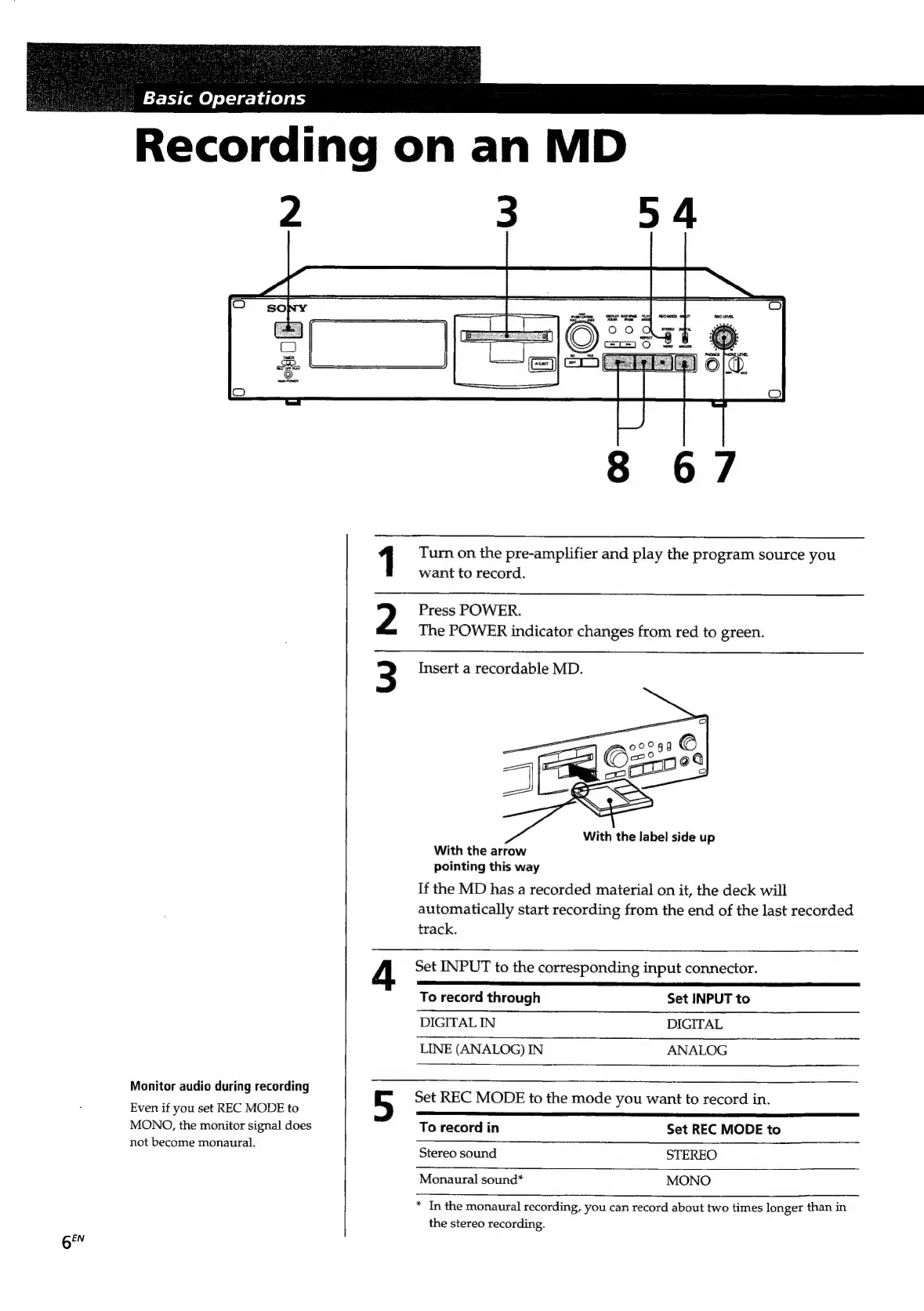
Recording
on
an
MD
2
3
5
4
1
Turn
on
the
pre-amplifier
and
play
the
program
source
you
want
to
record.
Press
POWER.
The
POWER
indicator
changes
from
red
to
green.
3
Insert
a
recordable
MD.
With
the
label
side
up
With
the
arrow
pointing
this
way
If
the
MD
has
a
recorded
material
on
it,
the
deck
will
automatically
start
recording
from
the
end
of
the
last
recorded
track.
4
Set
INPUT
to
the
corresponding
input
connector.
To
record
through
Set
INPUT
to
DIGITAL
IN
DIGITAL
LINE
(ANALOG)
IN
ANALOG
Monitor
audio
during
recordin
;
ear
:
2
Set
REC
MODE
to
the
mode
you
want
to
record
in.
Even
if
you
set
REC
MODE
to
a
MONO,
the
monitor
signal
does
To
record
in
Set
REC
MODE
to
not
become
monaural.
Serasecnd
STEREO
Monaural
sound*
MONO
*
In
the
monaural
recording,
you
can
record
about
two
times
longer
than
in
the
stereo
recording.
6"

Related product manuals