EasyManua.ls Logo

Sony MDS-E55 - Page 5

Sony MDS-E55
36 pages
Print Icon
To Next Page IconTo Next Page
To Previous Page IconTo Previous Page
Loading...
Getting
Started
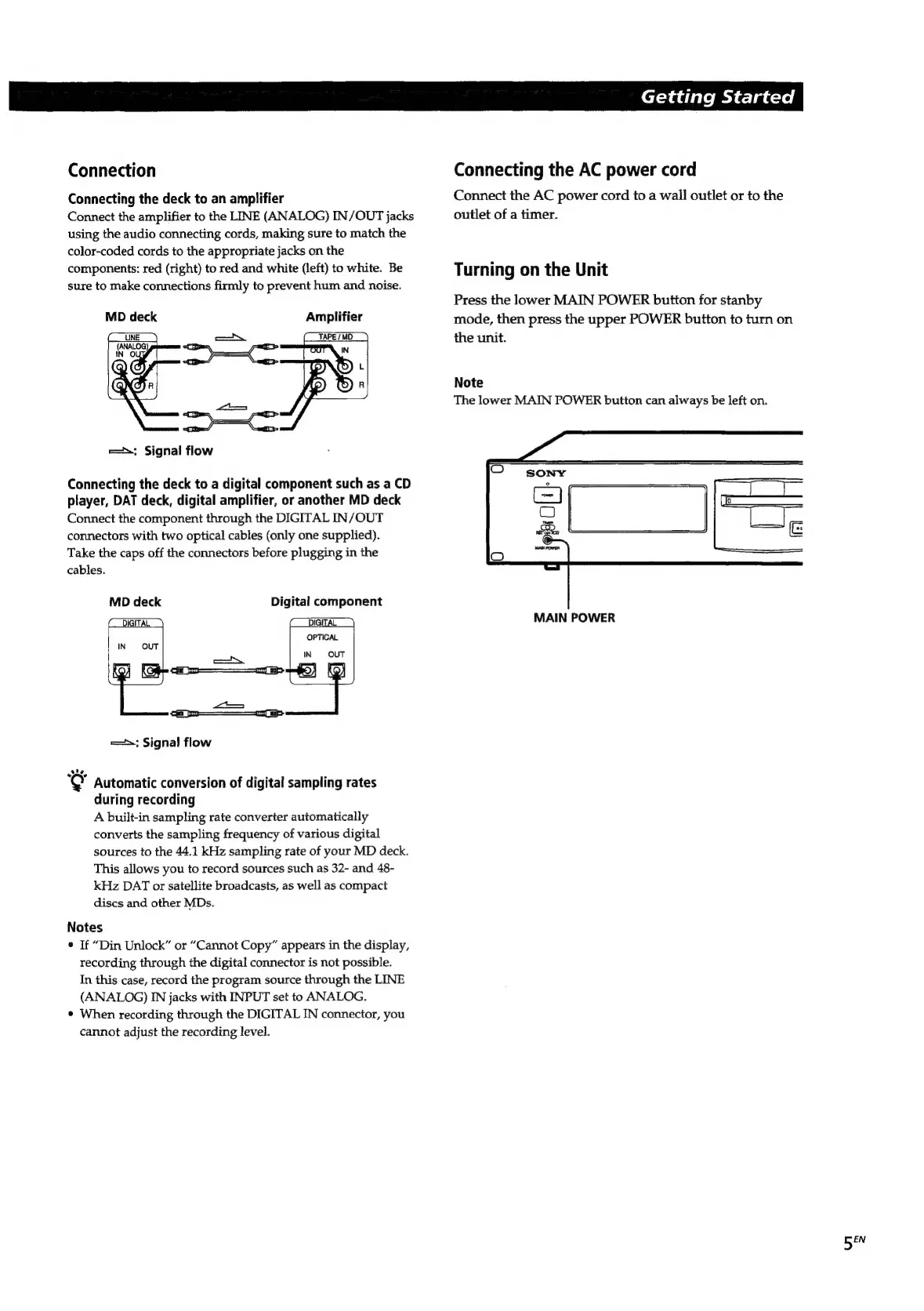
Connection
Connecting
the
AC
power
cord
Connecting
the
deck
to
an
amplifier
Connect
the
AC
power
cord
to
a
wall
outlet
or
to
the
Connect
the
amplifier
to
the
LINE
(ANALOG)
IN/OUT
jacks
outlet
of
a
timer.
using
the
audio
connecting
cords,
making
sure
to
match
the
color-coded
cords
to
the
appropriate
jacks
on
the
components:
red
(right)
to
red
and
white
(left)
to
white.
Be
Turning
on
the
Unit
sure
to
make
connections
firmly
to
prevent
hum
and
noise.
Press
the
lower
MAIN
POWER
button
for
stanby
MD
deck
Amplifier
mode,
then
press
the
upper
POWER
button
to
turn
on
the
unit.
Note
The
lower
MAIN
POWER
button
can
always
be
left
on.
m=;
Signal
flow
Connecting
the
deck
to
a
digital
component
such
as
a
CD
player,
DAT
deck,
digital
amplifier,
or
another
MD
deck
Connect
the
component
through
the
DIGITAL
IN/OUT
connectors
with
two
optical
cables
(only
one
supplied).
Take
the
caps
off
the
connectors
before
plugging
in
the
cables.
MD
deck
Digital
component
MAIN
POWER
==:
Signal
flow
"@
Automatic
conversion
of
digital
sampling
rates
during
recording
A
built-in
sampling
rate
converter
automatically
converts
the
sampling
frequency
of
various
digital
sources
to
the
44.1
kHz
sampling
rate
of
your
MD
deck.
This
allows
you
to
record
sources
such
as
32-
and
48-
kHz
DAT
or
satellite
broadcasts,
as
well
as
compact
discs
and
other
MDs.
Notes
*
If
“Din
Unlock”
or
“Cannot
Copy”
appears
in
the
display,
recording
through
the
digital
connector
is
not
possible.
In
this
case,
record
the
program
source
through
the
LINE
(ANALOG)
IN
jacks
with
INPUT
set
to
ANALOG.
*
When
recording
through
the
DIGITAL
IN
connector,
you
cannot
adjust
the
recording
level.
BEN

Related product manuals