EasyManua.ls Logo

Sony MDS-E55 - Recording on Mds; Useful Tips for Recording

Sony MDS-E55
36 pages
Print Icon
To Next Page IconTo Next Page
To Previous Page IconTo Previous Page
Loading...
Recording
on
MDs
ee
ae
ee
eae
eee
Notes
on
Recording
If
“Protected”
appears
in
the
display
The
MD
is
record-protected.
Close
the
slot
to
record
on
the
disc
(see
“To
protect
an
MD
against
accidental
erasure”
on
page
7).
If
“Din
Unlock”
flashes
in
the
display
*
The
digital
program
source
is
not
connected
as
you
set
with
INPUT
in
Step
4
on
page
6.
To
continue,
connect
the
program
source
properly.
*
The
program
source
is
not
on.
Turn
on
the
program
source.
Depending
on
source
being
recorded,
track
numbers
are
marked
in
following
ways:
¢
When
recording
frorn
a
CD
or
MD
with
INPUT
at
DIGITAL
and
the
source
connected
through
DIGITAL
IN:
The
deck
automatically
marks
track
numbers
in
the
same
sequence
as
the
original.
If,
however,
a
track
is
repeated
two
or
more
times
(e.g.
by
single-track
repeat
play)
or
two
or
more
tracks
with
the
same
track
number
(e.g.
from
different
MDs
or
CDs)
are
played,
the
track
or
tracks
are
recorded
as
part
of
a
single,
continuous
track
with
a
single
track
number.
If
the
source
is
an
MD,
track
numbers
may
not
be
marked
for
tracks
of
less
than
4
seconds.
When
recording
from
source
connected
through
LINE
(ANALOG)
IN
with
INPUT
at
ANALOG,
and
“LEVEL-
SYNC”
does
not
light
up
(see
“Marking
Track
Numbers
While
Recording”
on
page
12)
or
when
recording
from
DAT
or
satellite
broadcasts
connected
through
DIGITAL
IN
with
INPUT
at
DIGITAL:
The
source
will
be
recorded
as
a
single
track.
You
can
divide
the
track
afterwards
using
the
Divide
Function
(see
“Dividing
Recorded
Tracks”
on
page
24)
or
mark
track
numbers
during
recording
by
using
the
Track
Marking
Function
on
page
12.
If
“LEVEL-SYNC”
appears
in
the
display,
the
deck
automatically
marks
track
numbers
when
recording
analog
source
or
digital
recording
of
DAT
or
satellite
broadcasts
(see
“Marking
track
numbers
automatically”
on
page
12).
¢
When
recording
from
DAT
or
satellite
broadcasts
with
INPUT
at
DIGITAL,
the
deck
automatically
marks
a
track
number
whenever
the
sampling
frequency
of
the
input
signal
changes.
When
“TOC"
flashes
in
the
display
The
deck
is
currently
updating
the
Table
Of
Contents
(TOC).
Do
not
turn
off
MAIN
POWER,
move
the
deck,
or
pull
out
the
AC
power
cord.
Changes
to
an
MD
made
through
recording
are
saved
only
when
you
update
the
TOC
by
ejecting
the
MD
or
changing
the
deck
to
standby
by
pressing
POWER.
The
MD
deck
uses
the
SCMS
(Serial
Copy
Management
System
on
page
35)
MDs
recorded
through
digital
input
connector
cannot
be
copied
onto
other
MDs
or
DAT
tapes
through
the
digital
output
connector.
When
recording
digital
signals
that
have
been
emphasized
(in
the
higher
frequencies)
The
signal
is
automatically
de-emphasized
(with
attenuation
proportional
to
the
degree
of
emphasis)
and
the
level
of
the
de-emphasized
signal
is
indicated
on
the
peak
level
meters.
When
the
deck
is
recording
or
in
recording
pause,
digital
signals
input
through
DIGITAL
IN
are
output
to
DIGITAL
OUT
with
the
same
sampling
rate.
To
change
the
digital
input
signal
to
another
sampling
rate
for
output
(without
recording
it
to
an
MD),
use
Input
Monitor
Function
(see
page
10).
Useful
Tips
for
Recording
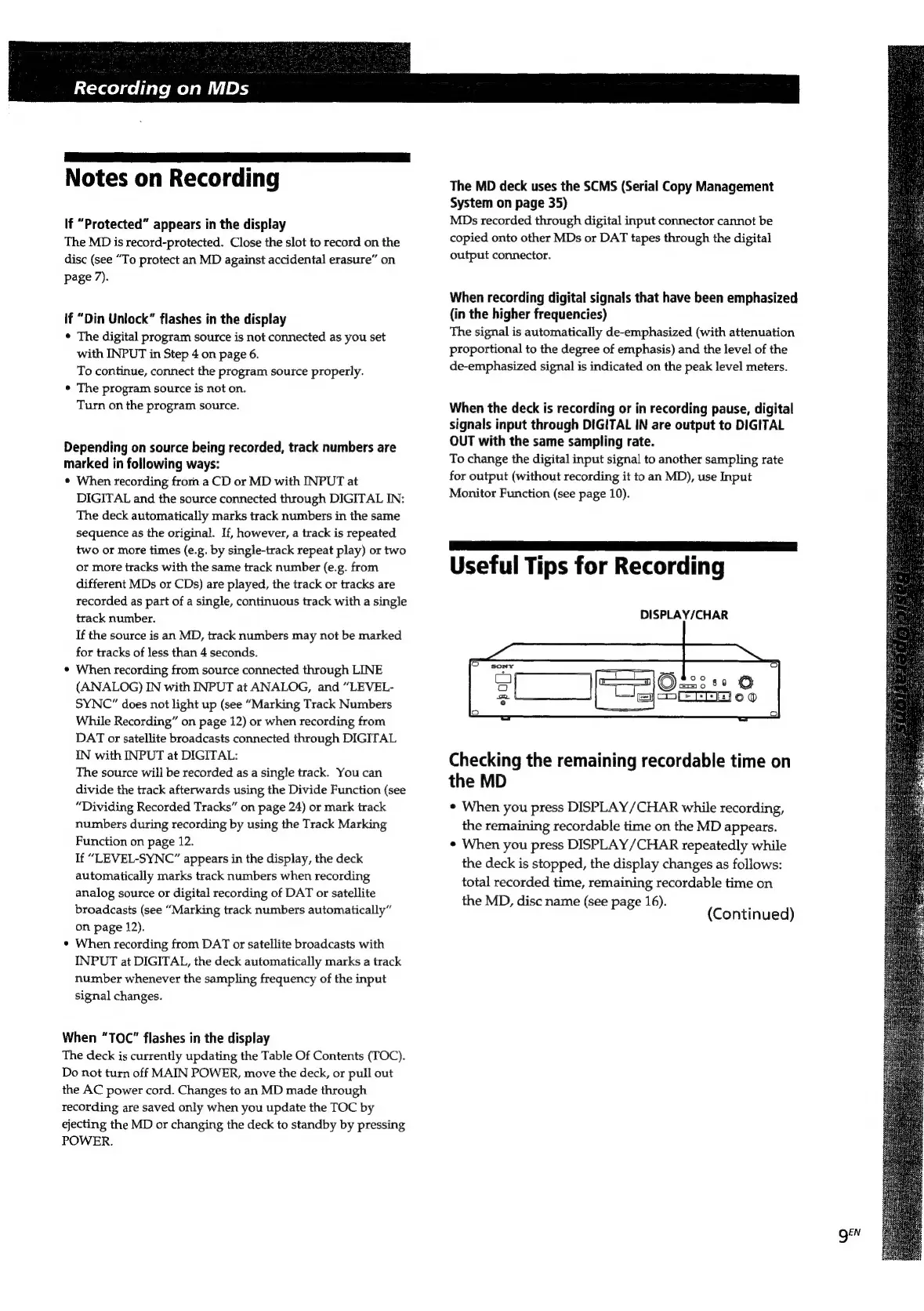
DISPLAY/CHAR
Checking
the
remaining
recordable
time
on
the
MD
¢
When
you
press
DISPLAY
/CHAR
while
recording,
the
remaining
recordable
time
on
the
MD
appears.
¢
When
you
press
DISPLAY
/CHAR
repeatedly
while
the
deck
is
stopped,
the
display
changes
as
follows:
total
recorded
time,
remaining
recordable
time
on
the
MD,
disc
name
(see
page
16).
,
(Continued)
QEN

Related product manuals