• The power for the flash
is
provided from the camera. When the camera
is
charging
the flash,
~.
blinks on the LCD monitor. You cannot press the shutter button
when this icon
is
blinking.
• Plug the flash fully into the accessory terminal
of
the camera, and fasten the screw
securely. Make sure that the flash
is
attached
to
the camera securely.
I
Attaching
the
extender
(when
using
the
E18
-
200
mm
lens)
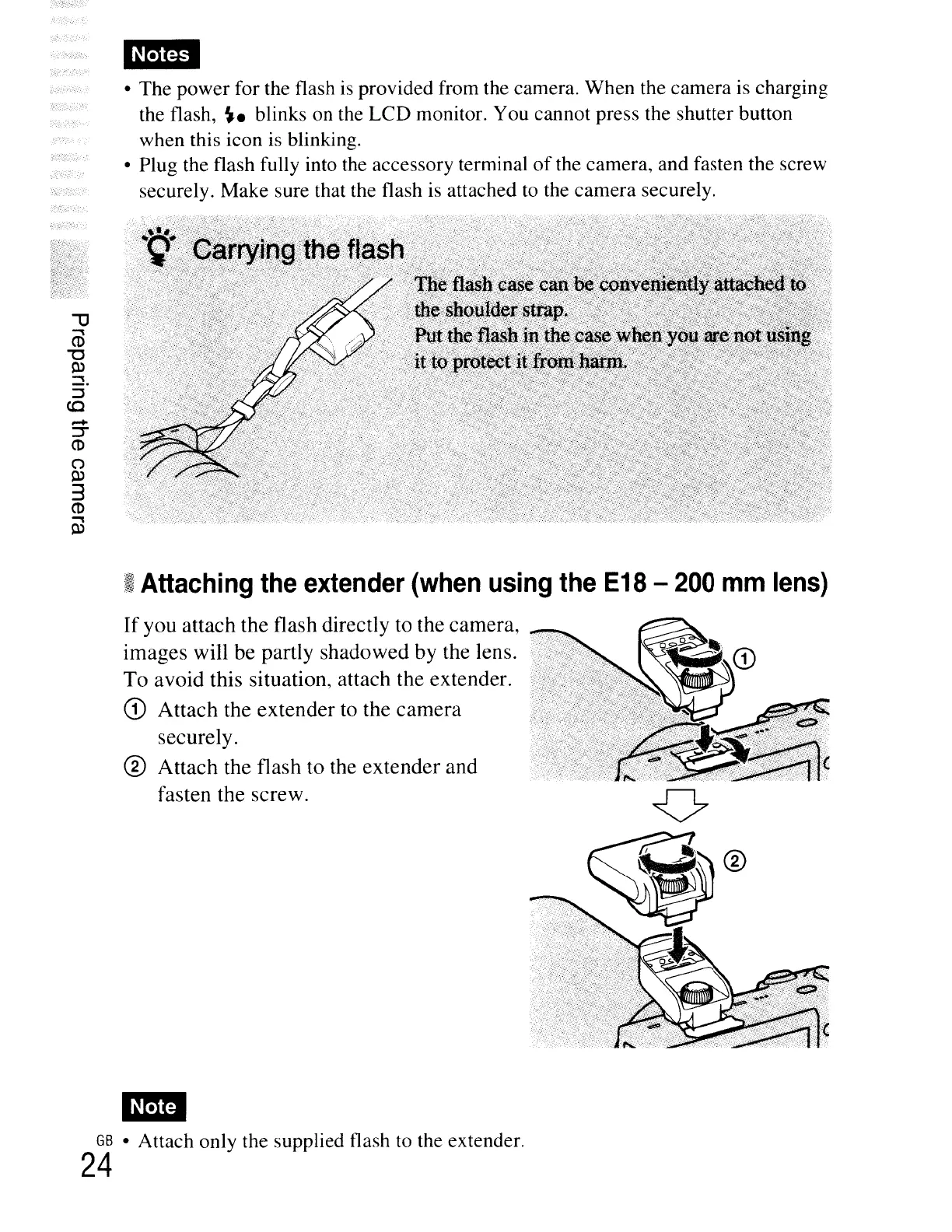
If
you attach
the
flash directly to
the
camera,
images
will
be
partly
shadowed
by the lens.
To
avoid
this situation, attach
the
extender.
CD
Attach
the
extender
to the
camera
securely.
®
Attach
the flash
to
the
extender
and
fasten
the
screw.
GB
• Attach only the supplied flash
to
the extender.
24





 To Next Page