Viewing images on a TV
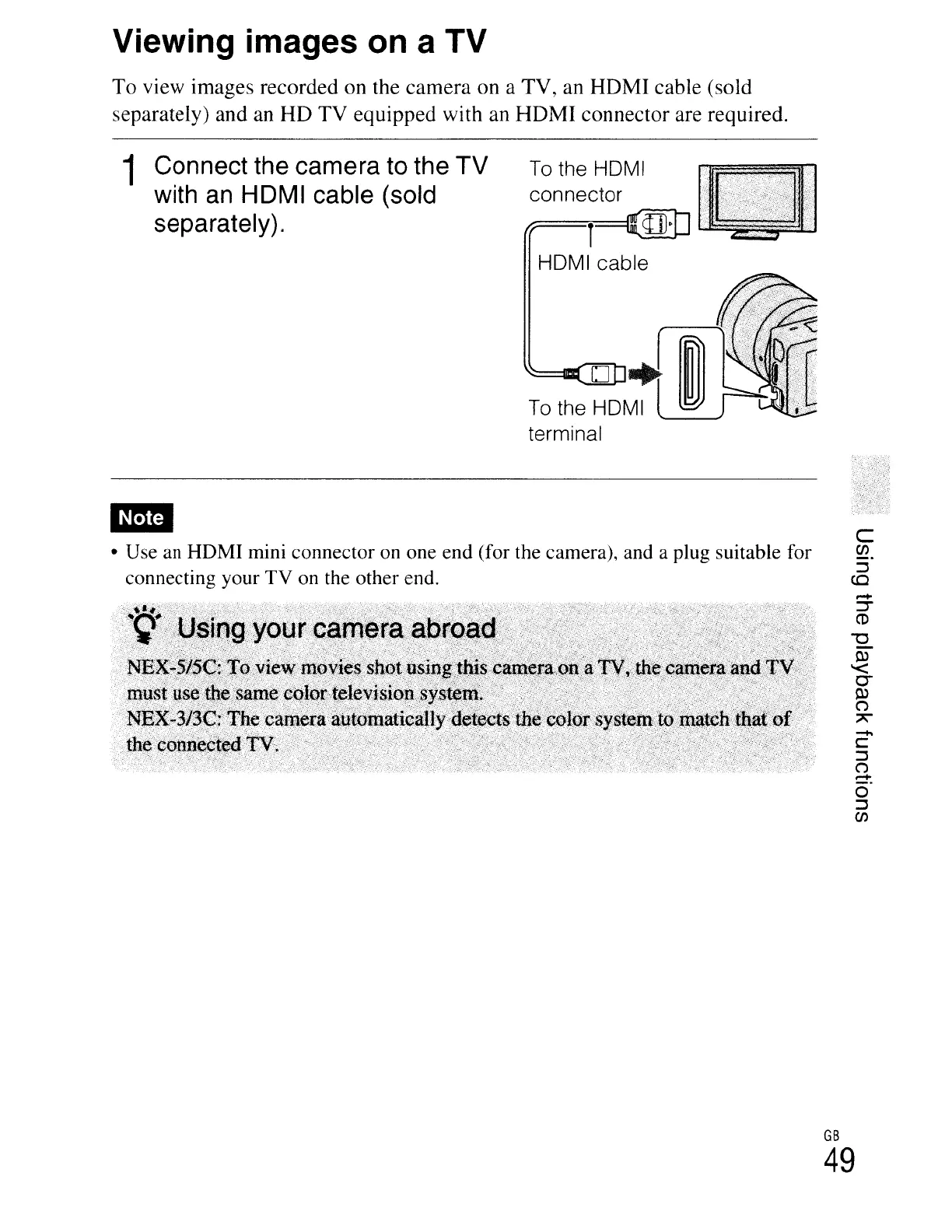
To view images recorded on the camera on a TV, an HDMI cable (sold
separately) and an HD TV equipped with an HDMI connector are required.
1 Connect the camera to the TV
with
an
HDMI cable (sold
separately).
To
the HDMI
connector
l
HOMI cable
• Use an HDMI mini connector on one end (for the camera), and a plug suitable for
connecting your TV on the other end.
C
en
::J
co
-
c::
::J
(")
=:
o
::J
en
GB
49





 To Next Page