Precautions
Notes on the LCD monitor
and lens
• The LCD monitor
is
manufactured
using extremely high-precision
technology so over 99.99
%
of
the
pixels are operational for effective
use. However, there may be some
tiny black points and/or bright
points (white, red, blue or green in
color) that constantly appear on the
LCD
monitor. These points are
normal in the manufacturing
process and do not affect the
. .
images
III
any way.
Black, white,
red
I blue and
green points
• Do not hold the camera by taking
hold
of
the LCD monitor.
• Do not expose the camera to direct
sunlight.
If
sunlight is focused on a
nearby object, it may cause a fire.
When you must place the camera
under direct sunlight, attach the
lens cap.
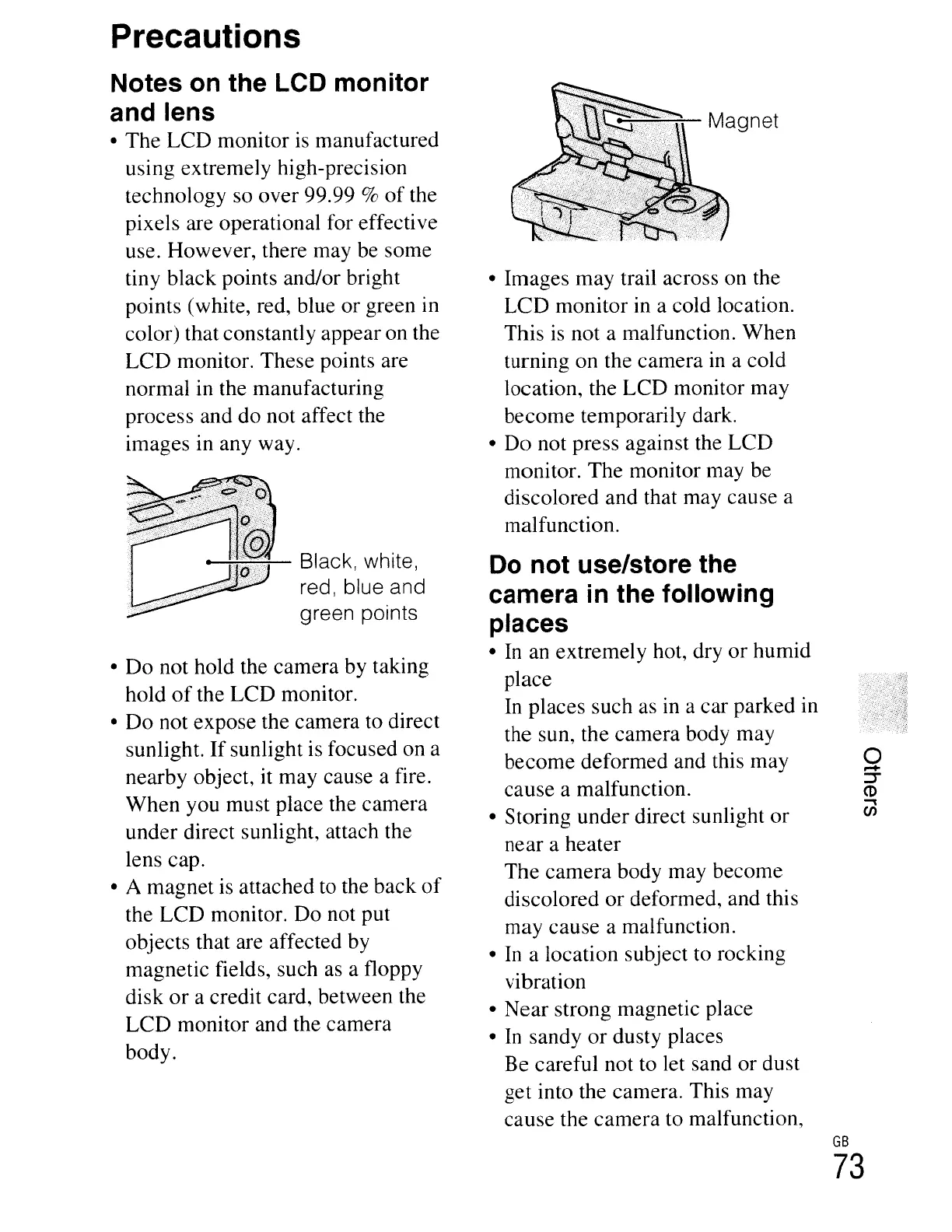
• A magnet
is
attached to the back
of
the LCD monitor. Do not put
objects that are affected by
magnetic fields, such as a floppy
disk
or
a credit card, between the
LCD
monitor and the camera
body.
~~Magnet
• Images may trail across on the
LCD
monitor in a cold location.
This is not a malfunction. When
turning on the camera in a cold
location, the LCD monitor may
become temporarily dark.
•
Do
not press against the LCD
monitor. The monitor may be
discolored and that may cause a
malfunction.
Do
not use/store the
camera in the following
places
• In an extremely hot, dry
or
humid
place
In places such as
in
a car parked in
the sun, the camera body may
become deformed and this may
cause a malfunction.
• Storing under direct sunlight or
near a heater
The
camera body may become
discolored
or
deformed, and this
may cause a malfunction.
• In a location subject to rocking
vibration
•
Near
strong magnetic place
• In sandy
or
dusty places
Be
careful not to let sand
or
dust
get into the camera. This may
cause the camera to malfunction,
o
.-+
~
CD
-l
en
GB
73





 To Next Page