Menu list
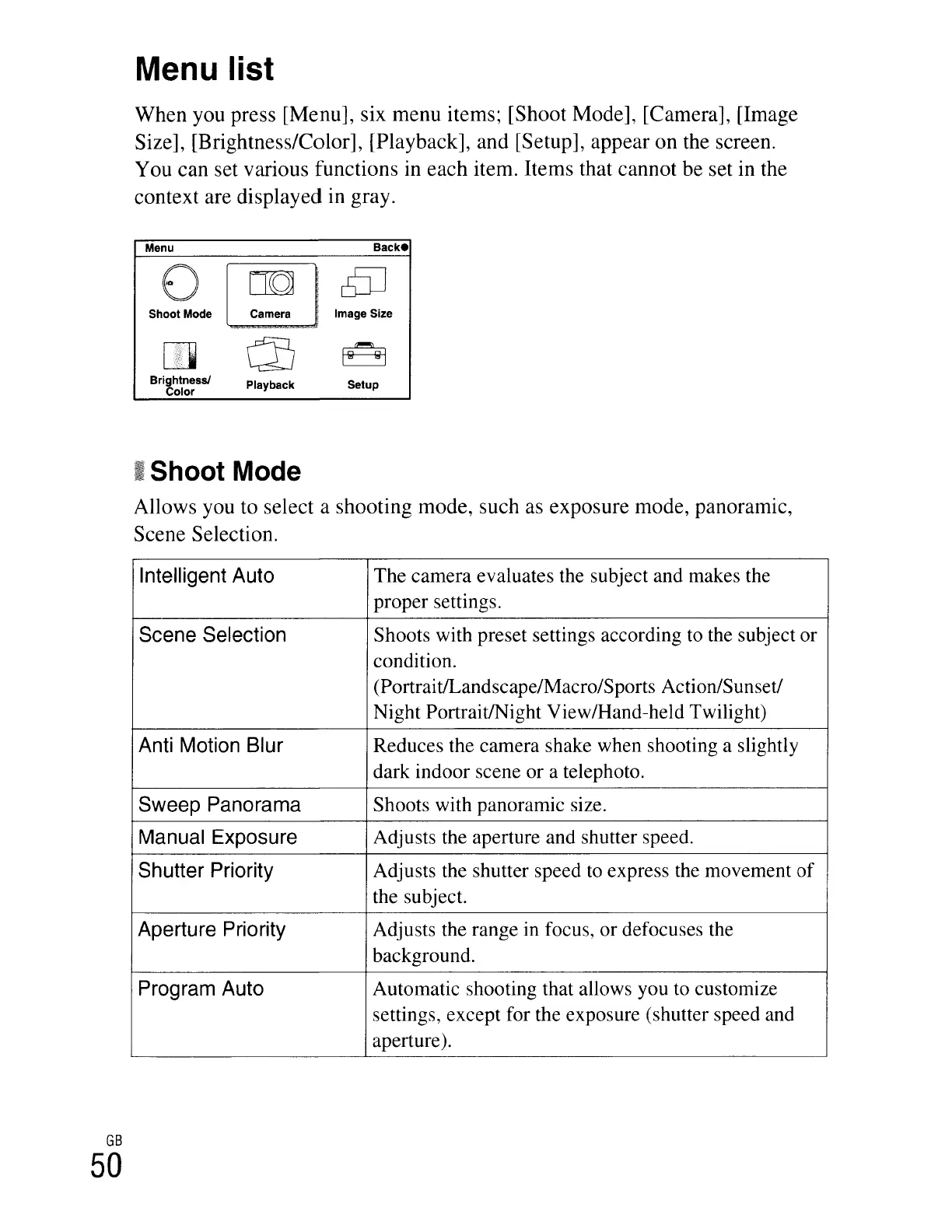
When
you press [Menu], six
menu
items; [Shoot Mode], [Camera], [Image
Size], [Brightness/Color], [Playback], and [Setup],
appear
on
the screen.
You can set various functions in
each
item. Items that cannot be set in the
context are displayed in gray.
Menu
o
Shoot Mode
o
Brightness!
Color
Playback
Backe
Image Size
Setup
GB
50
~Shoot
Mode
Allows you to select a shooting mode, such as exposure mode, panoramic,
Scene Selection.
Intelligent Auto
The camera evaluates the subject and makes the
proper settings.
Scene Selection
Shoots with preset settings according
to
the subject or
condition.
(PortraitlLandscape/Macro/Sports Action/Sunset!
Night Portrait/Night View/Hand-held Twilight)
Anti Motion Blur
Reduces the camera shake when shooting a slightly
dark indoor scene or a telephoto.
Sweep Panorama
Shoots with panoramic size.
Manual Exposure
Adjusts the aperture and shutter speed.
Shutter Priority
Adjusts the shutter speed
to
express the movement
of
the subject.
Aperture Priority
Adjusts the range
in
focus, or defocuses the
background.
Program Auto
Automatic shooting that allows you
to
customize
settings, except for the exposure (shutter speed and
aperture).





 To Next Page