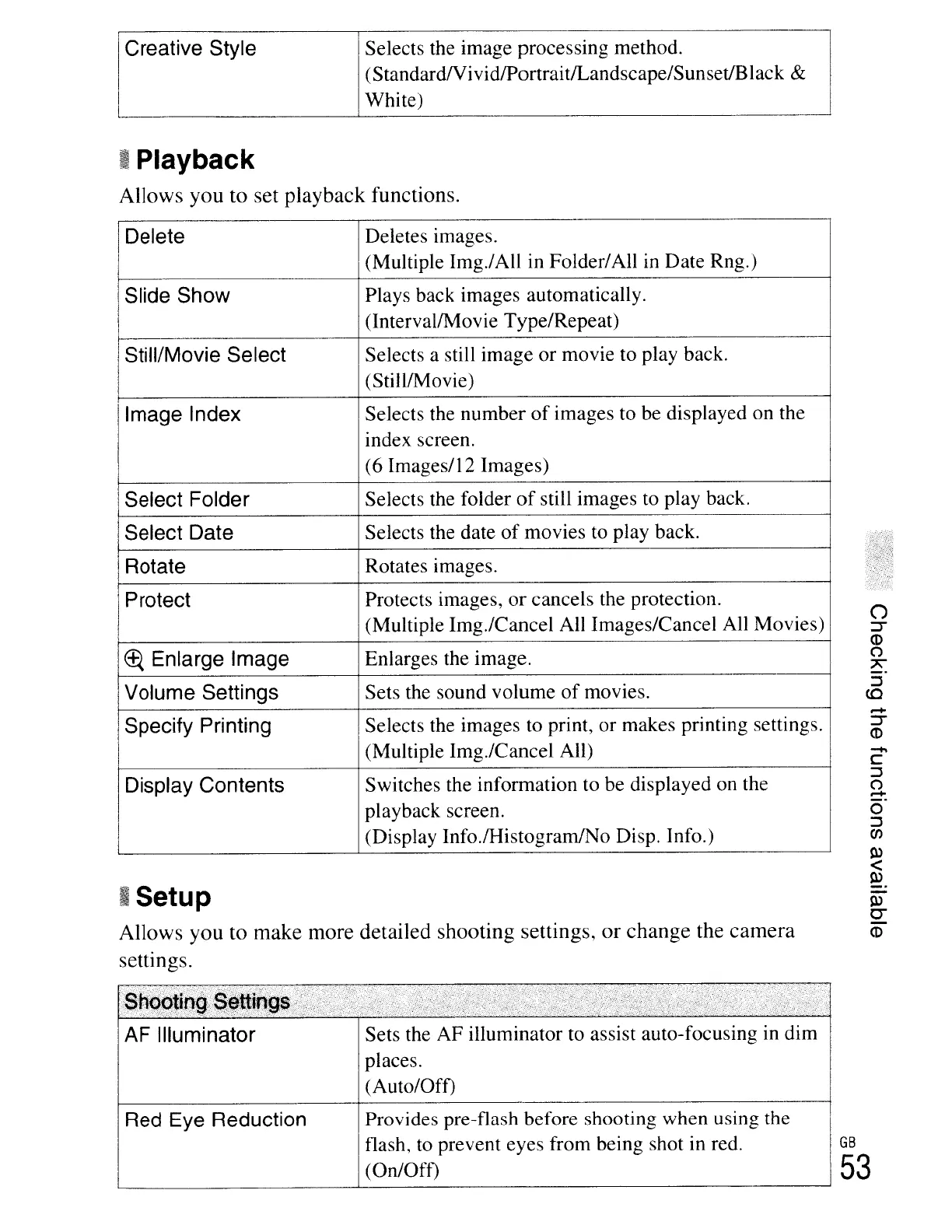
Creative Style
Selects the image processing method.
(StandardNividlPortraitlLandscape/SunsetIBlack
&
White)
II
Playback
Allows
you
to
set
playback functions.
Delete Deletes images.
(Multiple Img./All in Folder/All
in
Date Rng.)
Slide Show
Plays back images automatically.
(lntervallMovie Type/Repeat)
Still/Movie Select Selects a still image or movie to play back.
(StilllMovie)
Image Index Selects the number
of
images to be displayed on the
index screen.
(6 Images/12 Images)
Select Folder Selects the folder
of
still images to play back.
Select Date Selects the date
of
movies
to
play back.
Rotate Rotates images.
Protect Protects images,
or
cancels the protection.
(Multiple Img./Cancel All Images/Cancel
All
Movies)
~
Enlarge Image Enlarges the image.
Volume Settings Sets the sound volume
of
movies.
Specify Printing
Selects the images to print, or makes printing settings.
(Multiple Img./Cancel All)
Display Contents Switches the information to be displayed on the
playback screen.
(Display Info.lHistogramINo Disp. Info.)
I
Setup
Allows
you
to
make
more
detailed
shooting
settings,
or
change
the
camera
settings.
-
c:::
::J
()
.....
o
::J
Cf)
0>
<
0>
0>
0-
eo
AF Illuminator
Red Eye Reduction
Sets the AF illuminator to assist auto-focusing
in
dim
places.
(Auto/Off)
Provides pre-flash before shooting when using the
flash,
to
prevent eyes from being shot in red.
(On/Oft)
GB
53





 To Next Page