Charging the Reader
18
Table of Contents Index
Ȱ
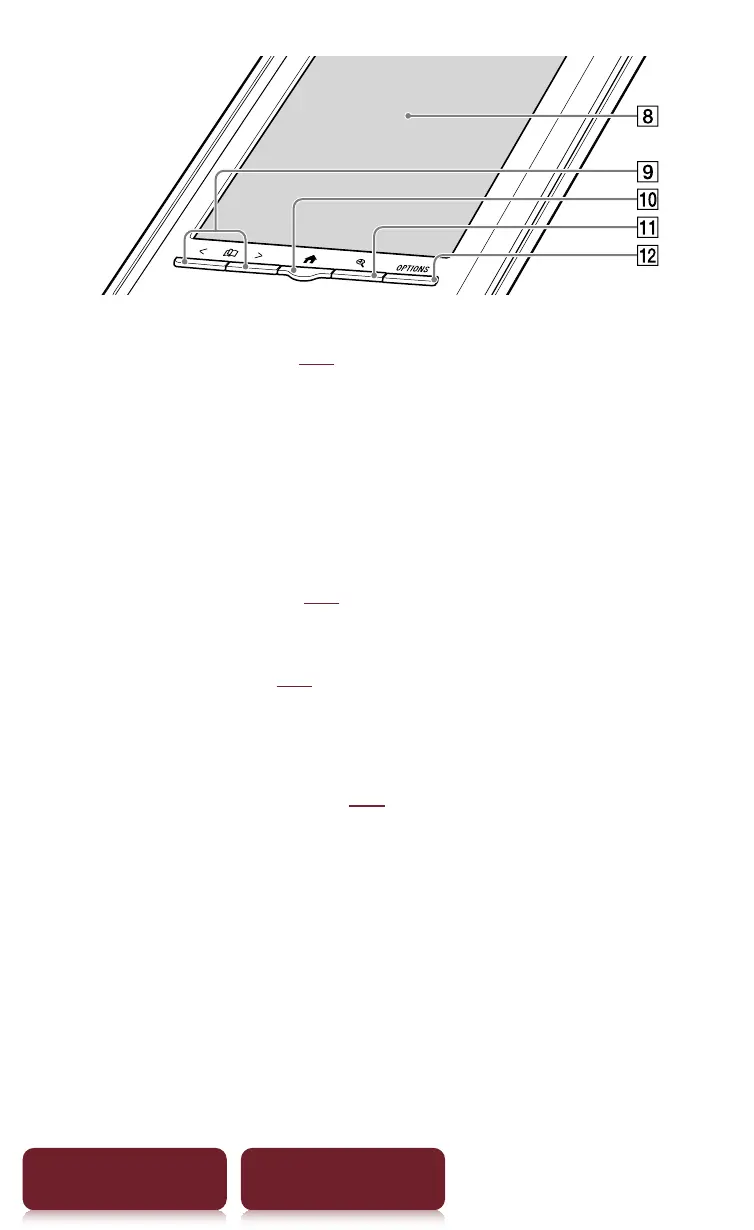
Touch screen (
r
23)
Lightly tap the screen either with a finger, or the
supplied stylus to navigate.
ȱ
Page Turn buttons
Press < (previous) or > (next) to turn the page.
Press and hold < or > to turn pages continuously.
Ȳ
Home button (
r
29)
Shows the [Home] menu.
ȳ
Size button (
r
47)
Shows a utility to change text size, zoom a page and
select a page mode.
ȴ
OPTIONS button (
r
31)
Shows the menu for relevant optional functions.














 To Next Page