Power Saving Tips
19
Table of Contents Index
ȵ
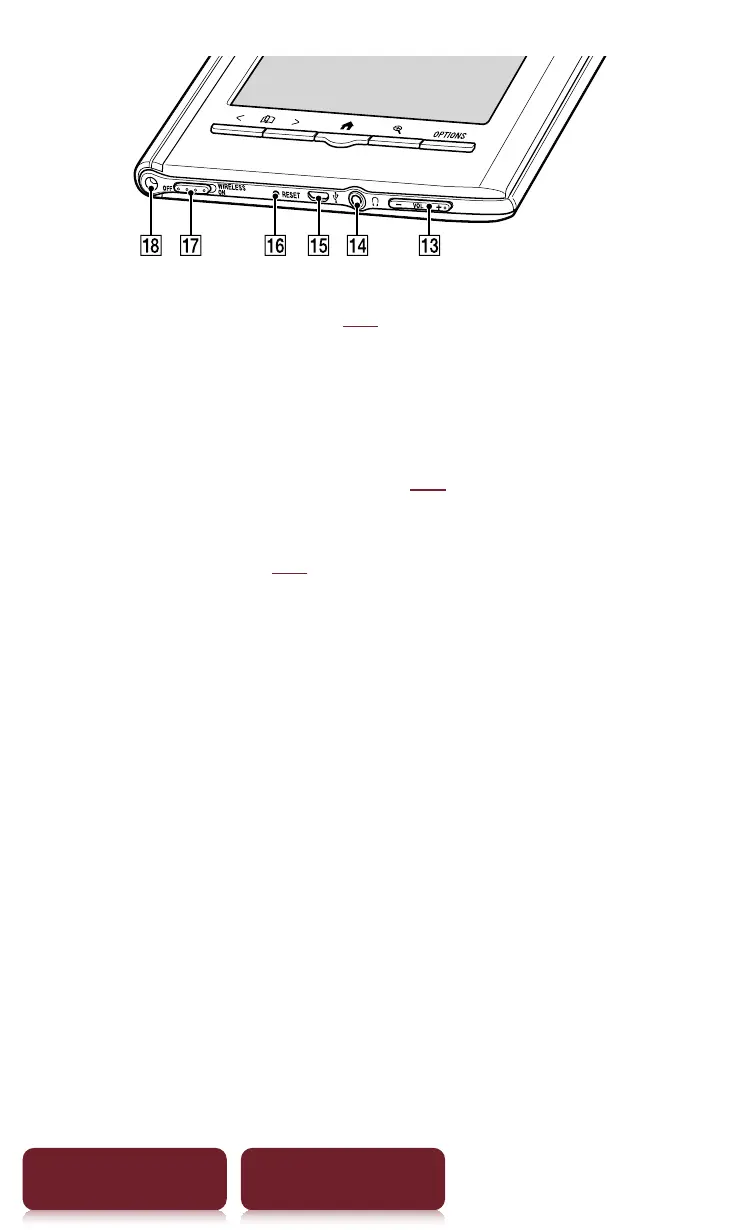
Volume button* (
r
87)
Adjusts the volume when playing an audio file.
* A tactile dot on the + button helps with ease of operation.
ȶ
Headphones jack
ȷ
Micro USB connector (
r
12)
Used for transferring data and charging the Reader.
ȸ
RESET hole (
r
96)
ȹ
WIRELESS Switch
Sets to ON when using mobile network or Wi-Fi
network.
Ⱥ
Holes for optional cover attachment
With the same hole in the left top corner of the Reader,
an optional accessory cover can be attached.














 To Next Page