24
GB
To stop playback
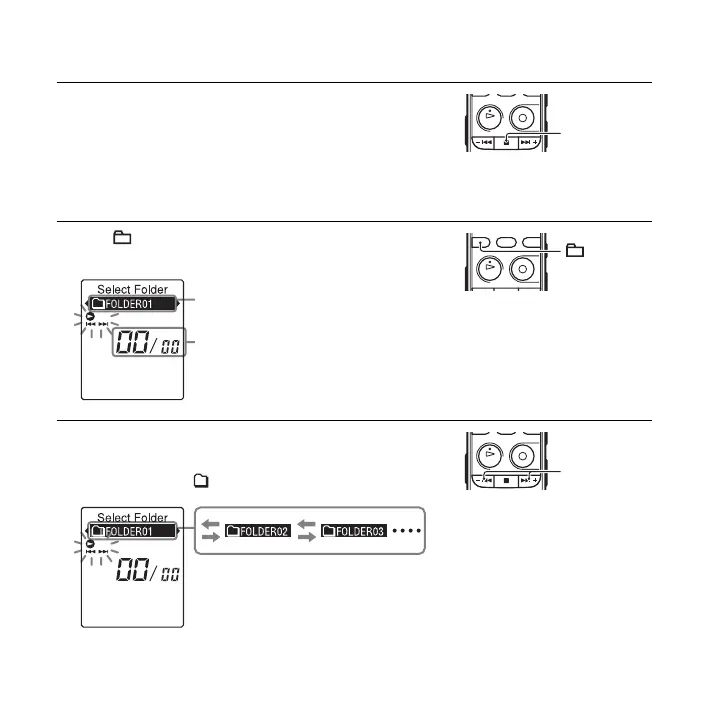
To select a folder and file
1 Press x (stop).
1 Press (folder) to display the folder selection
window.
2 Press –. or >+ to select a folder.
When you purchase the IC recorder, there are 5 folders
already available ( FOLDER01-05).
x
Current folder
Current file number/the total
number of files in the folder
–., >+



 To Next Page