60
GB
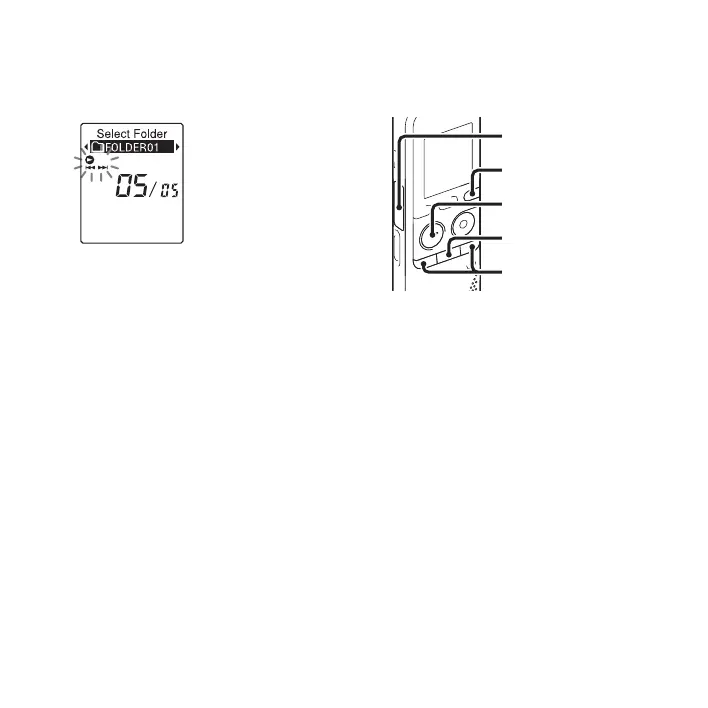
5 Press –. or >+ to select the folder
that you want to move the file into, and
then press
N PLAY/STOP•ENTER.
The “Moving File...” animation is
displayed and the file is moved to the last
position in the destination folder.
When you move a file to another folder,
the original file in the previous folder
will be erased.
6 Press x (stop) to exit the menu mode.
To cancel moving the file
Press x (stop) before step 5.
P Notes
• You cannot move podcast files.
• You cannot move protected files (page 71).
• You cannot move files to the other memory
media.
Copying a file to the other
memory
You can copy files between the built-in
memory and a memory card, which is
useful in saving a backup. Before starting
the operation, insert a memory card to be
used for copying into the memory card slot.
1 Select the file you want to copy.
When you want to copy a file from a
memory card to the built-in memory, set
the source memory media to “Memory
Card” (page 41).
2 Press and hold DISP/MENU in the stop
mode to enter the menu mode.
The menu mode window will be
displayed.
N PLAY/
STOP•ENTER
Memory card slot
x
–., >+
DISP/MENU



 To Next Page