8
GB
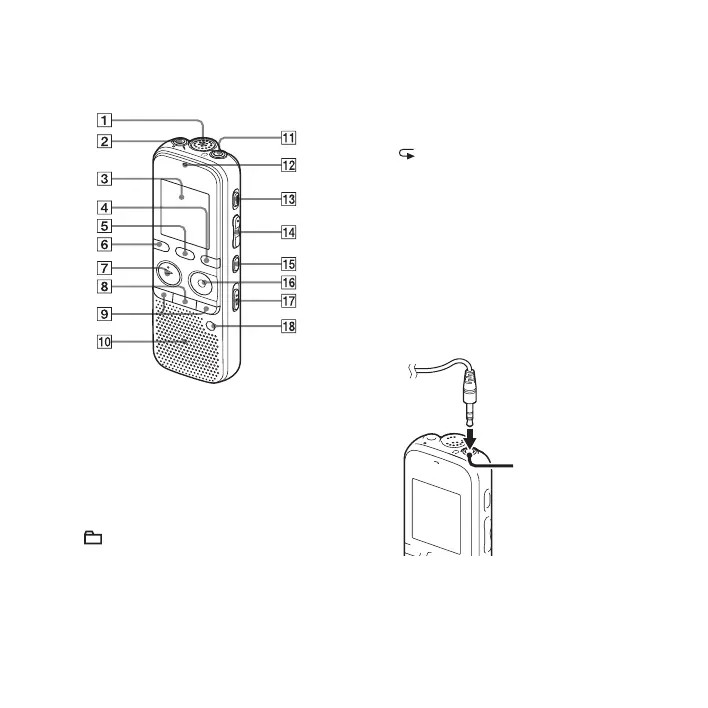
Index to parts and controls
Front
A Built-in microphone
B m (microphone) jack*
1
C Display window
D DISP/MENU button
E SCENE button
F (folder) button
G
N PLAY/STOP•ENTER*
1
button
H
x (stop) button
I –
. (review/fast backward), >+
(cue/fast forward) buttons
J Speaker
K i (headphone) jack*
2
L Operation indicator
M ERASE button
N VOL (volume) –/+*
1
button
O (repeat) A-B button
P
z REC/PAUSE button
Q NOISE CUT switch
R T-MARK (track mark) button
*
1
These buttons and the jack have a tactile
dot. Use it as a reference point for
operations, or to identify each terminal.
*
2
Connect the headphones to the
i (headphone) jack. When noise is heard,
clean the plug of the headphones.
i (headphone)
jack



 To Next Page