35
GB
Other Recording Operations
• You cannot add a recording to an MP3 file
that was not recorded using the IC recorder.
Moreover, when you edit files using the
supplied Sound Organizer software, adding a
recording to the files may not be possible.
• The REC Mode of an additional recording is
the same as the added file.
• If 10 minutes have passed after step 5, you
must start the procedure again from step 5.
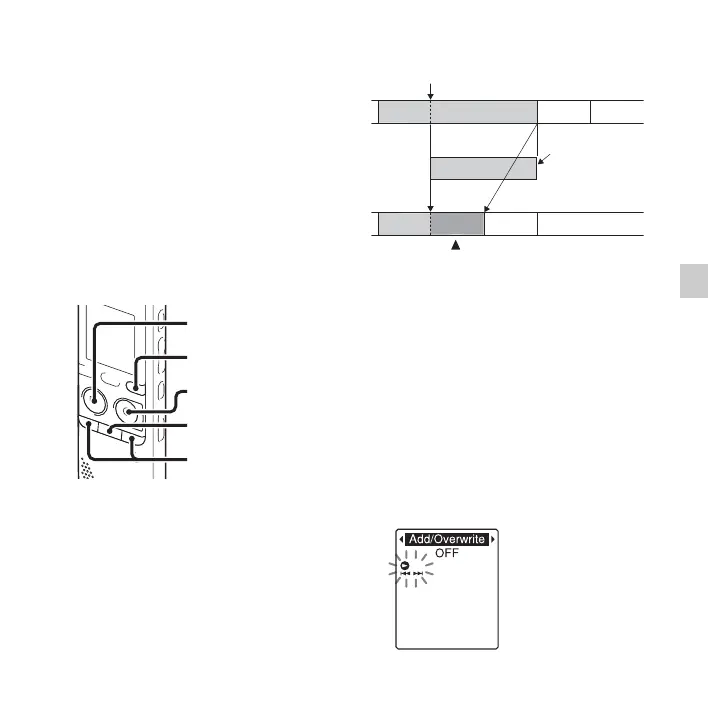
Adding an overwrite
recording during playback
When “Add/Overwrite” in the menu is set
to “Overwrite,” you can add an overwrite
recording after a selected point in a
recorded file. The part of the file after the
selected point is erased.
Select the file to which you want to add an
overwrite recording first.
1 Press and hold DISP/MENU in the stop
mode to enter the menu mode.
The menu mode window will be
displayed.
2 Press –. or >+ to select “Add/
Overwrite,” and then press
N PLAY/
STOP•ENTER.
z REC/PAUSE
x
DISP/MENU
–., >+
N PLAY/
STOP•ENTER
The starting point of an overwrite recording
File 2
Added overwrite recording in File 2
The erased part
of File 2
File 3 File 4
File 2 File 3 File 4



 To Next Page