55
GB
Other Playback Operations
Playing Back a File at a Desired Time with an
Alarm
You can sound an alarm and start playback
of a selected file at a desired time. You can
have a file played back on a specified date,
once every week, or at the same time every
day. You can set an alarm for a file.
1 Select the file you want to play back with
an alarm.
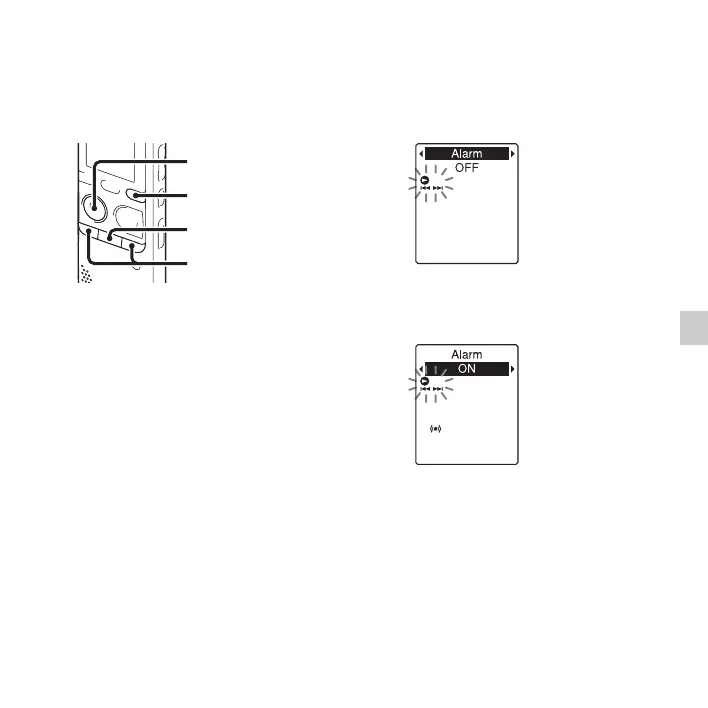
2 Enter the alarm setting mode.
1 Press and hold DISP/MENU in the
stop mode to enter the menu mode.
The menu mode window will be
displayed.
2 Press –. or >+ to select
“Alarm,” and then press
N PLAY/
STOP•ENTER.
3 Press –. or >+ to select “ON,”
and then press
N PLAY/
STOP•ENTER.
“Alarm” is set to “OFF” when you
purchase the IC recorder.
3 Set the alarm date and time.
1 Press –. or >+ to select “Date,”
a day of the week, or “Daily,” and
then press
N PLAY/STOP•ENTER.
x
N
PLAY/
STOP•ENTER
–., >+
DISP/MENU



 To Next Page