76
GB
Presetting FM Radio Stations
Presetting FM radio stations
automatically
You can automatically tune in radio stations
and then register them with preset numbers.
You can preset up to 30 FM radio stations
automatically using the preset menu.
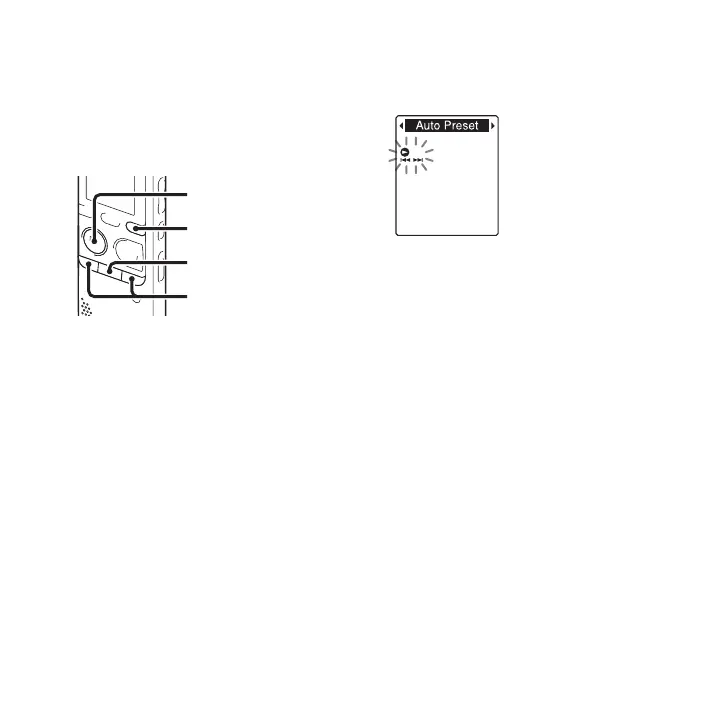
1 Press and hold DISP/MENU during FM
reception to enter the menu mode.
The menu mode window will be
displayed.
2 Press –. or >+ to select “Auto
Preset,” and then press
N PLAY/
STOP•ENTER.
“Auto Preset?” will be displayed.
3
Press –
.
or
>
+ to select “YES,” and
then press
N
PLAY/STOP•ENTER.
The IC recorder automatically scans for
available radio frequencies and the
stations will be stored in memory from
the lower frequencies to the higher ones.
While presetting FM radio stations
automatically, the preset number ready to
be assigned flashes.
To stop the automatic presetting
Press x (stop). The preset numbers stored
until you press the
x (stop) button remain
in memory.
x
N
PLAY/
STOP•ENTER
–., >+
DISP/MENU



 To Next Page