34
GB
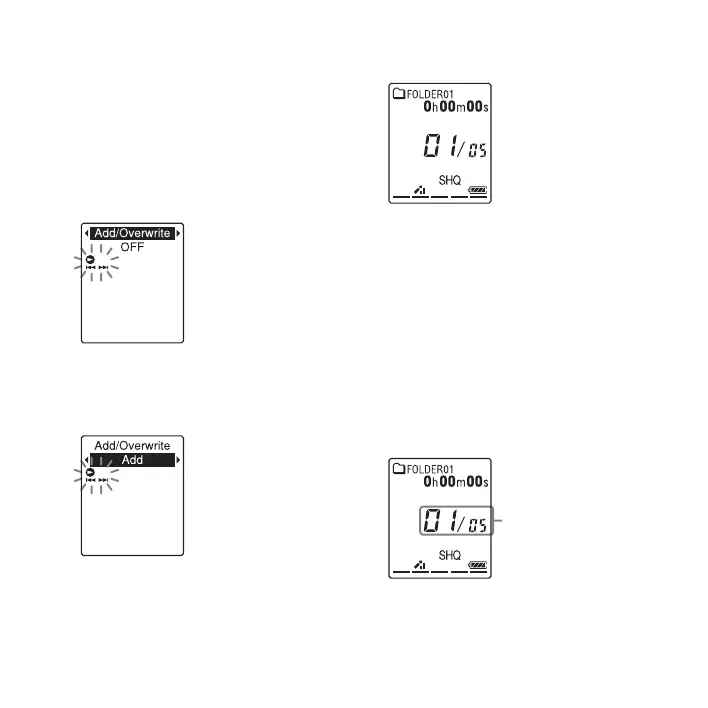
1 Press and hold DISP/MENU in the stop
mode to enter the menu mode.
The menu mode window will be
displayed.
2 Press –. or >+ to select “Add/
Overwrite,” and then press
N PLAY/
STOP•ENTER.
3 Press –. or >+ to select “Add,”
and then press
N PLAY/
STOP•ENTER.
“Add/Overwrite” is set to “OFF” when
you purchase the IC recorder.
4 Press x (stop) to exit the menu mode.
5 When the file to be added is played back,
press
z REC/PAUSE.
“Add REC?” will be displayed.
For details on playback, see page 23.
6 While “Add REC?” is displayed, press
z REC/PAUSE.
The operation indicator will turn red.
Then recording starts.
7 Press x (stop) to stop recording.
P Notes
• You cannot add a recording when the file has
reached the maximum size limit (500 MB).
Recording is added to
the current file. The file
number and the total
number of files in the
folder remain
unchanged.



 To Next Page