1-5
20
Tuning your TV to the VCR
To check to see if the TV tuning is correct
Set the TV to the video channel and press PROGRAM +/– on the VCR. If
the TV screen changes to a different programme each time you press
PROGRAM +/–, the TV tuning is correct.
To obtain a clear picture from the VCR
If the screen does not appear clearly in step 6 above, go to step 7 to finish this
procedure once. Then start again from step 2. After pressing RF
CHANNEL in step 2, press PROGRAM +/– while the RF channel is
displayed, so that another RF channel appears. Then tune the TV to the new
RF channel so that a clear picture appears.
Note
• If you set the wrong TV system, you may have no sound or sound may be distorted.
5
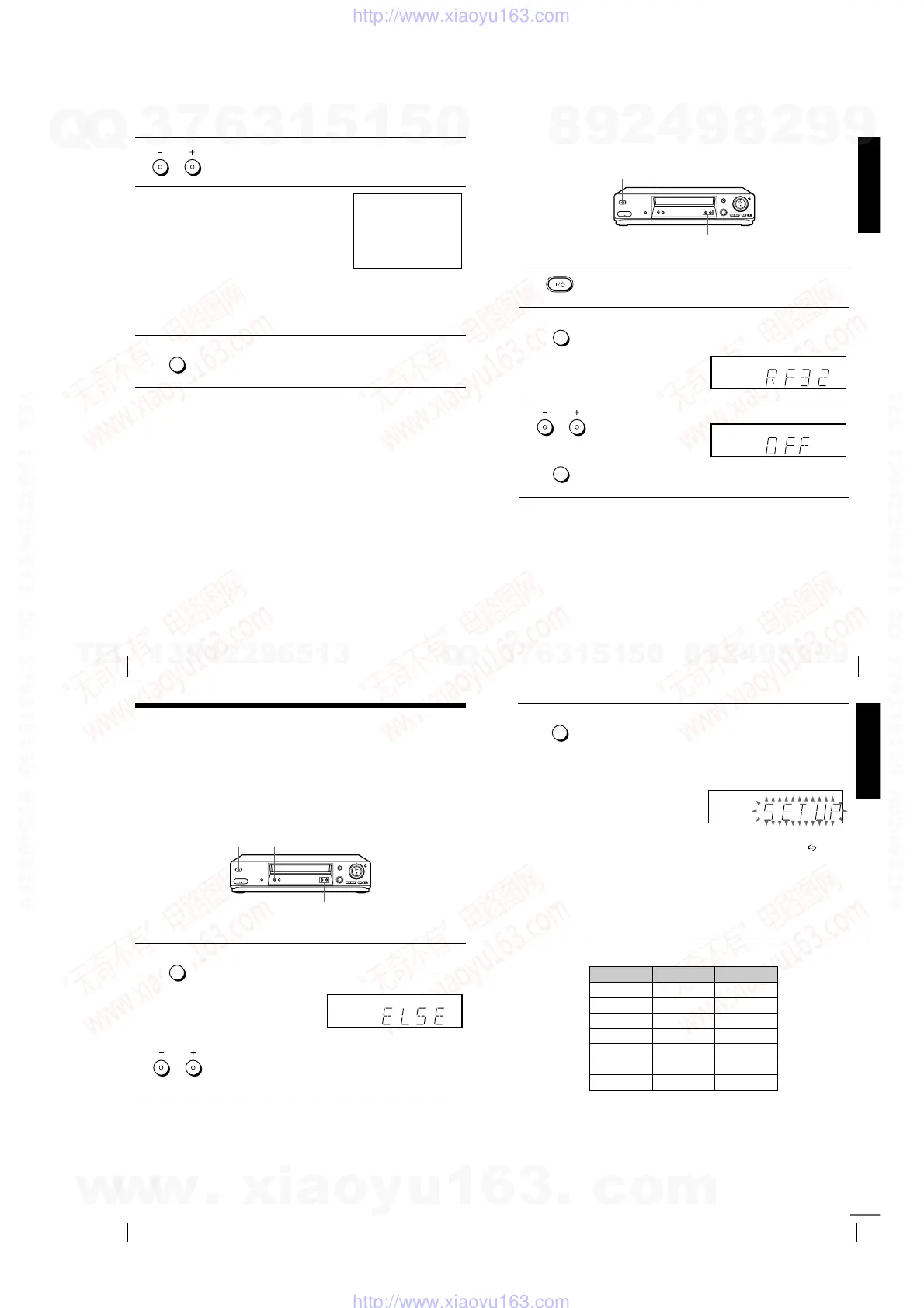
Press PROGRAM +/– (repeatedly) to select the appropriate TV
system for your area. Select “G” for the B/G TV system, or “K” for
the D/K TV system.
6
Tune the TV to the same channel
shown in the VCR display window
so that the picture on the right
appears clearly on the TV screen.
Refer to your TV manual for TV
tuning instructions.
If you select the wrong TV system in
step 5, the picture on the right may
not appear. Select the appropriate TV system and tune the TV
again.
If the picture does not appear clearly, see “To obtain a clear picture
from the VCR” below.
7
Press RF CHANNEL.
You have now tuned your TV to the VCR. Whenever you want to
play a tape, set the TV to the video channel.
PROGRAM
SONY VIDEO CASSETTE RECORDER
AUTO
SET UP
RF CHANNEL
Getting Started
21
Tuning your TV to the VCR
If your TV has a Scart (EURO-AV) connector
1
Press
?
/
1
(on/standby) to turn on the VCR.
2
Press RF CHANNEL on the VCR lightly.
The factory-preset RF channel appears in the display window.
The VCR signal is output through this channel to the TV.
3
Press PROGRAM +/– to set the RF channel to OFF, and press RF
CHANNEL again.
RF channel set up is complete.
PROGRAM +/–
RF CHANNEL
?
??
?
/
1
11
1
AUTO
SET UP
RF CHANNEL
AUTO
SET UP
RF CHANNEL
PROGRAM
22
Setting up the VCR with the Auto Set Up function
Step 5 : Setting up the VCR with the Auto
Set Up function
Before using the VCR for the first time, set up the VCR using the Auto Set
Up function. With this function, you can set the language for the on-screen
display, TV channels, guide channels for the ShowView system*, and VCR
clock* automatically.
1
Hold down AUTO SET UP on the VCR for more than three
seconds.
The VCR automatically turns on, and the country abbreviation
appears in the display window.
2
Press PROGRAM +/– to select the abbreviation of your country
from the table on page 23.
For some countries, there is a selection of languages to choose from.
If your country does not appear, select ELSE.
PROGRAM +/–
AUTO SET UP
?
??
?
/
1
11
1
AUTO
SET UP
RF CHANNEL
PROGRAM
Getting Started
23
Setting up the VCR with the Auto Set Up function
The abbreviations of the countries and languages are as follows:
To cancel the Auto Set Up function
Press AUTO SET UP.
Tip
• If you want to change the language for the on-screen display from the one preset in
the Auto Set Up function, see page 29.
3
Press AUTO SET UP lightly.
The VCR starts searching for all of the receivable channels and
presets them according to the TV system you selected in “Tuning
your TV to the VCR” on page 19.
If you want to change the order of the channels or disable unwanted
programme positions, see “Changing/disabling programme
positions” on page 34.
If you use the SMARTLINK connection (not available on SLV-
SE610N/K), the Preset Download function starts and the
indicator flashes in the display window during download.
For SLV-SE710N/K, SX710N/K, and SE810N/K:
After the search or download is complete, the current time appears
in the display window for any stations that transmit a time signal.
For SLV-SE610N/K:
When no more receivable channels can be found, presetting stops
and “SET UP” disappears from the display window.
AUTO
SET UP
RF CHANNEL
Abbreviation Country Language
CZ Czecho Czech
HUN Hungary Hungarian
PL Poland Polish
SK Slovakia Slovak
TR Turkey Turkish
RUS Russia Russian
ELSE Other countries English
continued
w
w
w
.
x
i
a
o
y
u
1
6
3
.
c
o
m
Q
Q
3
7
6
3
1
5
1
5
0
9
9
2
8
9
4
2
9
8
T
E
L
1
3
9
4
2
2
9
6
5
1
3
9
9
2
8
9
4
2
9
8
0
5
1
5
1
3
6
7
3
Q
Q
TEL 13942296513 QQ 376315150 892498299
TEL 13942296513 QQ 376315150 892498299
http://www.xiaoyu163.com
http://www.xiaoyu163.com



 To Next Page