1-2
8
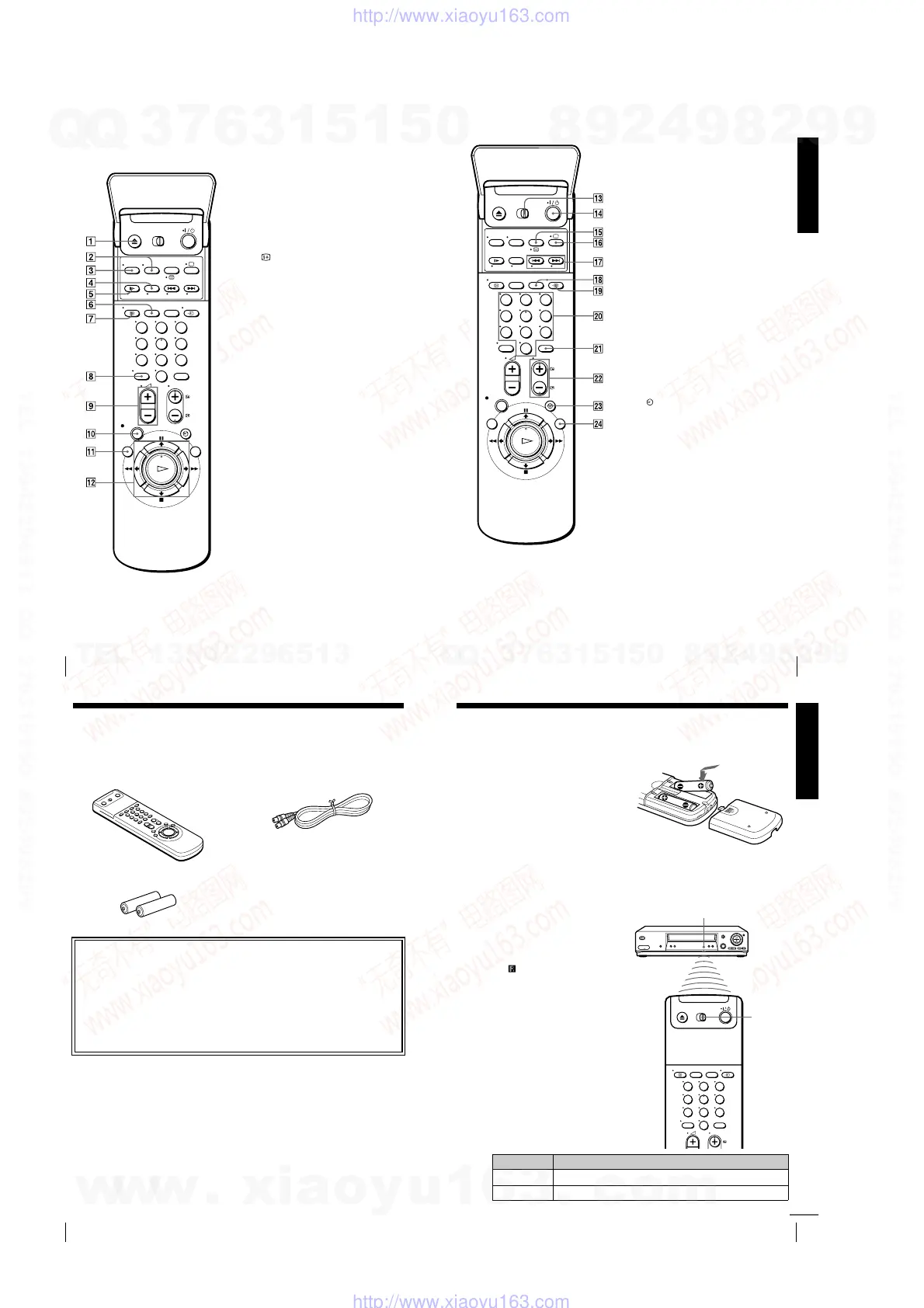
Index to parts and controls
Remote commander
A Z
EJECT button (44)
B
WIDE button (
for TV
) (13)
C
AUDIO MONITOR button (70)
D
×2 button* (63)
E y
SLOW button* (63)
F
SP (Standard Play)/LP (Long Play)
button (46)
G
DISPLAY button (47)
H -
(ten’s digit) button (12) (47)
I 2
(volume) +/– buttons (
for TV
)
(13)
J z
REC (record) button (46) (65)
K
MENU button (25) (68)
L X
PAU SE /
M
button (25) (44)
x
STOP/
m
button (25) (44)
m
REW (rewind)/
<
button (44)
(63)
M
FF (fast-forward)/
,
button
(44) (63)
H
PLAY/OK button (25) (44)
* FASTEXT buttons (
for TV
) (SLV-
SE810N/K only)
123
456
789
0
Getting Started
9
Index to parts and controls
M [TV]
/
[VIDEO]
remote control switch
(11)
N ?
/
1
(on/standby) switch (12) (57)
O
COUNTER/REMAIN button (47)
/
(Teletext) button*
2
(
for TV
) (13)
P a
TV power on/TV mode select
button*
2
(
for TV
) (12)
Q .
/
>
INDEX SEARCH
buttons*
1
(80)
R
CLEAR button (44) (56) (68)
S t
TV/VIDEO button (12) (16) (47)
T
Programme number buttons (12) (47)
U
INPUT SELECT button (47) (60)
(89)
V
PROG (programme) +/– buttons (12)
(31) (46)
c
/
C
Teletext page access buttons*
2
(
for TV
) (13)
W
TIMER button (55) (59)
X
SMART SEARCH button (73)
*
1
FASTEXT buttons (
for TV
) (SLV-
SE810N/K only)
*
2
SLV-SE810N/K only
123
456
789
0
10
Unpacking
Step 1 : Unpacking
Check that you have received the following items with the VCR:
• Remote commander • Aerial cable
• R6 (size AA) batteries
Check your model name
The instructions in this manual are for the 8 models: SLV-SE610N, SE610K,
SE710N, SE710K, SX710N, SX710K, SE810N, and SE810K. Check your
model number by looking at the rear panel of your VCR.
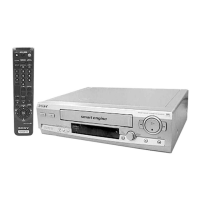
SLV-SE810N is the model used for illustration purposes. Any difference in
operation is clearly indicated in the text, for example, “SLV-SE710N only.”
Getting Started
11
Setting up the remote commander
Step 2 : Setting up the remote commander
Inserting the batteries
Insert two R6 (size AA) batteries
by matching the + and – on the
batteries to the diagram inside the
battery compartment.
Insert the negative (–) end first,
then push in and down until the
positive (+) end clicks into
position.
Using the remote
commander
You can use this remote
commander to operate this VCR
and a Sony TV. Buttons on the
remote commander marked with a
dot (
•
) can be used to operate your
Sony TV. If the TV does not have
the symbol near the remote
sensor, this remote commander
will not operate the TV.
To operate Set
[TV]
/
[VIDEO]
to
the VCR
[VIDEO]
and point at the remote sensor at the VCR
a Sony TV
[TV]
and point at the remote sensor at the TV
123
456
789
0
Remote sensor
[TV]
/
[VIDEO]
continued
w
w
w
.
x
i
a
o
y
u
1
6
3
.
c
o
m
Q
Q
3
7
6
3
1
5
1
5
0
9
9
2
8
9
4
2
9
8
T
E
L
1
3
9
4
2
2
9
6
5
1
3
9
9
2
8
9
4
2
9
8
0
5
1
5
1
3
6
7
3
Q
Q
TEL 13942296513 QQ 376315150 892498299
TEL 13942296513 QQ 376315150 892498299
http://www.xiaoyu163.com
http://www.xiaoyu163.com



 To Next Page