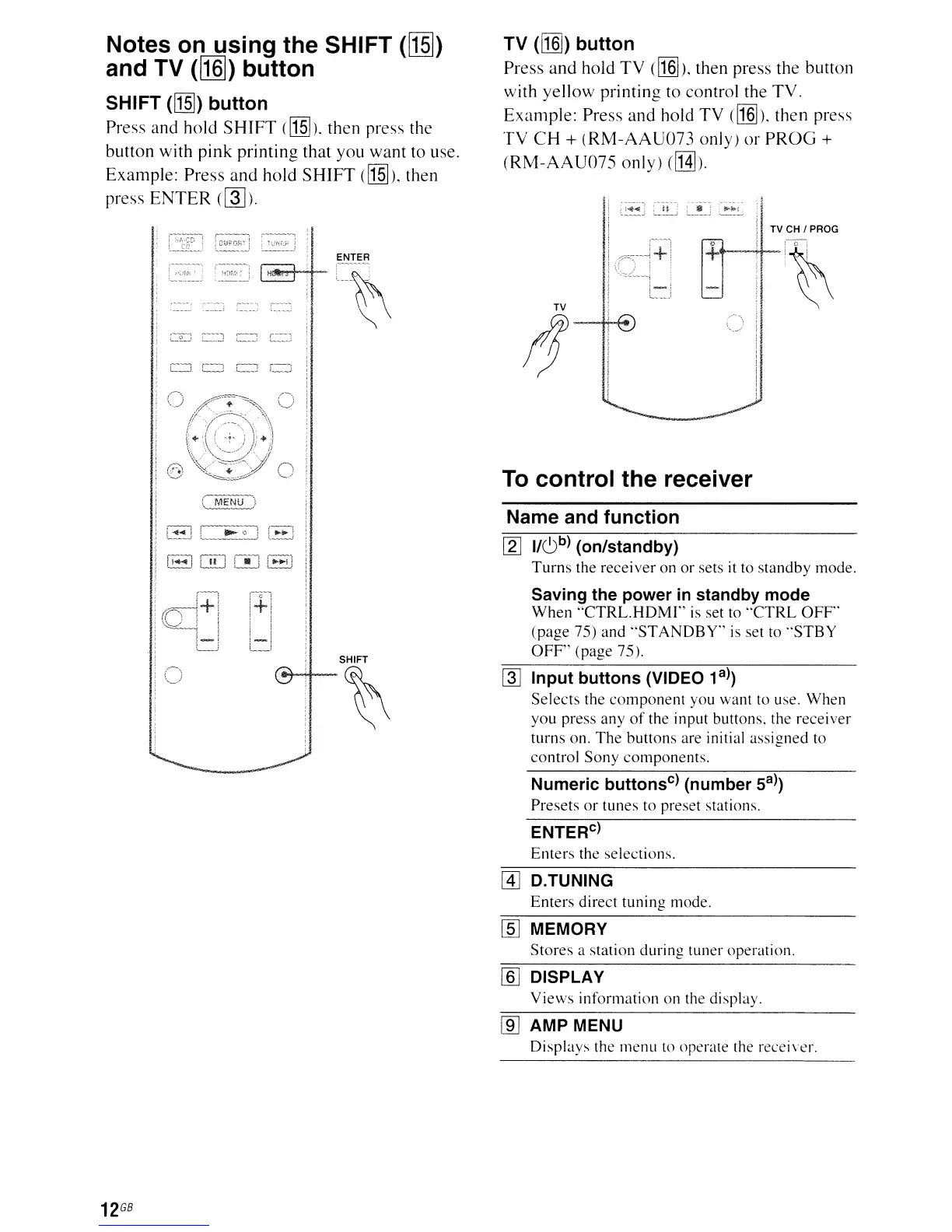
Notes on using the SHIFT ([§])
and TV
([ill])
button
SHIFT
([J]])
button
Press and hold
SHIFT
([J]]).
then press the
button with
pink
printing that you want to use.
Example: Press and hold
SHIFT
([J]]),
then
press
ENTER
(~).
TV
(11]])
button
Press
and
hold
TV
(11]]),
then press the button
with yellow printing to control the TV.
Example:
Press and hold TV ([I§]). then press
TV
CH
+
(RM-AAU073
only)
or
PROG
+
(RM-AAU075
only)
([H]).
TV CH I PROG
TV
(f
To control the receiver
Name and function
SHIFT
~
[2J
1/6
b
)
(on/standby)
Turns
the receiver on
or
sets it to standby mode.
Saving the power
in
standby mode
When
"CTRL.HDMI"
is set to
"CTRL
OFF'
(page 75) and
"STANDBY"
is
set to
"STBY
OFF'
(page 75).
~
Input buttons (VIDEO 1a))
Selects
the
component
you want to use. When
you press any
of
the input buttons. the receiver
turns on.
The
buttons are initial assigned to
control Sony components.
Numeric buttons
c
)
(number
Sa))
Presets
or
tunes to preset stations.
ENTER
C
)
Enters the selections.
[!J
D.
TUNING
Enters direct tuning mode.
[§]
MEMORY
Stores
a station during tuner operation.
ffiJ
DISPLAY
Views
information on the display.
lID
AMP MENU
Displays the menu to operate the receiver.
12
GB



 To Next Page