a::I:
:C=L
I:::::C:c::.:J
•
Numeric
buttons
AM
10
kHz*
9kHz
AMP
C'i!'+-i+-
MEN
U
°
TUNER
pg~H-ENTER
100
kHz
FM
50kHz
c::.:J::c::.:J:
::c:::r:'
c::.:J
8,
--tt-1--t°u
~~
+/+/+/+
U2,
CA2
Area code
AU
1,
SA2,
TW2
c:::r:
:c::r::c:::r:EI3-+t--
D.TU
NI
NG
TUN
I
N::G:'-tHr:i!:[C:E:::::IlWl
+/-
-
Tuner
Operations
( MENU)
Listening
to
FM/AM
radio
*The
AM
tuning scale can be changed (page 47).
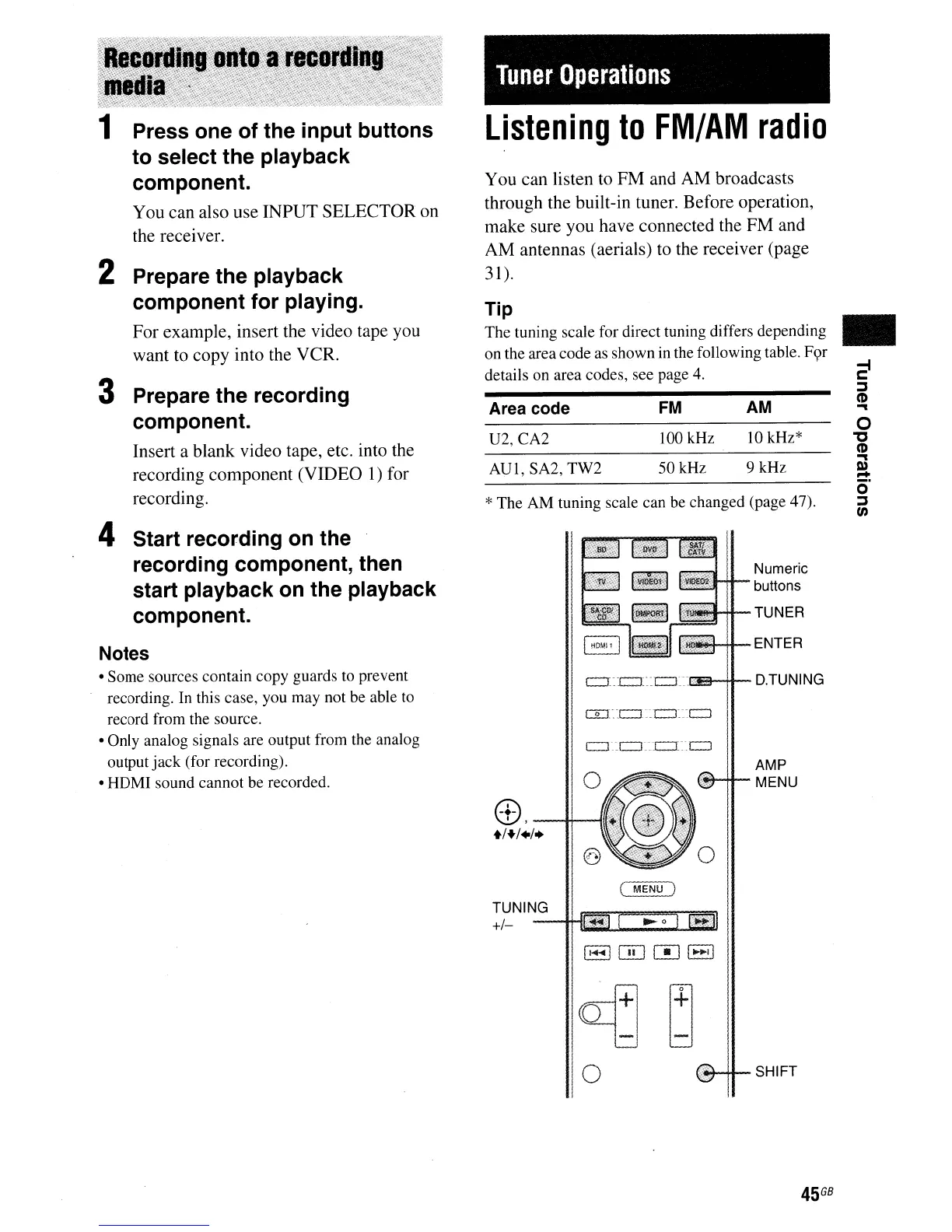
You can listen to
FM
and AM broadcasts
through the built-in tuner. Before operation,
make sure you have connected the FM and
AM antennas (aerials) to the receiver (page
31).
Tip
The tuning scale for direct tuning differs depending
on the area code as shown
in
the following table.
F<;>r
details on area codes, see page
4.
1 Press one of the input buttons
to select the playback
component.
You can also use INPUT SELECTOR on
the receiver.
2 Prepare the playback
component for playing.
For example, insert the video tape you
want to copy into the VCR.
3 Prepare the recording
component.
Insert a blank video tape, etc. into the
recording component (VIDEO
1)
for
recording.
4 Start recording on the
recording component, then
start playback on the playback
component.
Notes
• Some sources contain copy guards to prevent
recording.
In
this case, you may not be able to
record from the source.
• Only analog signals are output from the analog
output
jack
(for recording).
• HDMI sound cannot be recorded.
9d~
1
0
SHIFT
45
GB



 To Next Page