Changing
the
channel
for
better
sound
transmission
If
you use multiple wireless systems which
sharing the 2.4
GHz
band, such as wireless
LAN
or
Bluetooth, the transmission
of
S-AIR
products
or
other wireless systems may be
unstable. In this case, the transmission may be
improved by changing the following
"RF
SETUP"
setting.
AMP
~~/.----f+---i:
(90
(~
MENU
(
MENU)
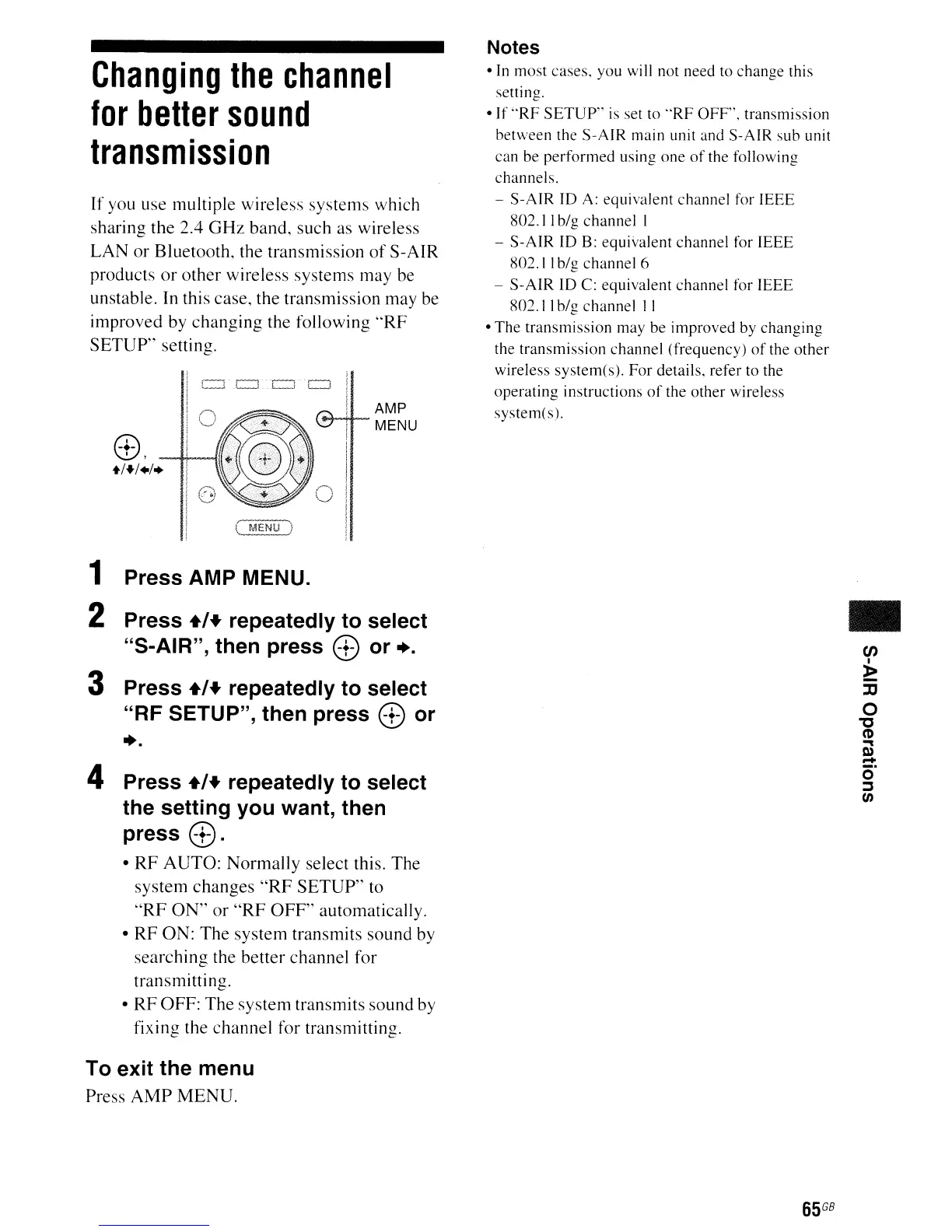
1 Press AMP MENU.
2 Press
+1+
repeatedly to select
"S-AIR", then press
8 or +.
3 Press
+1+
repeatedly to select
"RF SETUP", then press
8 or
+.
4 Press
+1+
repeatedly to select
the setting you want, then
press
8.
•
RF
AUTO: Normally select this. The
system changes
"RF
SETUP"
to
"RF
ON"
or
"RF
OFF"
automatically.
•
RF
ON: The system transmits sound by
searching the better channel for
transmitting.
• RF OFF: The system transmits sound by
fixing the channel for transmitting.
To exit the menu
Press
AMP
MENU.
Notes
•
In
most
cases.
you
will
not
need
to
change
this
setting.
•
If
"RF
SETUP"
is
set to
"RF
OFF'.
transmission
between
the
S-AIR
main unit and
S-AIR
sub
unit
can
be
performed
using
one
of
the following
channels.
-
S-AIR
ID
A:
equivalent
channel for
IEEE
802.11
big
channel
I
-
S-AIR
ID B:
equivalent
channel
for
IEEE
802. I Ibig
channel
6
-
S-AIR
10
C:
equivalent
channel
for
IEEE
802.11
big
channel
II
•
The
transmission
may
be
improved
by
changing
the
transmission
channel
(frequency)
of
the
other
wireless
system(s).
For
details, refer
to
the
operating
instructions
of
the
other
wireless
system(s).
65
GB
•
en
I
»
-
::D
o
"C
CD
""
I»
-
ci'
:::J
t/)



 To Next Page