Enjoying
movies
with
the
optimum
sound
field
(TheaterfTheatre
Mode
Sync)
Enjoying
the
TV
sound
via
an
HDMI
cable
(Audio
Return
Channel)
(
MENU)
The
Audio Return
Channel
(ARC)
function
enables the TV outputs the
audio
signals to the
receiver via an
HDMI
cable connected to the
HDMI
TV
OUT
jack.
You can enjoy the
TV
sound from the speakers
connected to the receiver without connecting
the TV
OPTICAL
IN
or
TV
AUDIO
IN jack.
•
AMP
r.-+-+I--
MEN
U
o
~
\.D,
+/+/+/+
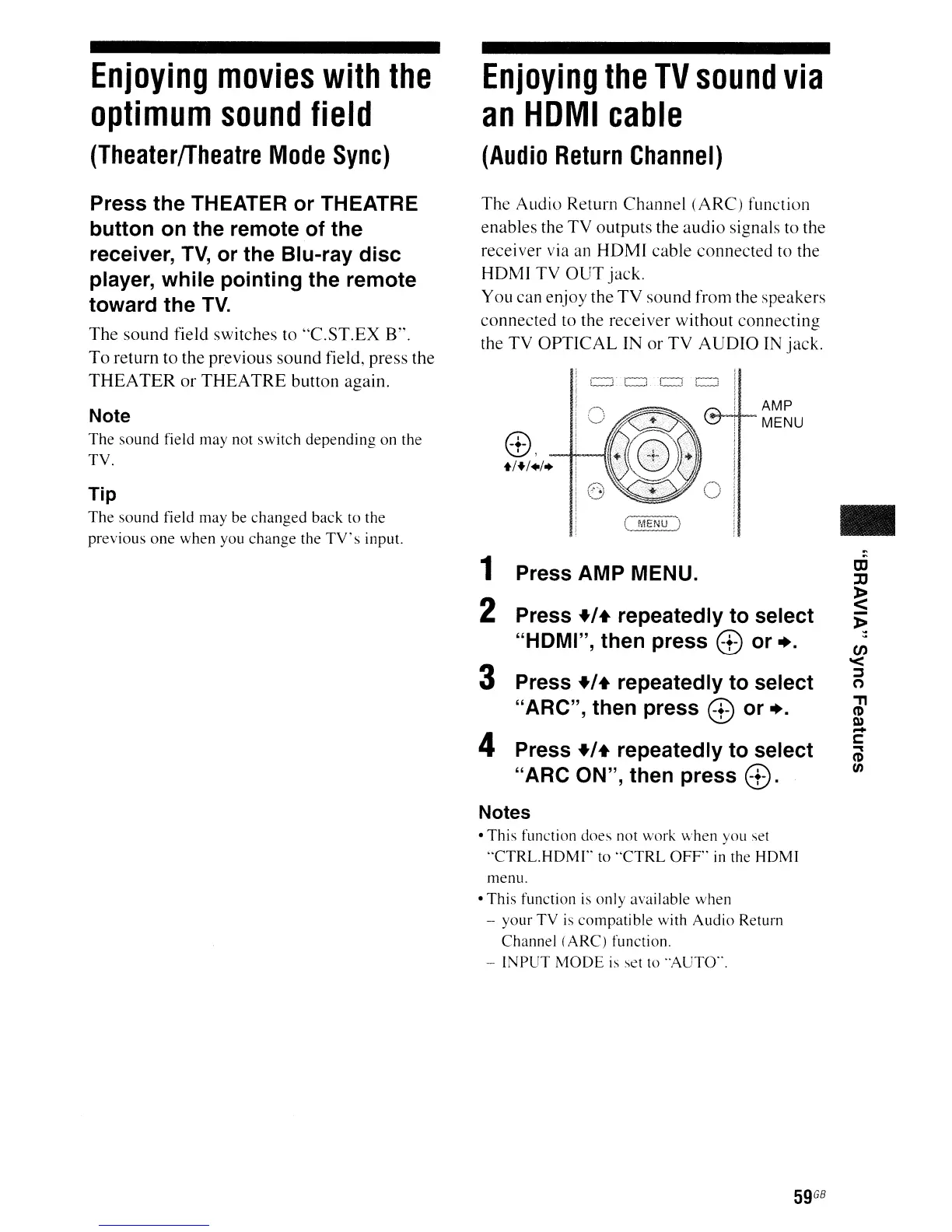
1 Press AMP MENU.
2 Press +/+ repeatedly to select
"HOMI", then press
0 or
...
3 Press +/+ repeatedly to select
"ARC", then press
0 or ...
4 Press +/+ repeatedly to select
"ARC ON", then press
0.
Notes
• This function does not work when you
set
··CTRL.HDMI"
to
"CTRL OFF"
in
the HOM]
Tip
The sound field may
be
changed back to the
previous one when you change the
TV's
input.
Press the THEATER or THEATRE
button on the remote of the
receiver,
TV,
or the Blu-ray disc
player, while pointing the remote
toward the
TV.
The sound field switches to
"C.ST.EX
B".
To
return to the previous sound field, press the
THEA
TER
or
THEATRE
button again.
Note
The sound field may not switch depending on the
TV.
menu.
• This function
is
only available when
- your TV
is
compatible with Audio Return
Channel (ARC) function.
- INPUT
MODE
is
set to ·AUTO··.
59
GB



 To Next Page