Turning
off
the
receiver
with
the
TV
(System
Power
Off)
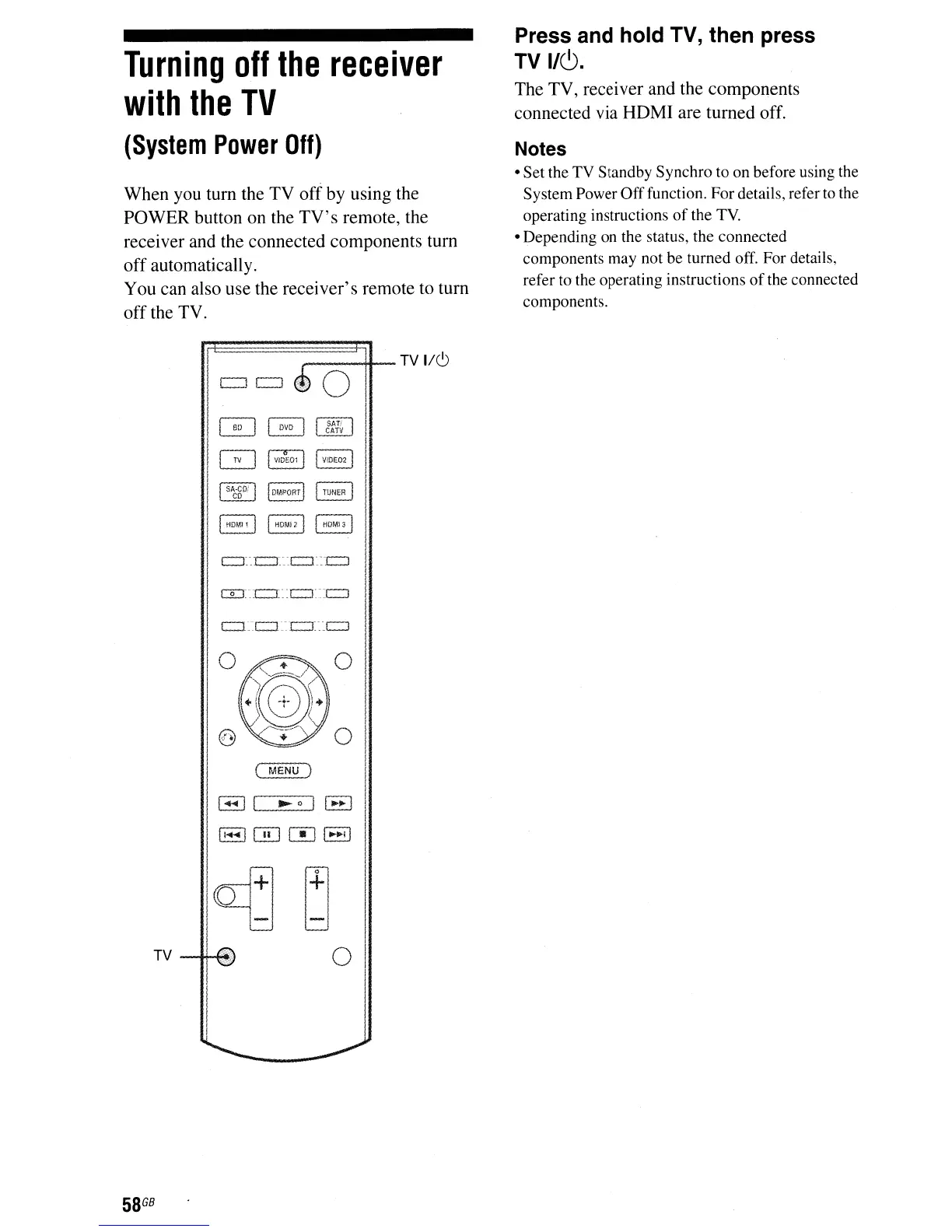
When you turn the TV offby using the
POWER button on the
TV's
remote, the
receiver and the connected components turn
off automatically.
You can also use the receiver's remote to turn
off the TV.
,-----+If--
TV
1/6
GJ
~
[]ll[]
CATV
GJ
{
V!D
C
E01
I
I
VIOE02!
I
SA-CD!
l
I
OM.ORT
I
I
TUNER
I
co
~
I
HOMI,
I
~
c::r:
c::r::c:::J
::
r:::::J
o:::r-_c::r:
:c:::J:::c::J
Press and hold TV, then press
TV
1/(9.
The TV, receiver and the components
connected via HDMI are turned off.
Notes
• Set the TV Standby Synchro to on before using the
System Power Offfunction. Fordetails, refer
to
the
operating instructions
of
the
TV.
• Depending on the status, the connected
components may not be turned off. For details,
refer to the operating instructions
of
the connected
components.
o
o
(
MENU)
I-II
....
011,.,,1
11<I-4IOD
[!]
I-II
lo~
I -
i
o
58
G8



 To Next Page