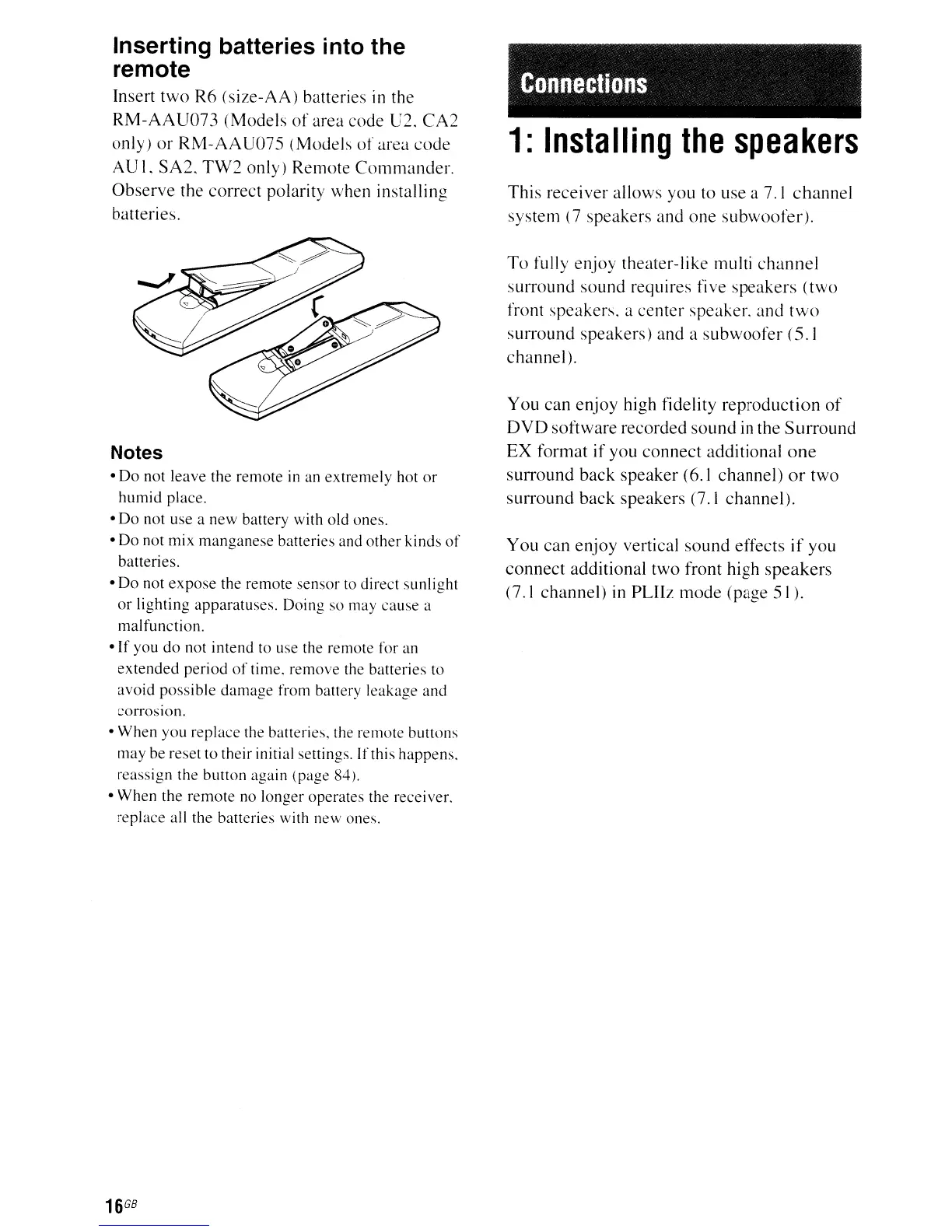
Inserting batteries into the
remote
Insert
two
R6
(size-AA)
batteries in the
RM-AAU073
(Models
of
area code U2.
CA2
only)
or
RM-AAU075
(Models
of
area
code
AU
I.
SA2.
TW2
only)
Remote
Commander.
Observe
the
correct
polarity when installing
batteries.
Notes
•
Do
not leave the remote
in
an
extremely
hot
or
humid
place
.
•
Do
not use a
new
battery with old ones.
•
Do
not mix
manganese
batteries and
other
kinds
of
batteries.
•
Do
not
expose
the remote sensor to direct sunlight
or
lighting apparatuses. Doing
so
may
cause
a
malfunction.
• If you
do
not
intend
to use the remote for an
extended
period
of
time.
remove
the batteries to
avoid
possible
damage
from battery leakage
and
corrosIOn.
•
When
you
replace
the batteries, the remote buttons
may be reset
to
their initial settings. Ifthis happens.
reassign the button again (page 84).
•
When
the
remote
no longer operates the receiver.
replace all the batteries with new ones.
16
G8
Connections
1:
Installing
the
speakers
This
receiver
allows you to use a 7.1
channel
system
(7
speakers
and
one
subwoofer).
To
fully
enjoy
theater-like multi
channel
surround
sound
requires five
speakers
(two
front
speakers.
a
center
speaker.
and
two
surround
speakers)
and
a
subwoofer
(5.1
channel).
You
can
enjoy
high fidelity
reproduction
of
DVD
software
recorded
sound
in the
Surround
EX
format
if
you
connect
additional
one
surround
back
speaker
(6.1
channel)
or
two
surround
back
speakers (7.1
channel).
You
can
enjoy
vertical
sound
effects
if
you
connect
additional
two
front high
speakers
(7.1
channel)
in
PLHz
mode
(page
51).



 To Next Page