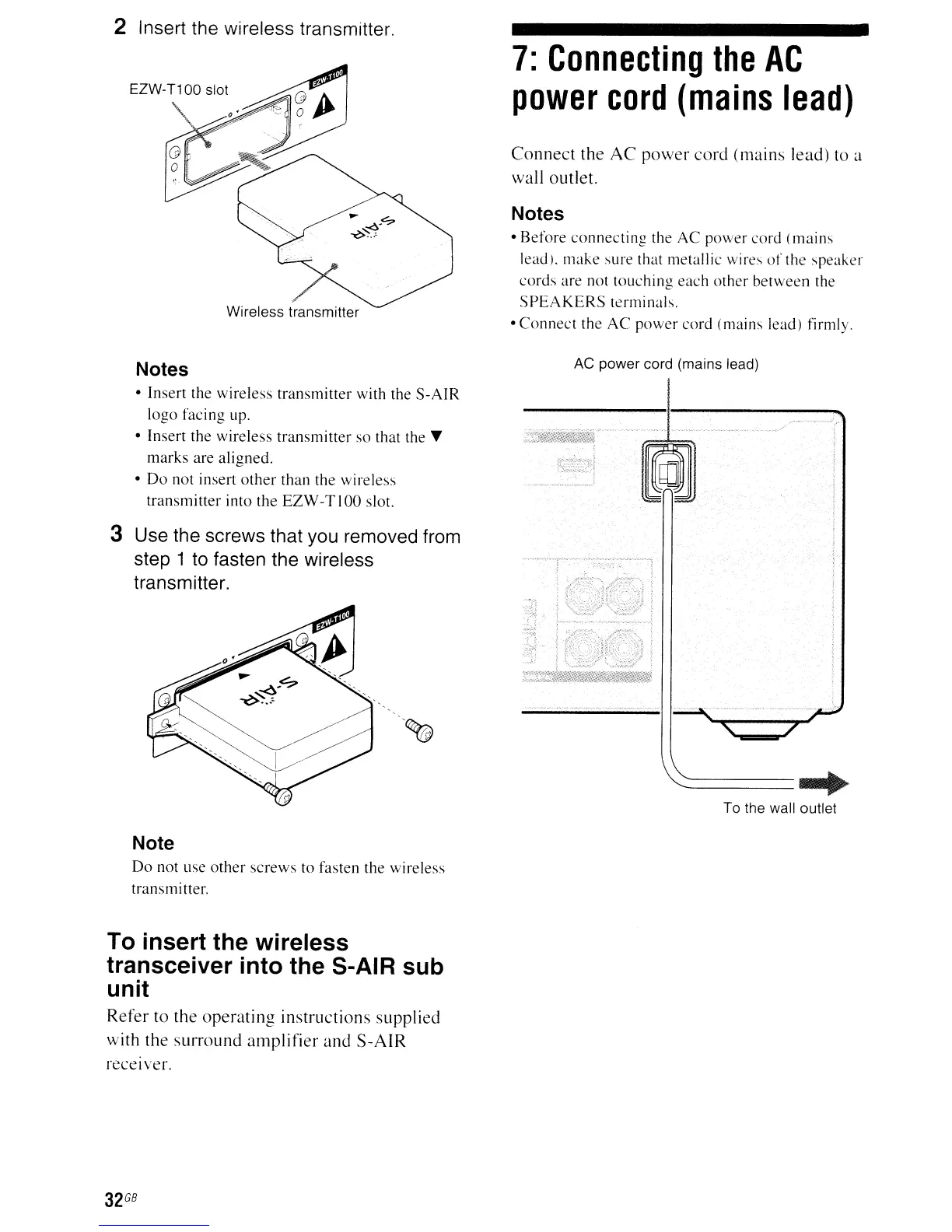
2 Insert the wireless transmitter.
Wireless transmitter
7:
Connecting
the
AC
power
cord
(mains
lead)
Connect the AC power cord (mains lead)
to
a
wall outlet.
Notes
•
Before
connecting
the
AC
power
cord
(mains
lead).
make
sure that metallic wires
of
the
speaker
cords
are
not toLlching
each
other
between
the
SPEAKERS
terminals.
•
Connect
the
AC
power
cord (mains lead) firmly.
Notes
• Insert the
wireless
transmitter
with the
S-AIR
logo
facing
LIp.
•
Insert
the
wireless
transmitter
so
that the T
marks
are
aligned
.
•
Do
not insert
other
than the wireless
transmitter
into
the
EZW-TIOO slot.
AC power cord (mains lead)
~=====--..
To the wall outlet
3 Use the screws that you removed from
step 1 to fasten the wireless
transmitter.
Note
Do
not
LIse
other
screws
to fasten the wireless
transmitter.
To insert the wireless
transceiver into the S-AIR sub
unit
Refer to the operating instructions supplied
with the surround amplifier and S-AIR
receiver.
32
GB



 To Next Page