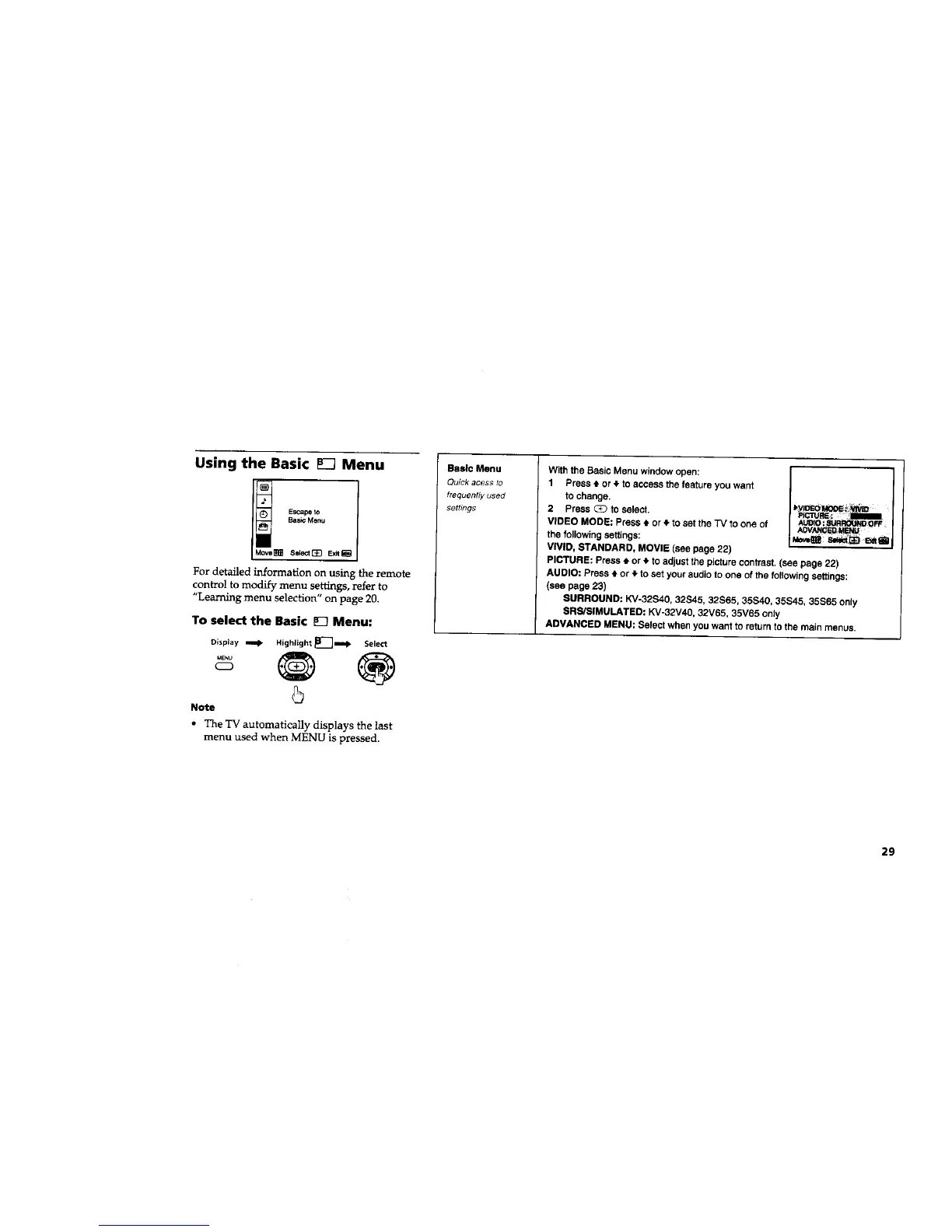
Using the Basic _ Menu
I! Sscnpe to
Basic Menu
Select _ Exit
For detailed information on using the remote
control to modify menu settings, refer to
"Learning menu selection" on page 20.
To select the Basic E_ Menu:
Display _ HighJight _]'_]m=!l -
MENU
Select
®
Note
• The 'IV automatically displays the lest
menu used when MENU is pressed.
Basic Menu
Quick acess to
frequently used
settings
With the Basic Menu window open:
1 Press • or t to access the feature you want
to change.
2 press _ to select.
VIDEO MODE: Press 4, or • to set the "IV to one of
the following settings:
VIVID, STANDARD, MOVIE (see page 22)
PICTURE: Press t or _, to adjust the picture contrast. (see page 22)
AUDIO: Press _-or _,to set your audio to one of the following settings:
(see page 23)
SURROUND: KV-32B40, 32S45, 32S65, 35S40, 35S45, 35S65 only
SRS/SIMULATEO: KV-32V40, 32V65, 35V65 only
ADVANCED MENU: Select when you want to return to the main menus.
29






 To Next Page