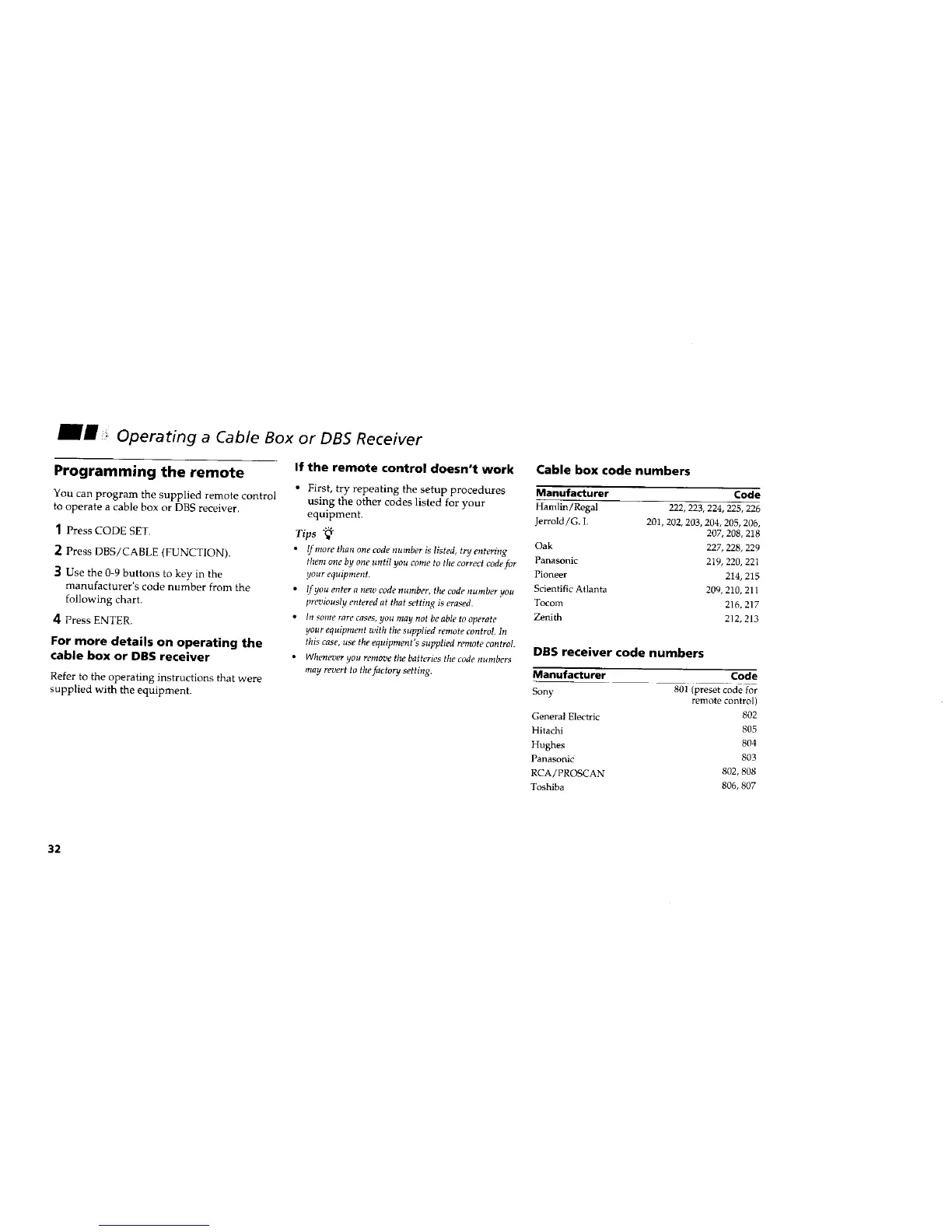
Operating a Cable Box or DB5 Receiver
Programming the remote
You can program the supplied remote control
to operate a cable box or DBS receiver.
1 Press CODE SET.
2 Press DBS/CABLE (FUNCTION).
] Use the 0-9 buttons to key in the
manufacturer's code number from the
following chart.
4 Press ENTER.
For more details on operating the
cable box or DBS receiver
Refer to the operating instructions that were
supplied with the equipment.
If the remote control doesn't work
• First, try repeating the setup procedures
using the other codes listed for your
equipment.
Tips "_"
• !f more than one code number is listed, try entering
them one by one until you come to the correct code for
your equipment.
• Ifyou enter a new code number, the code number you
previously entered at that setting is erased.
• In some rare cases, you may not be able to operate
your equipment with the supplied remote contro!. In
this case, use the equipment's supplied remote control.
• Whenever you remove the batteries the code numbers
may revert to the factory setting.
Cable box code numbers
Manufacturer Code
Hamlin/Regal 222, 223, 224, 225, 226
Jerrold/G. I. 201,202, 203, 204, 205, 206,
207, 208, 218
Oak 227, 228, 229
Panasonic 219, 220, 221
Pioneer 214, 215
Sci_t ttific Atlanta 209,210,211
Tocom 216, 217
Zenith 212, 213
DBS receiver code numbers
Manufacturer
Sony
General Electric
Hitachi
Hughes
Panasonic
RCA/PROSCAN
Toshiba
Code
80! (preset code for
remote control)
802
805
8O4
803
802, 808
806, 807
32






 To Next Page