l'ips "_"
• in some rare cases, you may not be able to operate
your non-Sony video equipment with the supplied
remote control. In this case, please use the
equipment's own remote control.
• When you remove the batteries, the code number may
revert to the factory setting.
• The code numbers for Sony VCR's are assigned at the
factory asfollows:
VHSVCR 301
(preset code for the
supplied remote control)
8 mm VCR 302
Beta, ED Beta VCRs 303
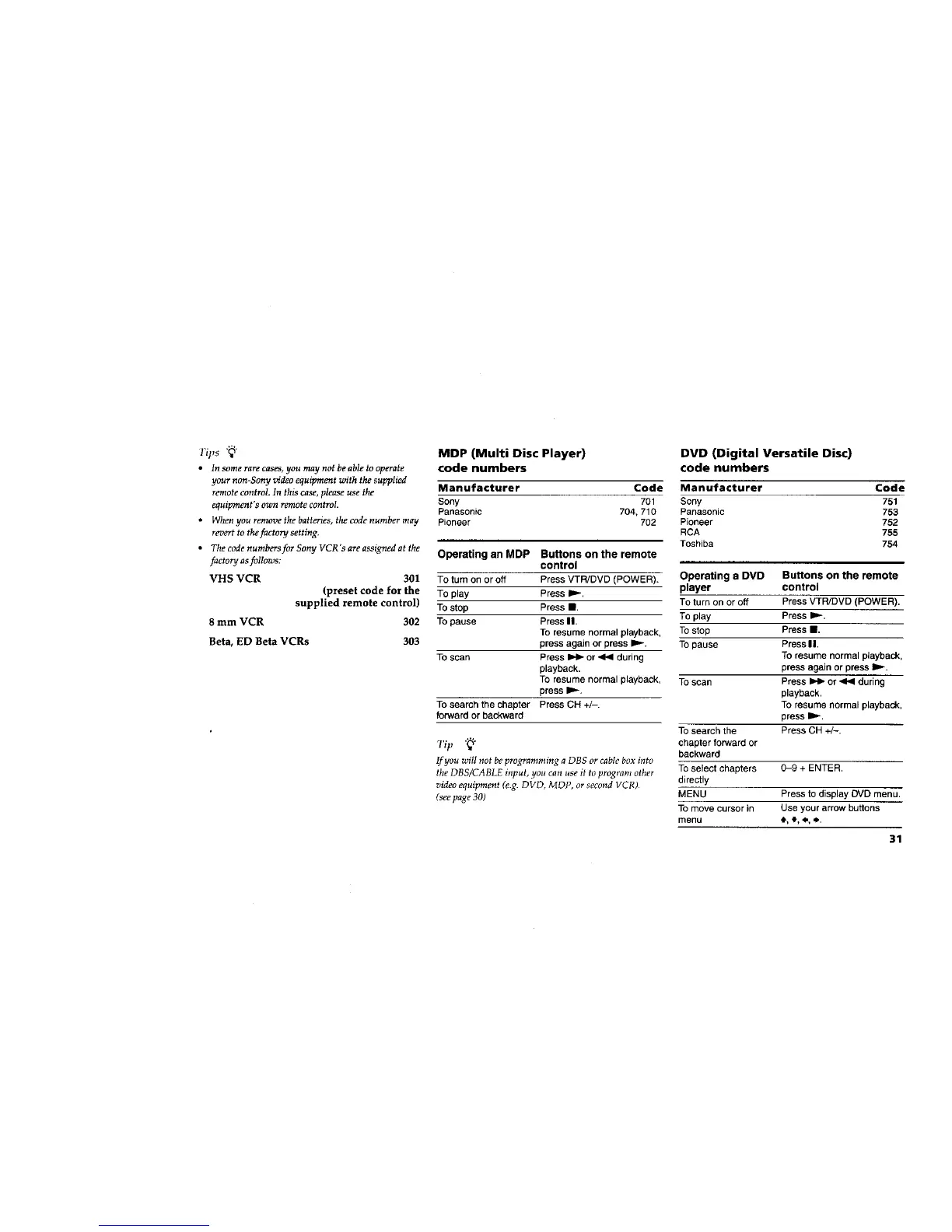
MDP (Multi Disc Player)
code numbers
Manufacturer Code
Sony 701
Panasonic 704, 710
Pioneer 702
Operating an MDP Buttons on the remote
control
To turn on or off Press VTR/DVD (POWER).
To play Press ID.-.
To stop Press I1.
To pause Press I1.
To resume normal playback,
press again or press I_.-.
To scan Press _ or _ during
playback.
To resume normal playback,
press I1_.
To search the chapter Press CH +/-.
forward or backward
Tip "_"
If you will not be programming a DBS or cable box into
the DBS/CABLE input, you can use it to program other
video equipment (e.g. DVD, MDP, or second VCR)
(see page 30)
DVD (Digital Versatile Disc)
code numbers
Manufacturer Code
Sony 751
Panasonic 753
Pioneer 752
RCA 755
Toshiba 754
Operating a DVD Buttons on the remote
player control
To turn on or off Press VTR/DVD (POWER).
To play Press I_-.
To stop Press II,
To pause Press II.
To resume normal playback,
press again or press I1,.-.
To scan Press _ or .<1,4during
playback.
To resume normal playback,
press D_-.
To search the Press CH +/-.
chapter forward or
backward
To select chapters 0-9 + ENTER.
directly
MENU Press to display DVD menu.
To move cursor in Use your arrow buttons
menu *, .I.,_., ,_.
31






 To Next Page