EasyManua.ls Logo

Sony Trinitron KV-35V35 - Page 11

Sony Trinitron KV-35V35
42 pages
Print Icon
To Next Page IconTo Next Page
To Previous Page IconTo Previous Page
Loading...
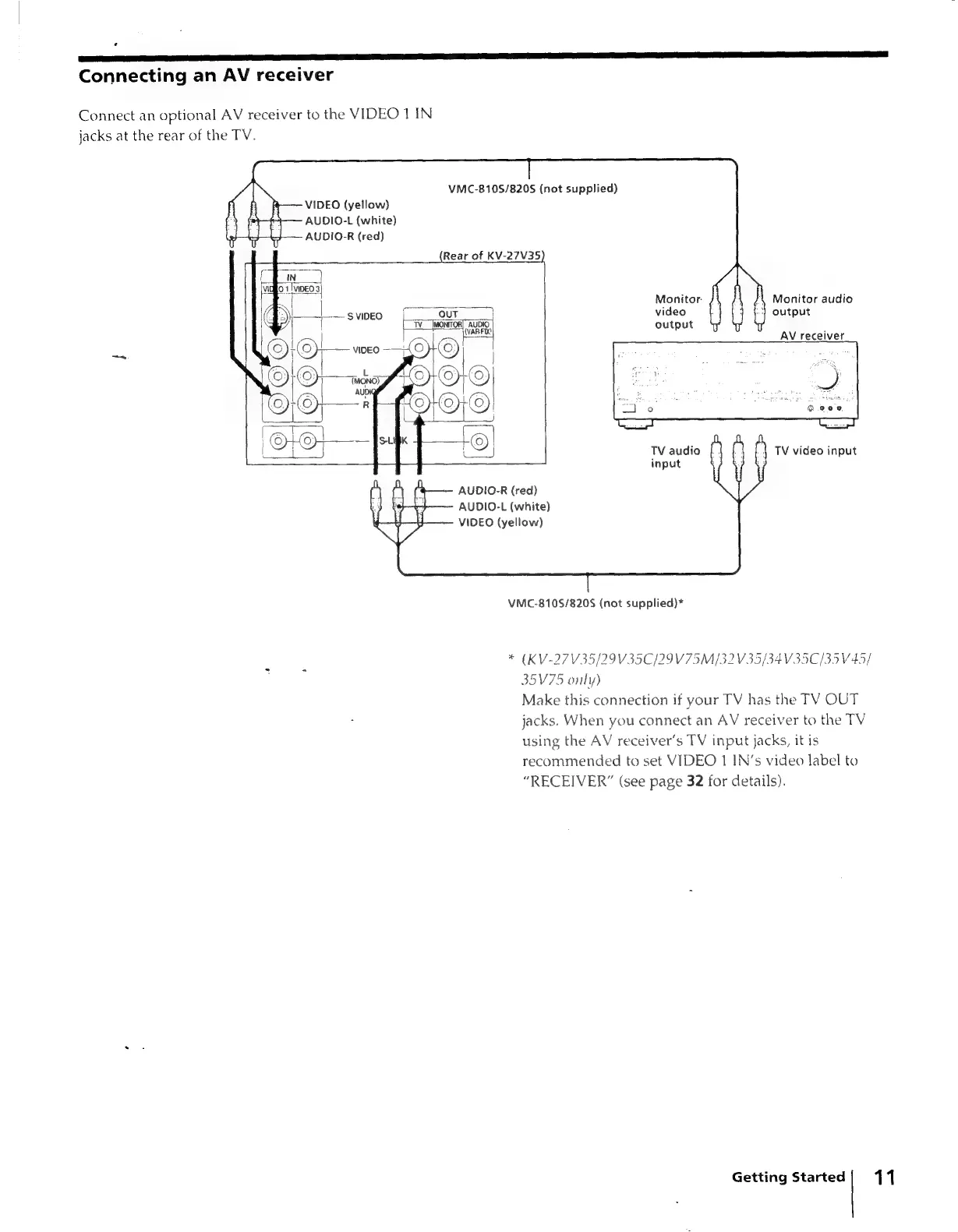
Connecting
an
AV
receiver
Connect
an
optional
AV
receiver
to
the
VIDEO
1
IN
jacks
at
the
rear
of
the
TV.
VMC-8105/8205
(not
supplied)
VIDEO
(yellow)
AUDIO-L
(white)
AUDIO-R
(red)
(Rear
of
aac
Monitor.
—svpneo
[OUT
|
video
output
Monitor
audio
output
AV
receiver
TV
audio
input
AUDIO-R
(red)
AUDIO-L
(white)
VIDEO
(yellow)
VMC-810S/820S
(not
supplied)*
*
(KV-27V35/29V35C/29V75M/32
V35/34
V35C/35V45/
35V75
only)
Make
this
connection
if
your
TV
has
the
TV
OUT
jacks.
When
you
connect
an
AV
receiver
to
the
TV
using
the
AV
receiver's
TV
input
jacks,
it
is
recommended
to
set
VIDEO
1
IN’s
video
label
to
“RECEIVER”
(see
page
32
for
details).
Getting
Started;
11