3-1
VPL-ES5/EX5/EX50/EX5U/EW5
3-1. Electric Troubleshooting
Section 3
Troubleshooting
1
No
Ye s
No
No
Ye s
Ye s
No
Ye s
No
Ye s
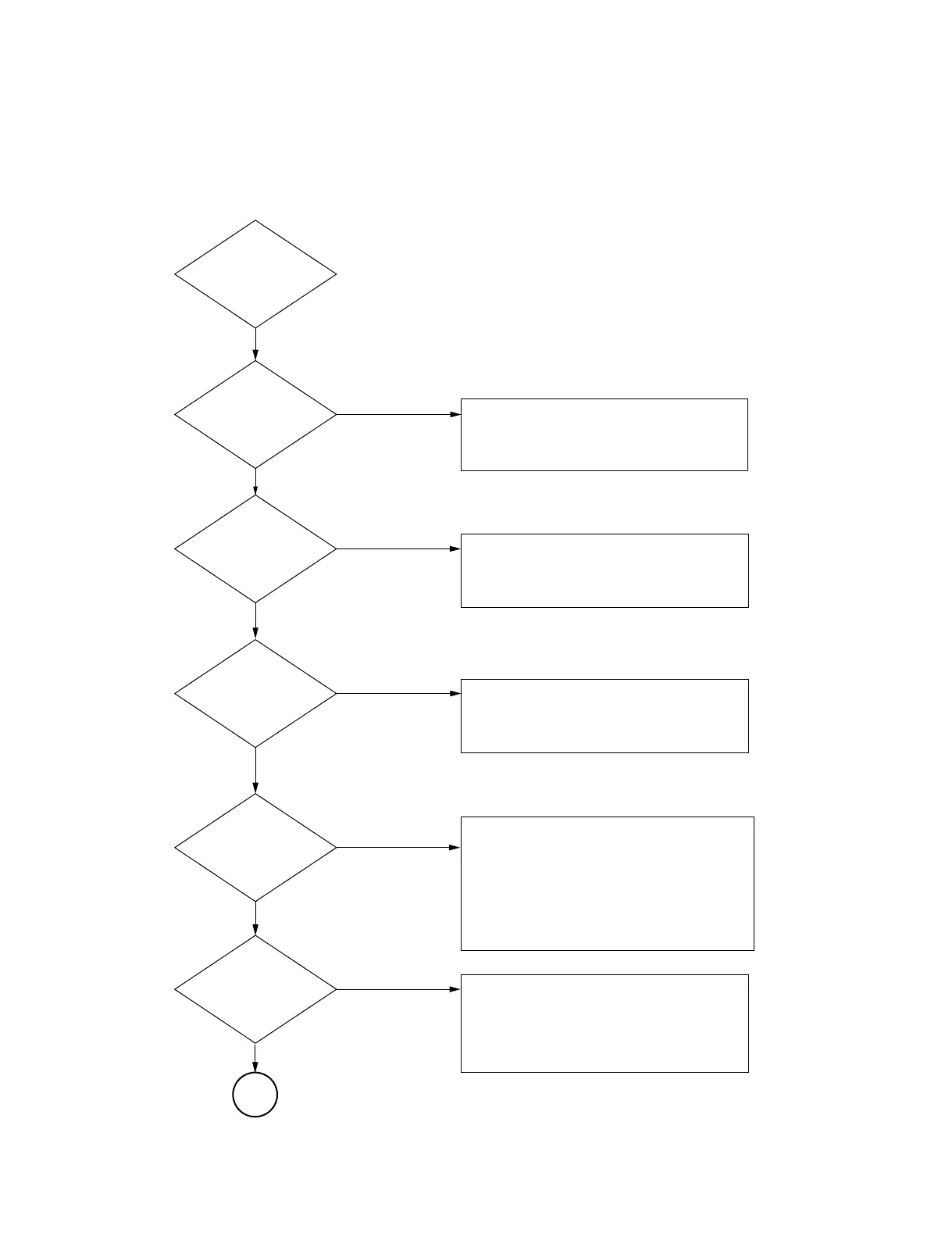
Connect the Power
System Standby?
Power projector
Lamp ON ?
System shut-down
And cooling
No Picture ?
Picture quality
No good ?
1. Check the LED Message and find error.
2. Check lamp door, dust door.
3. Check the power board out voltage 5V.
4. Change main board.
1. check the Ballast power and control
signal wire.
2. Check lamp door status.
3. Check lamp status.
1. The picture is full-white pattern; please
check the LCD panel connector. (only ES5)
2. The picture is full-black pattern; please check
the LCD panel connector. (only EX5/EX50/
EX5U/EW5) please check the LCD driver on
the main board.
3. Check the system status: Is system in
burn-in mode?
1. Check the LED message and find error.
2. Check the Fan status or Thermal sensor
status.
3. Check the lamp door or dust door.
1. The picture a little green, blue, red,
please check the LCD panel connector.
2. The picture has dust, please check the
lens.
3. The picture flicker, please alignment
again.



 To Next Page